
People say the cloud is expensive, but I say we need to know what we’re paying for, how to save money in the cloud, and how to run systems that deliver business value at the lowest possible price.
Automat-it, as an AWS Premier Partner and Managed Services Provider, has extensive experience in cost optimization and helps companies to save thousands of dollars every day through continuous monitoring and following best practices proactively.
Problem statement
We already posted articles about different Amazon EC2 instance types, moving to Graviton, and using Amazon Bedrock GenAI to Monitor Customer Tasks Impacting Cloud Cost. Companies may use different AWS services, and the default setup for each service is not cost-optimized by default.
Almost every AWS service has a way to reduce spending. In this article, we will look at several use cases where you can save some money in AWS (servers, serverless, storage, etc.).
Serverless stack
Graviton2-powered AWS Lambda
AWS Lambda functions on AWS Graviton2, which use an Arm-based processor architecture, are designed to deliver up to 19% better performance at 20% lower cost across a variety of Serverless workloads, such as web and mobile backends, data processing, and media processing.
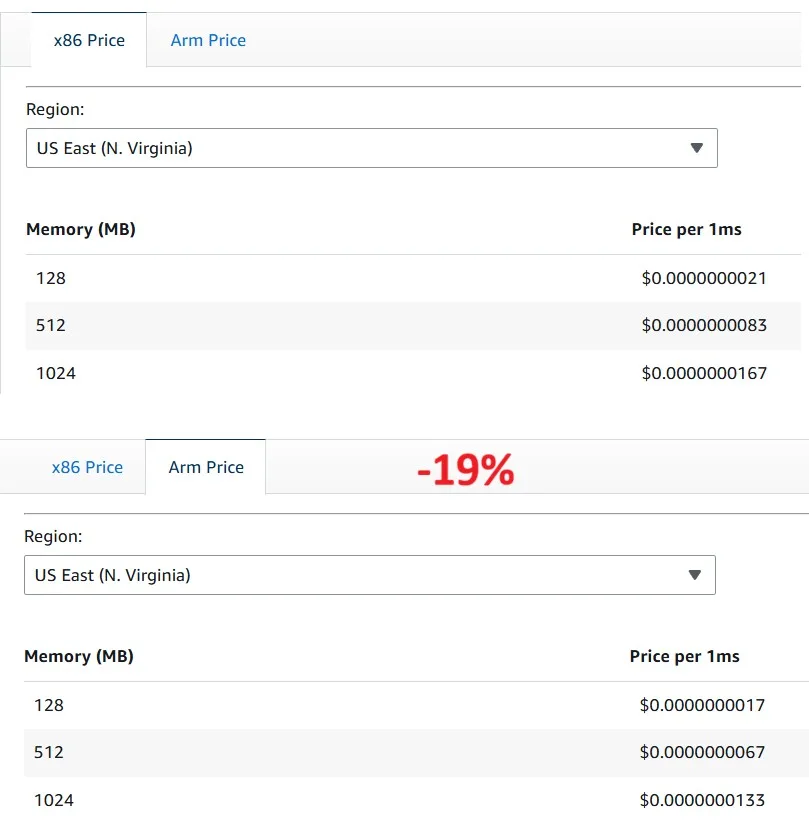
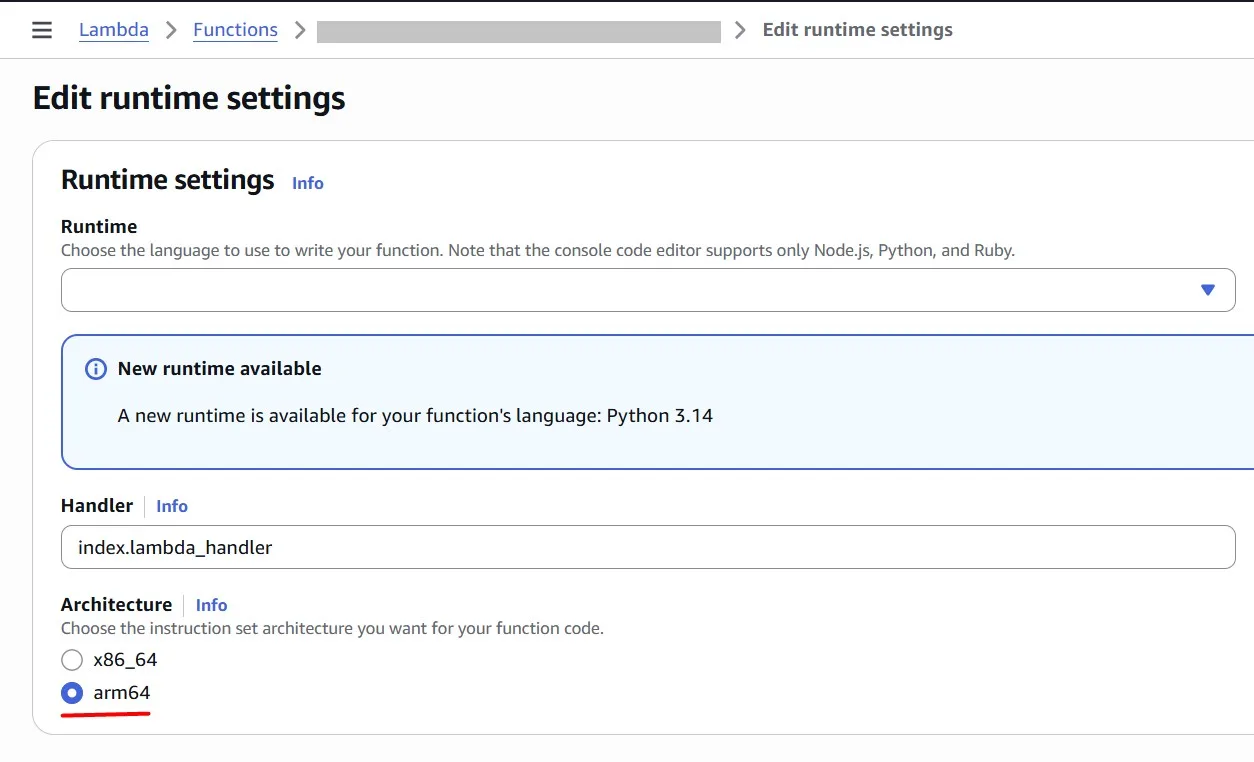
Customers can configure existing x86-based functions to target the AWS Graviton processor or create new functions powered by AWS Graviton
Power Tuned Lambda
As we saw in the previous pricing example, in AWS Lambda, we pay for allocated memory (MB) and function execution duration (ms). Sometimes, more memory allows the function to complete faster, but not always. In this section, we will identify the optimal Lambda configuration to achieve the best performance-to-cost balance.
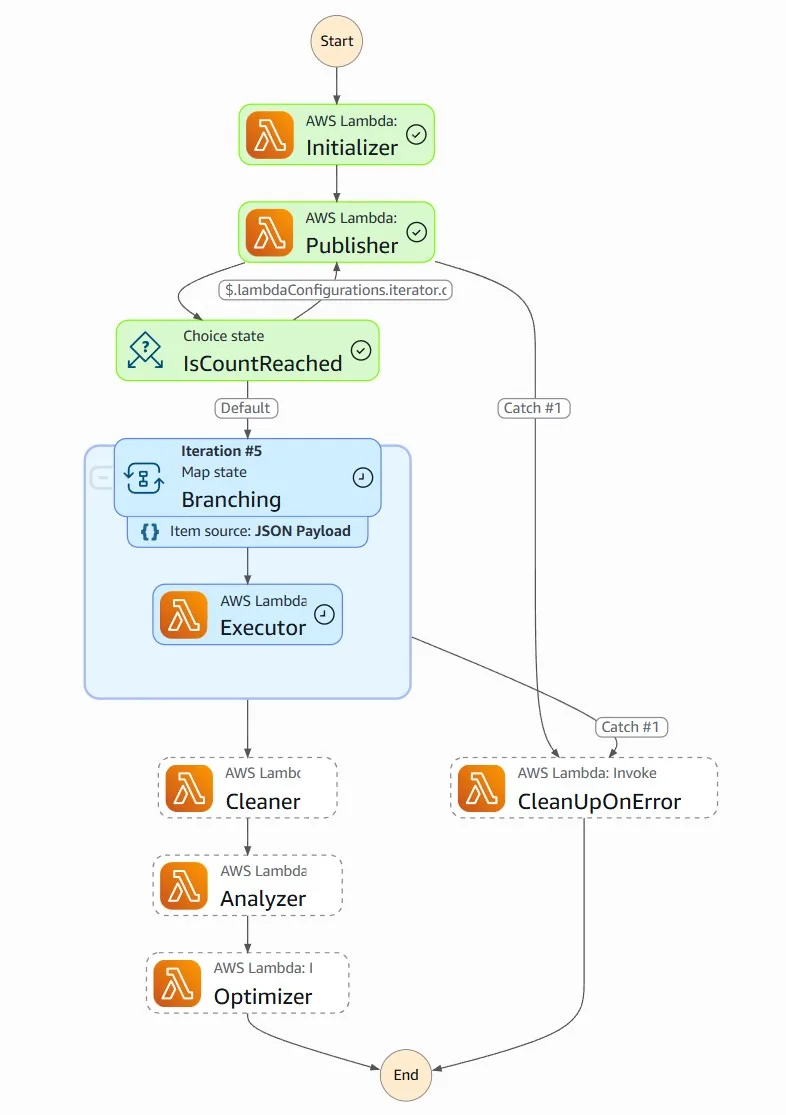
AWS Lambda Power Tuning is a state machine powered by AWS Step Functions that helps you optimize your Lambda functions for cost and/or performance in a data-driven way.
The state machine is designed to be easy to deploy and fast to execute. Also, it’s language agnostic so you can optimize any AWS Lambda functions in your account.
Basically, you can provide a Lambda function ARN as input, and the state machine will invoke that function with multiple power configurations (from 128MB to 10GB, you decide which values). Then it will analyze all the execution logs and suggest you the best power configuration to minimize cost and/or maximize performance.
You can deploy the AWS Lambda Power Tuning in different ways: AWS SAM, AWS CDK, and Terraform. Here, we don’t focus on the deployment procedure. I will just quickly show how simple it is, and we will proceed with the solution usage for Lambda cost optimization.
You need to complete prerequisites (install Docker, Git, and configure AWS credentials). In my case, I used AWS SAM to deploy the solution:
git clone https://github.com/alexcasalboni/aws-lambda-power-tuning.git
cd ./aws-lambda-power-tuning
sam build -u
sam deploy -g
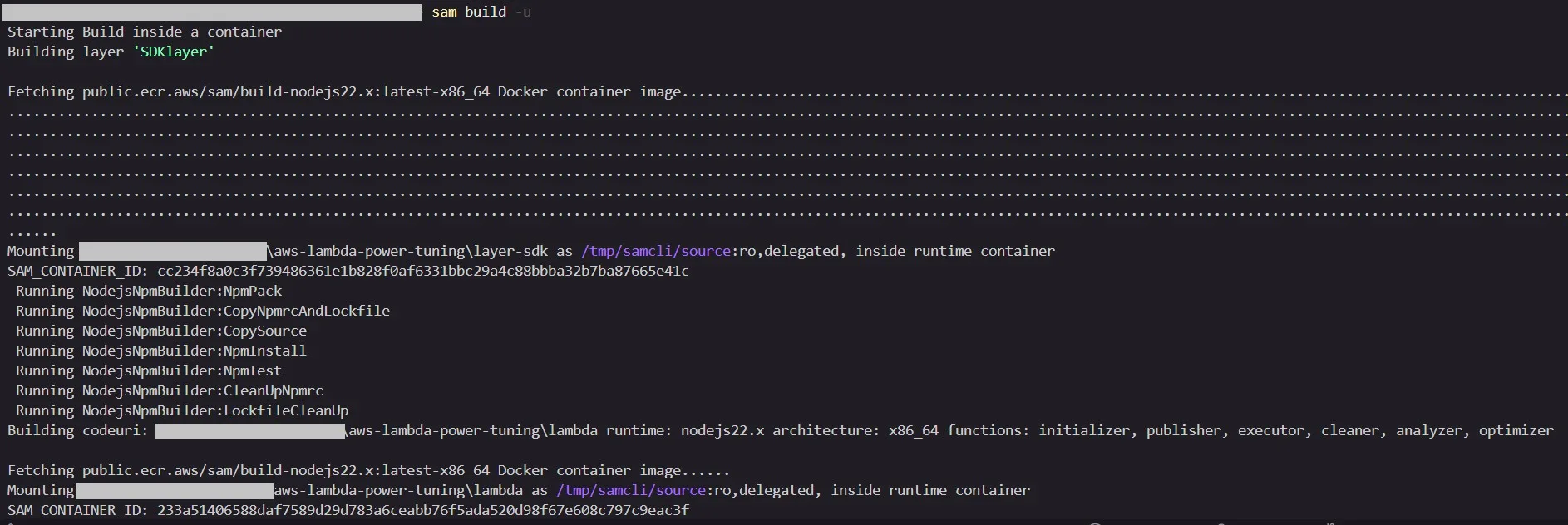
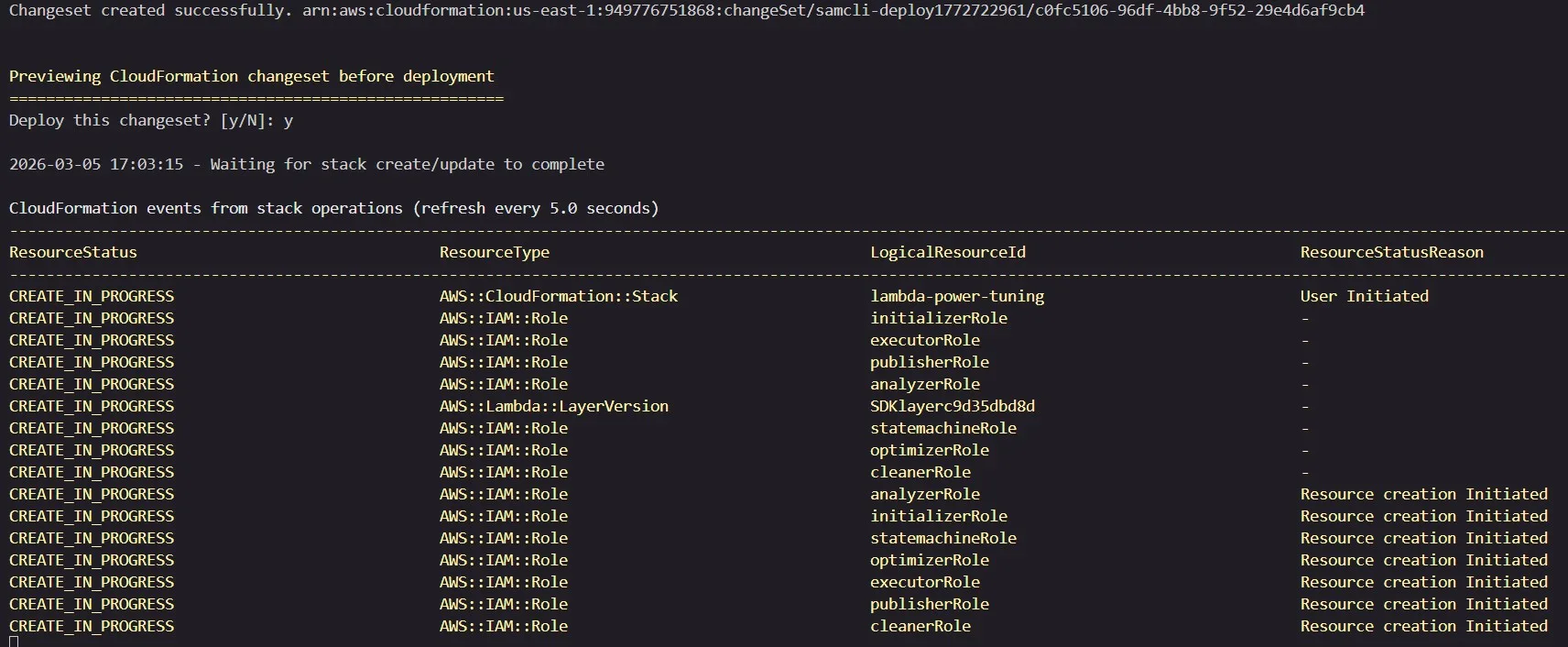
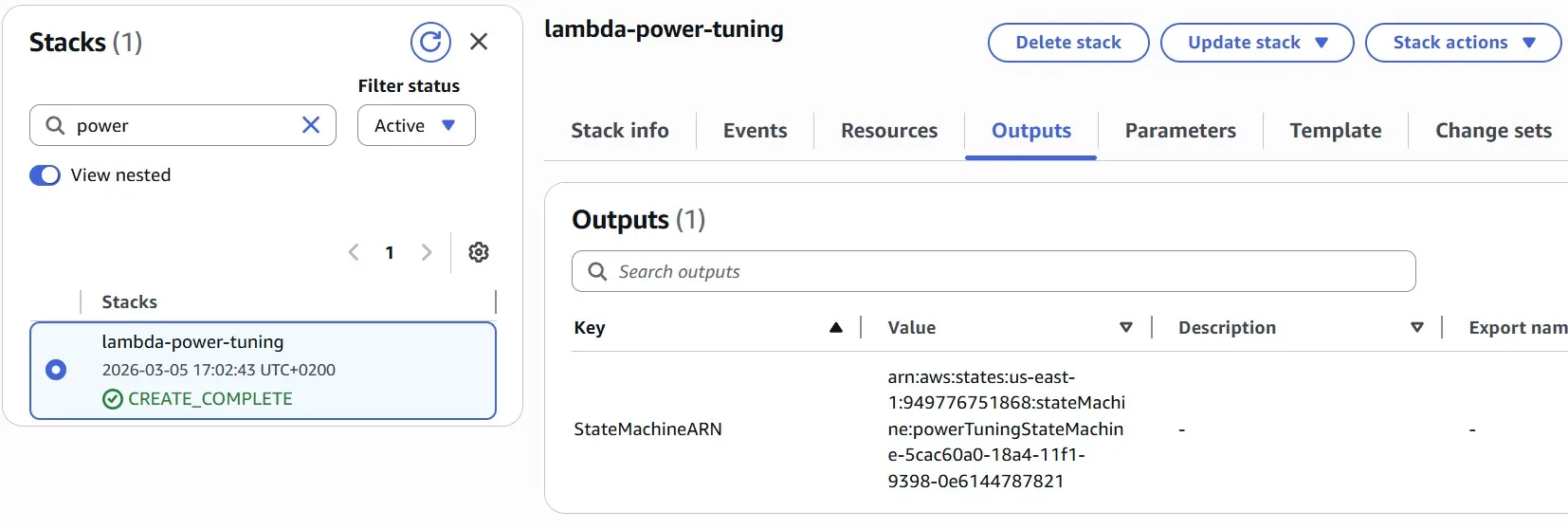
In the end, we need the output of the deployed AWS CloudFormation stack, which contains the AWS Step Function ARN.
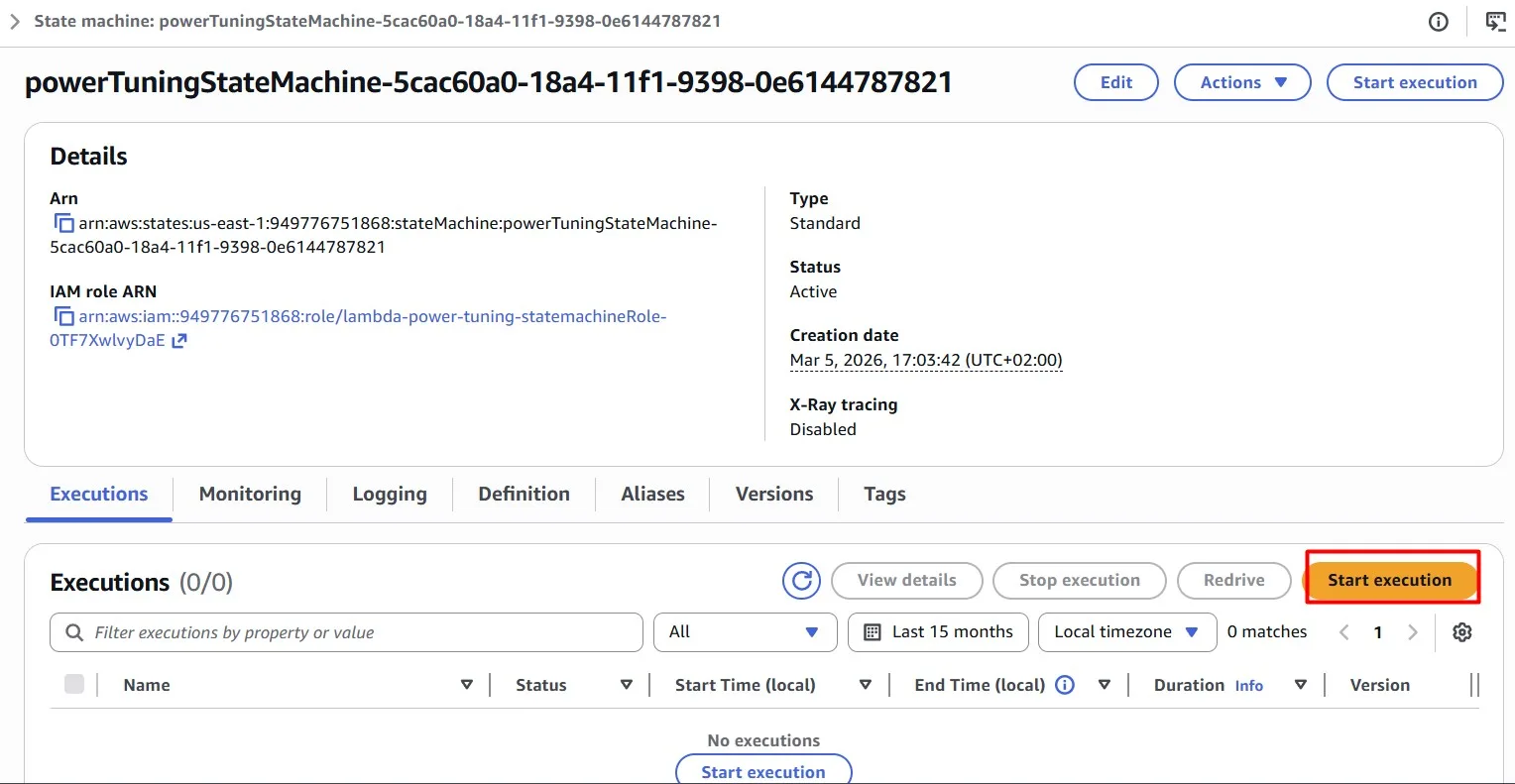
For testing our AWS Lambda functions, we need to “Start execution” of the AWS Step Function:
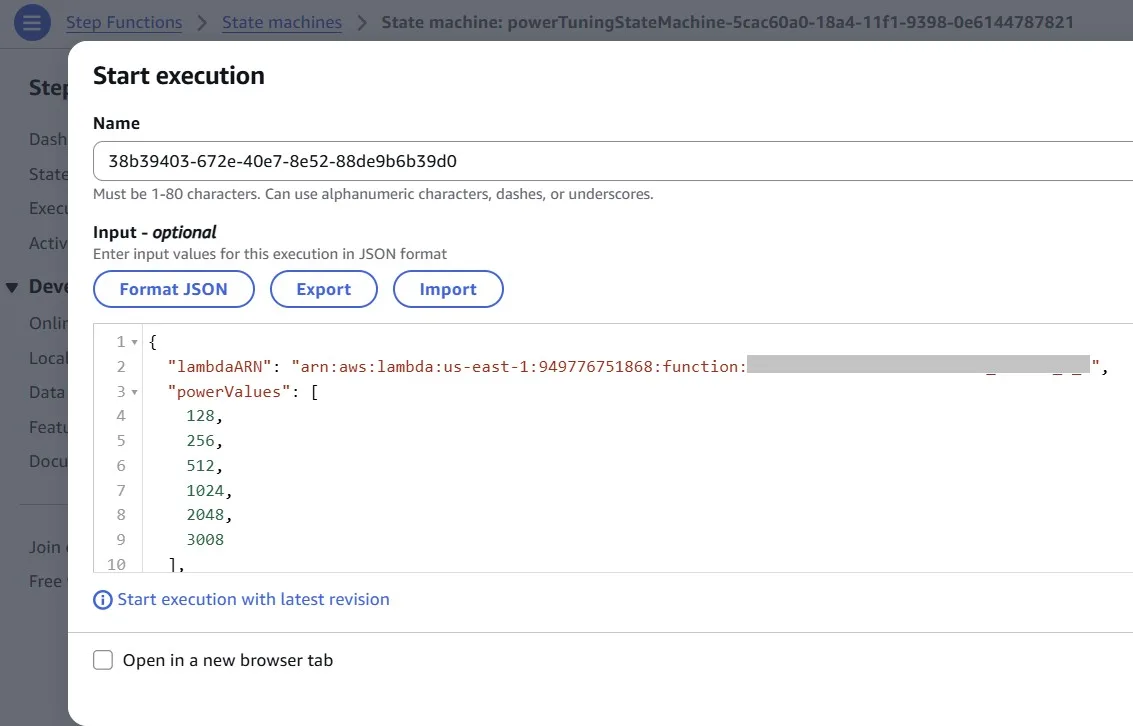
The state machine runs your AWS Lambda function with a variety of memory configurations (powerValues)to identify the most cost-effective options. Use the following configuration to execute the AWS Lambda Power Tuning state machine:
{
  "lambdaARN": "<YOUR FUNCTION ARN>",
  "powerValues": [
    128,
    256,
    512,
    1024,
    2048,
    3008
  ],
  "num": 50,
  "payload": {"N": 1000000},
  "parallelInvocation": true,
  "strategy": "balanced"
}
Tests started:
Once completed, we can find the web dashboard in the output:
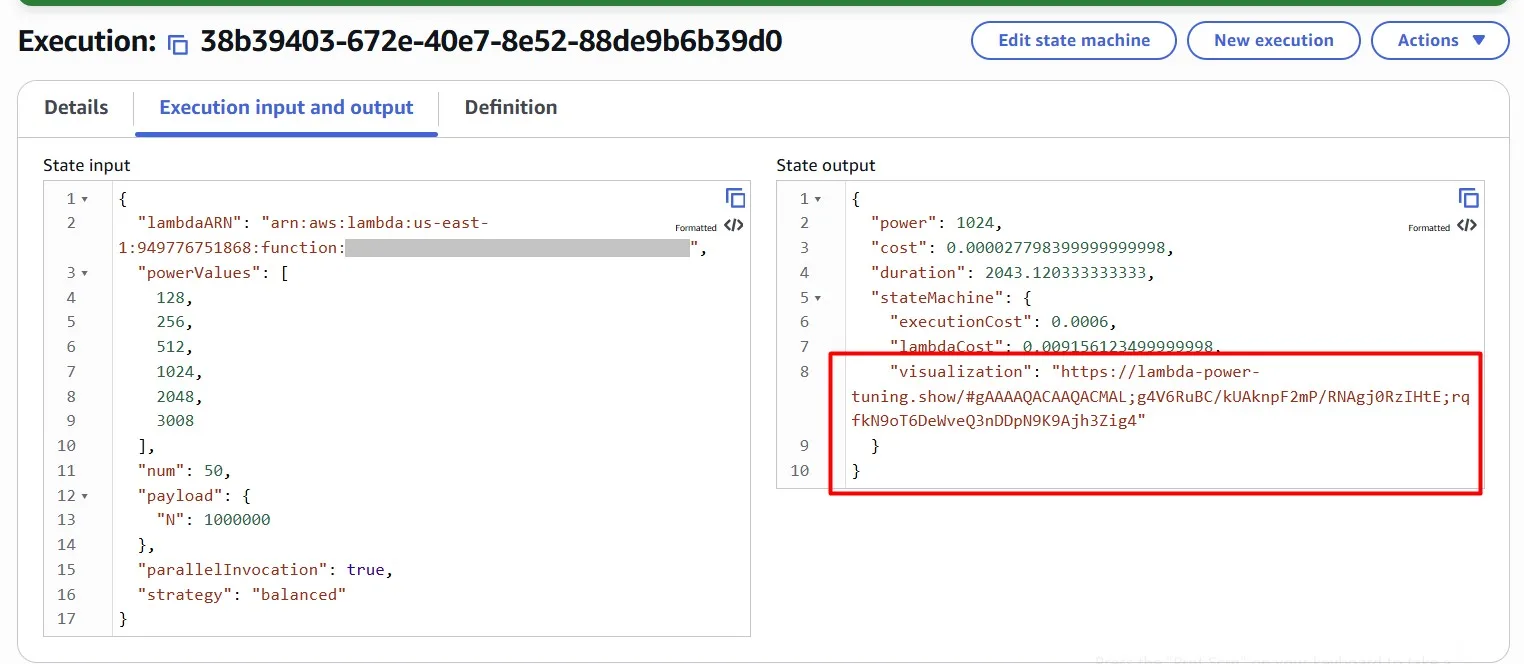
Open the provided url and you will see the analysis result:
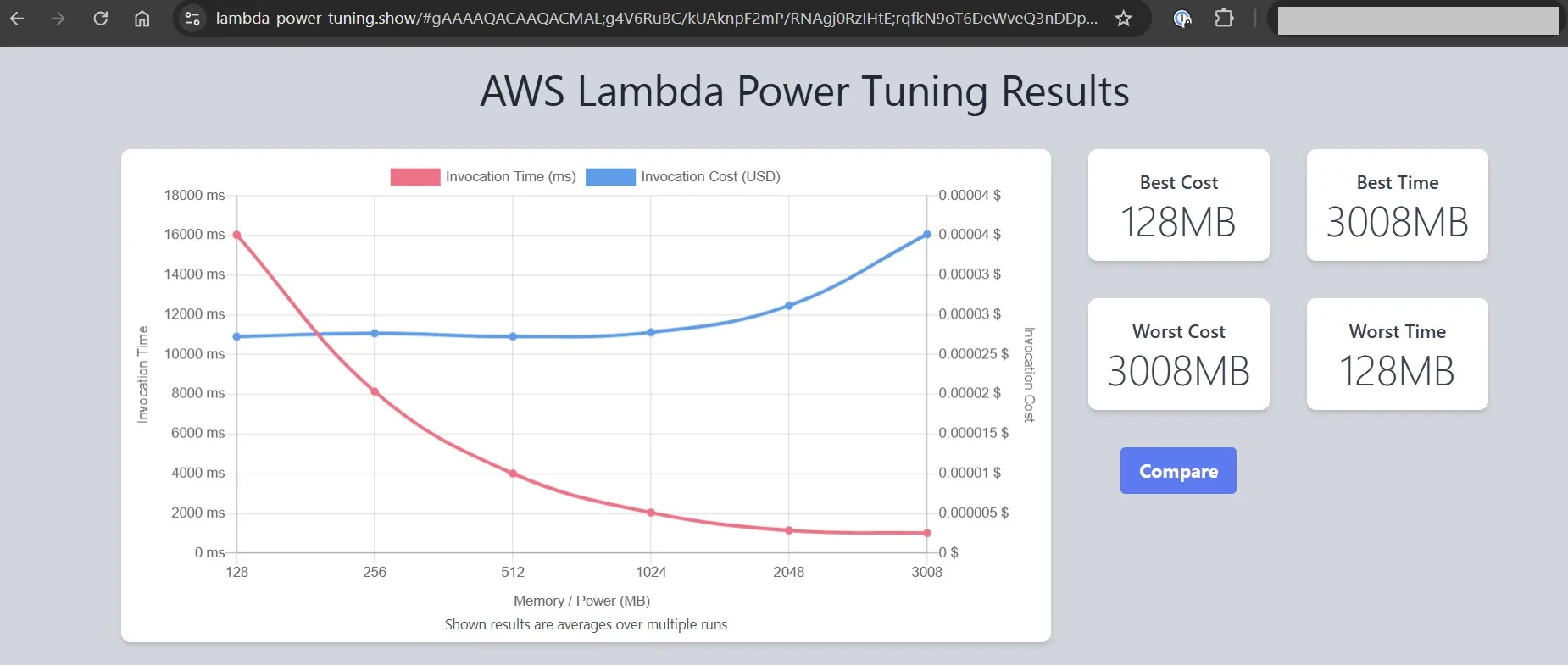
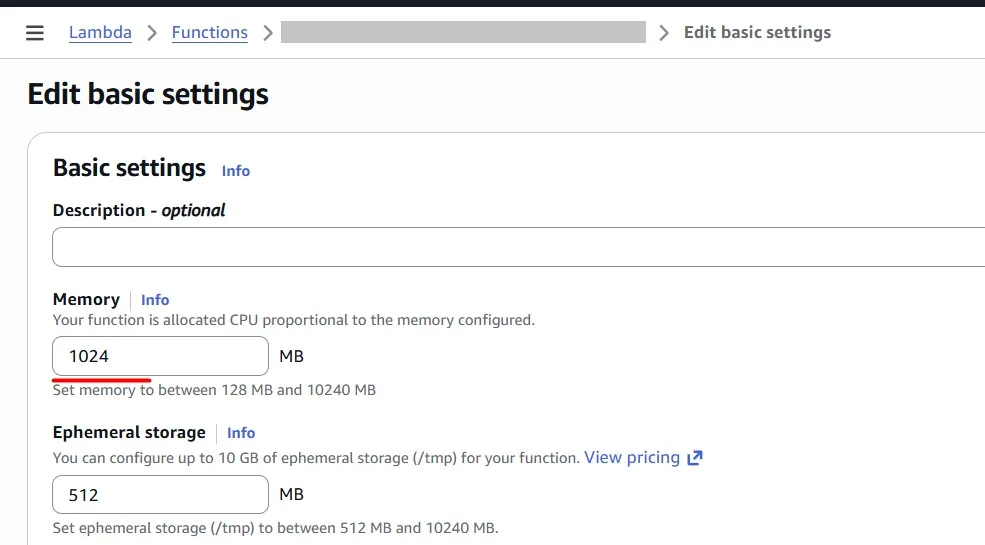
We can see where the function costs less and where it runs faster. In my case, I see that 1024 MB gives me the best cost-performance balance, because for 2048 MB the price grows significantly, but the invocation time does not. I chose 1024 MB for my function:
Amazon API Gateway Requests caching
You can enable API caching in Amazon API Gateway to cache your endpoint’s responses. With caching, you can reduce the number of calls made to your endpoint and also improve the latency of requests to your API.
GET requests will be sent to the Amazon API Gateway on the /orders endpoint, with a query string containing a user_id (e.g., /orders?user_id=1234–5678–9012). Currently, the API Gateway forwards each request to the QueryTableFunction Lambda function, which then retrieves relevant data from an Amazon DynamoDB table.
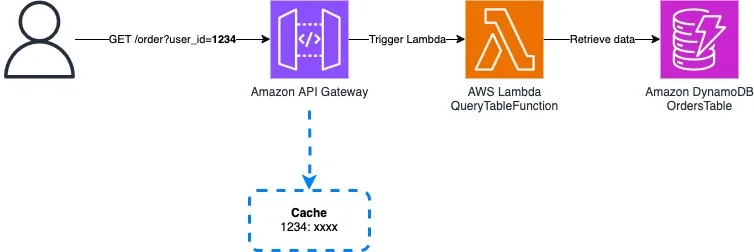
When we do the same requests (caching disabled), we see that it takes 2–3 seconds every time:

Because the Lambda function is executed every time and reads data from Amazon DynamoDB every time:
Let’s enable Amazon API Gateway caching:
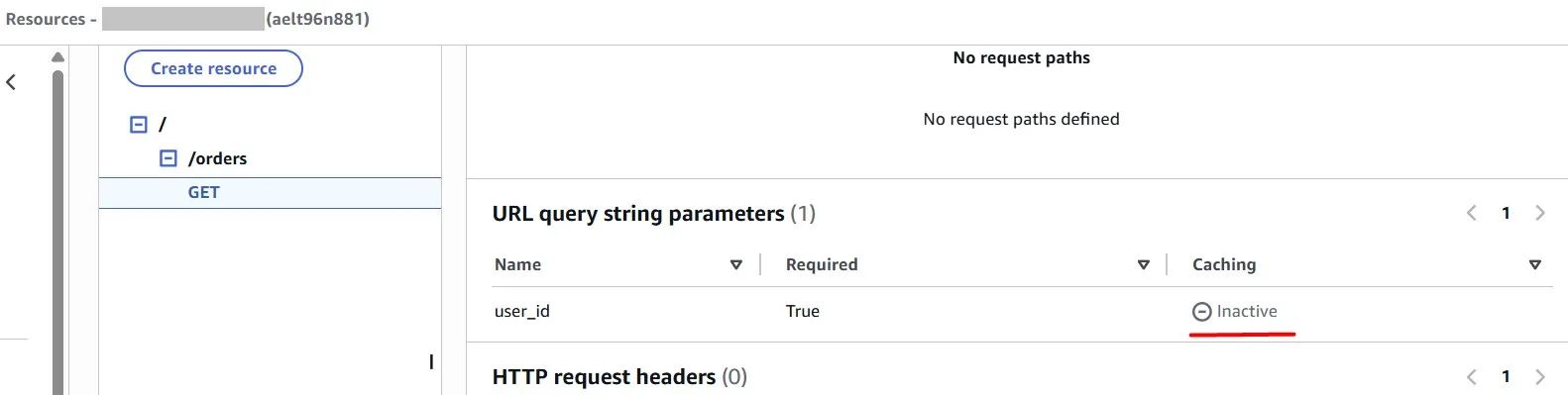
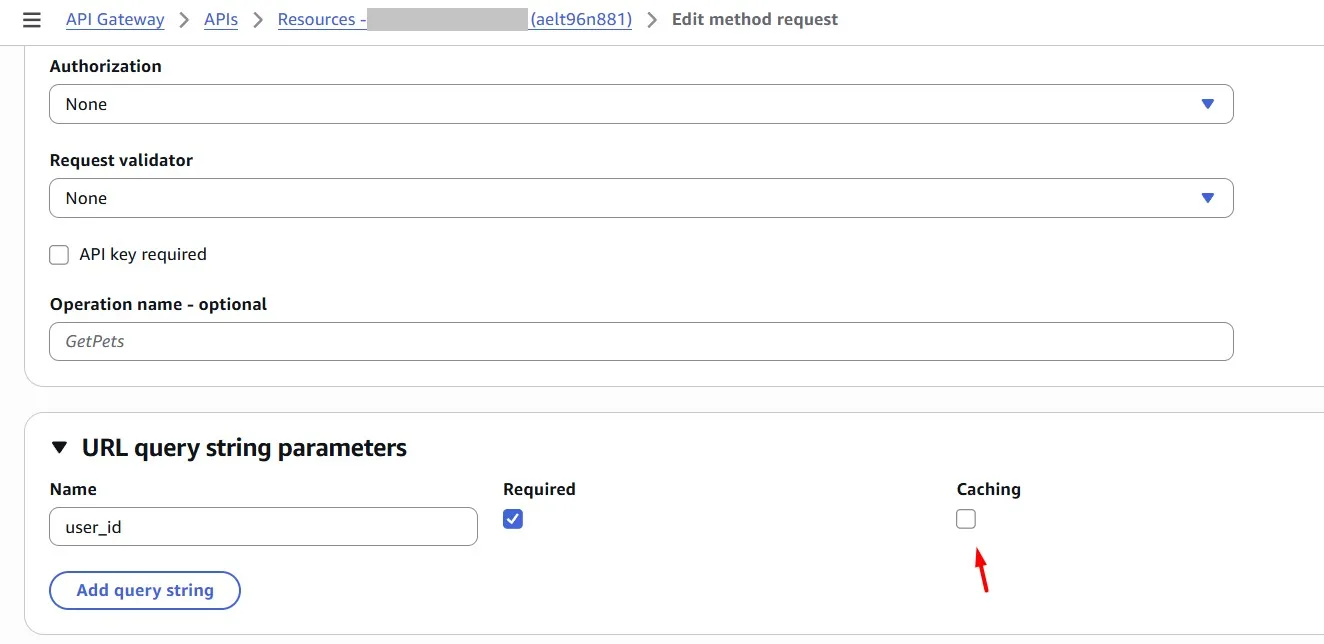
Caching can be enabled for a specific URL query string parameter (in our case, this is “user_id”):
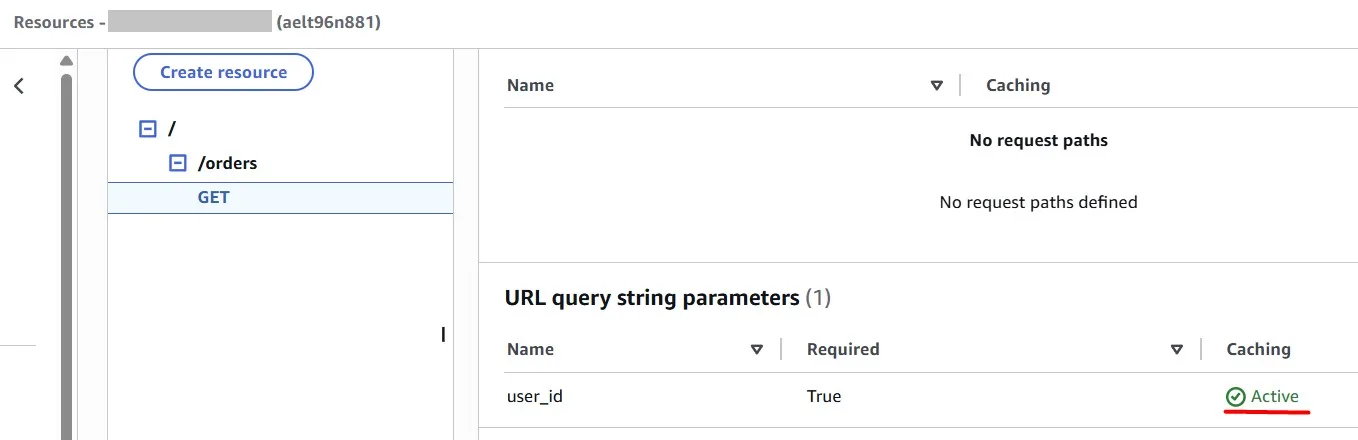
Deploy changes (in our case, this is “prod” stage):
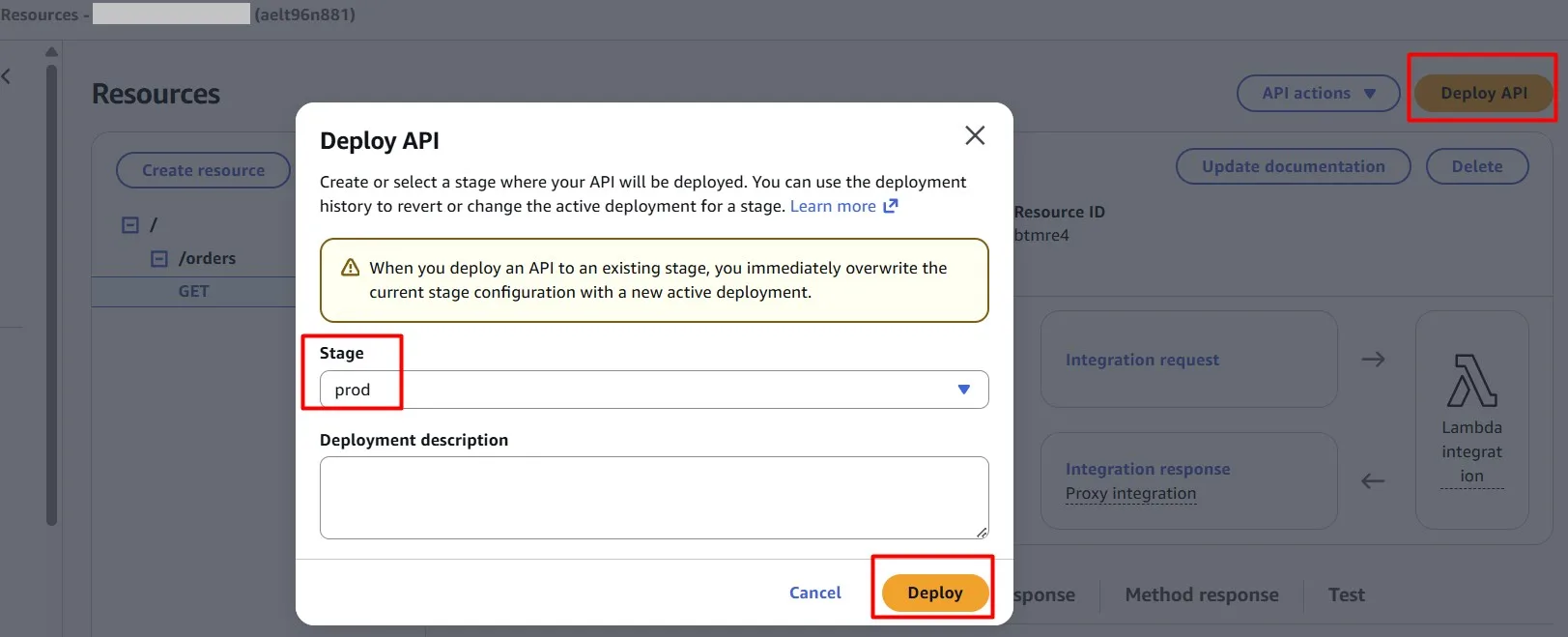
In the Amazon API Gateway console, you configure caching on the Stages page. You provision the stage cache and specify a default method-level cache setting. If you turn on the default method-level cache, method-level caching is turned on for all GET methods on your stage, unless that method has a method override. Any additional GET methods that you deploy to your stage will have a method-level cache.
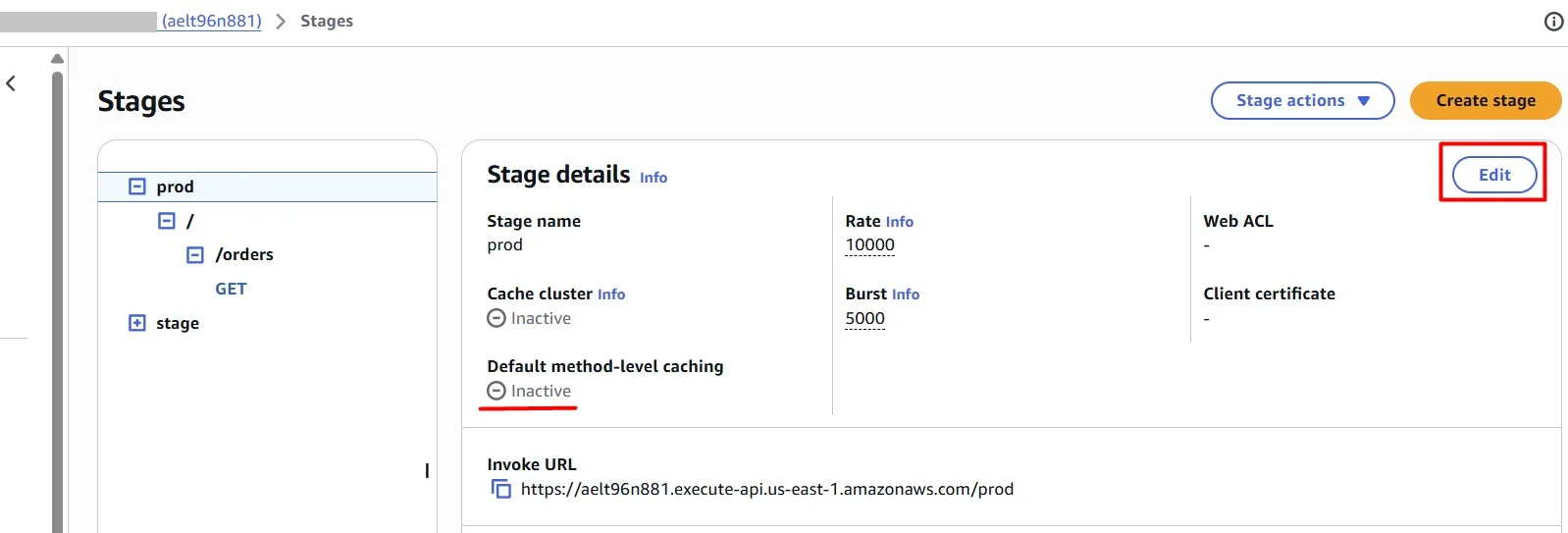
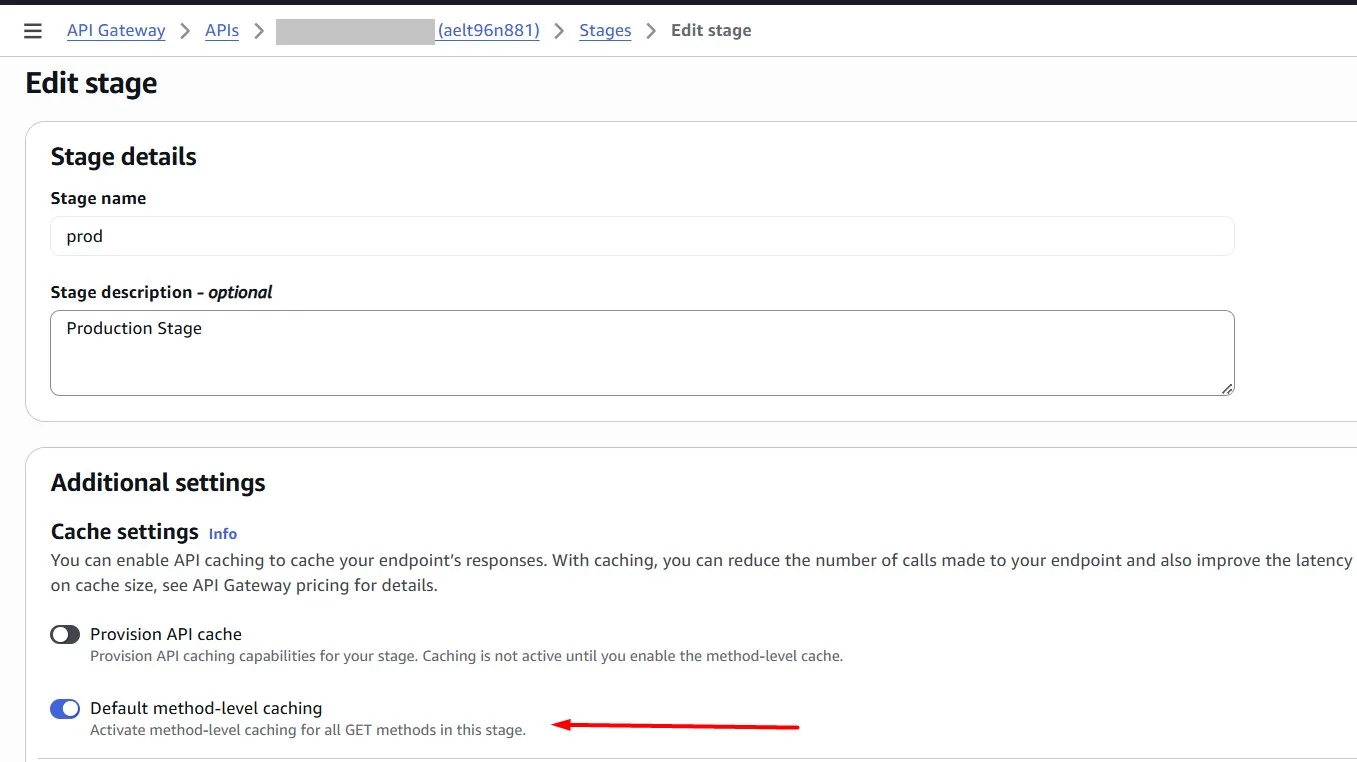
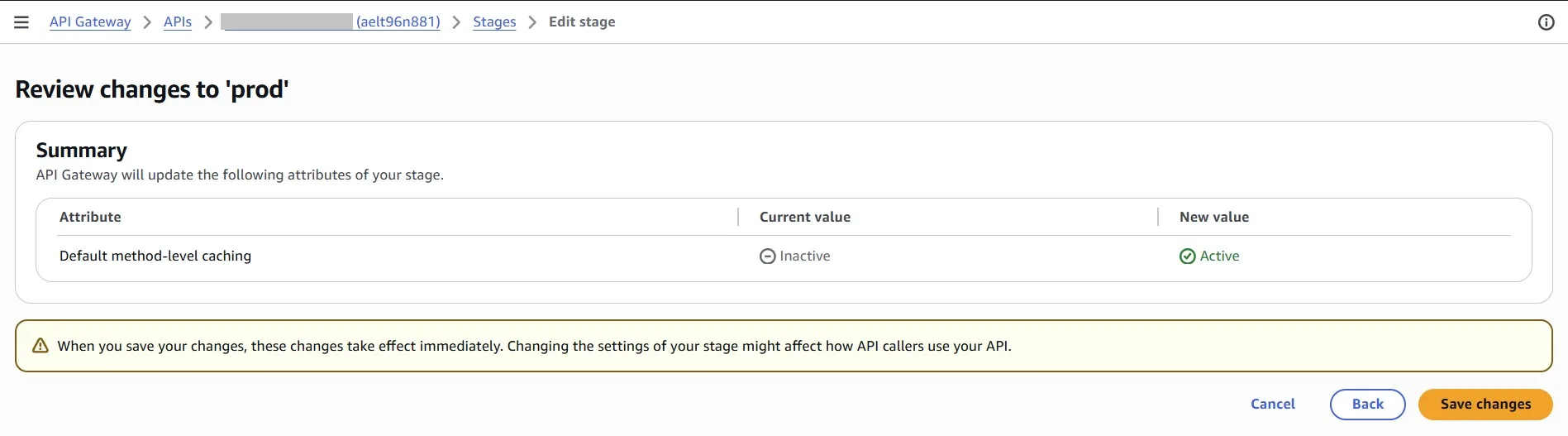
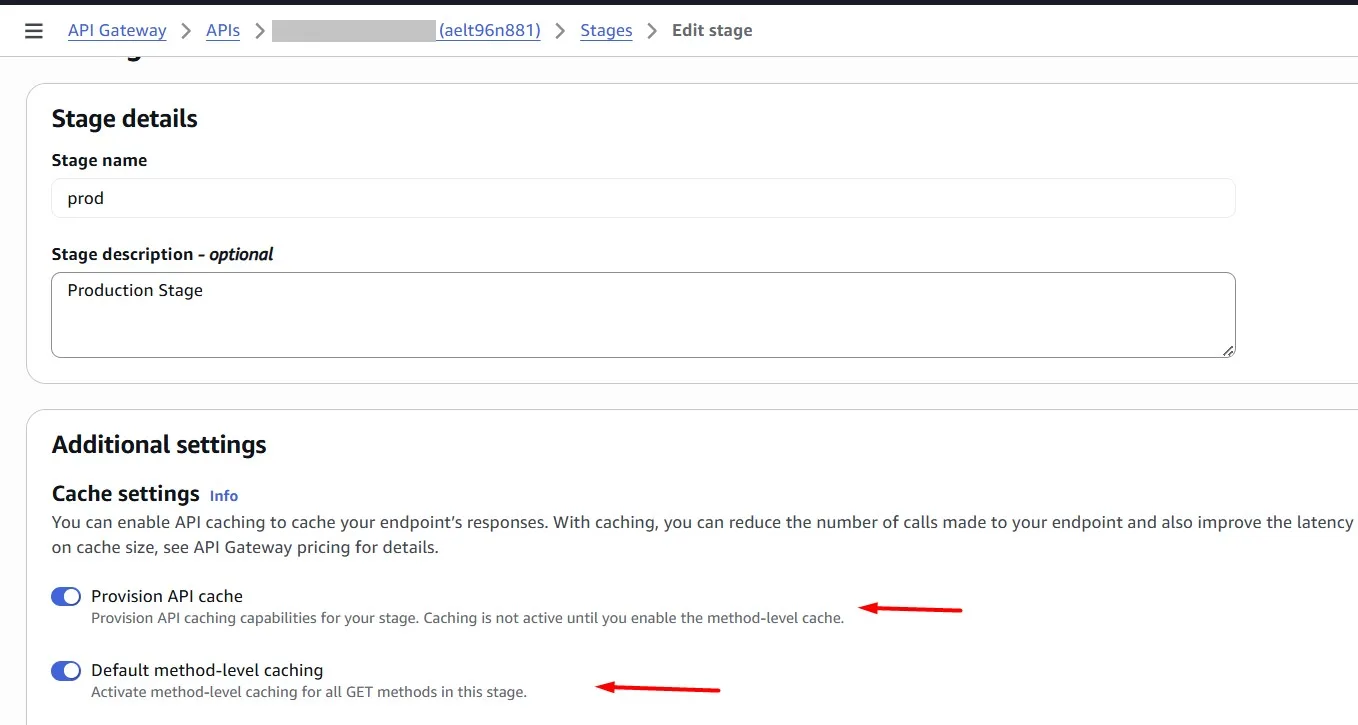
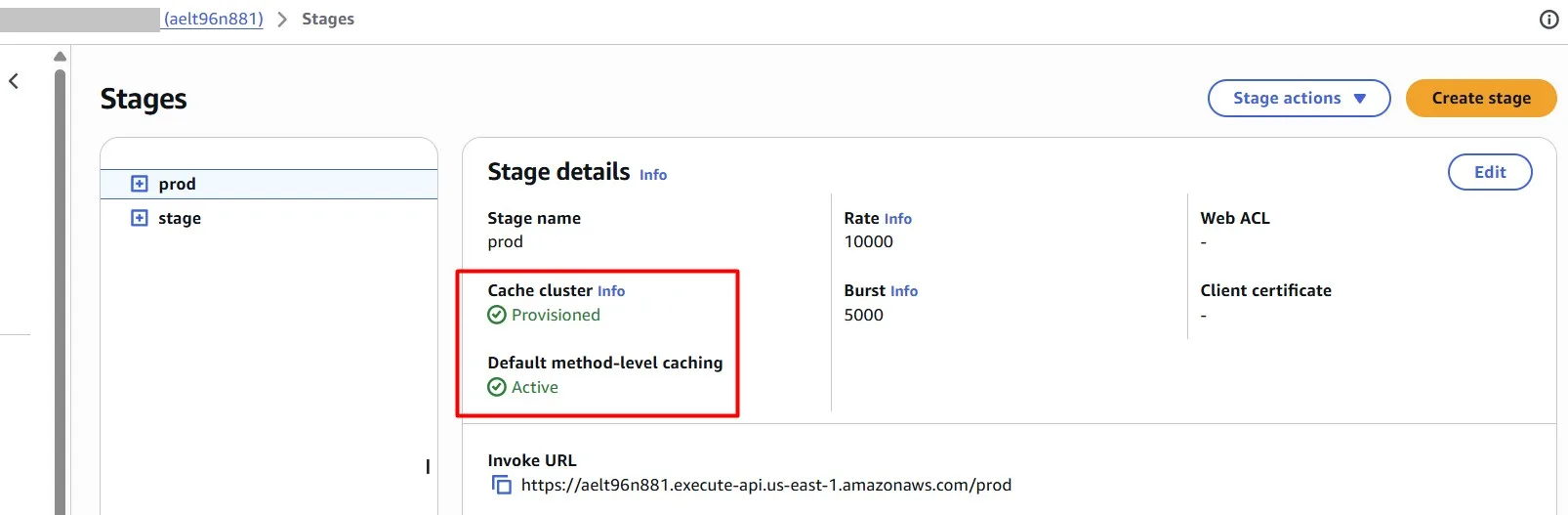
Let’s test requests again. The first request takes ~3 seconds, as we saw earlier.
Add caching to the Amazon API Gateway so that repeated requests for the same “user_id” are served directly from the API Gateway cache rather than forwarded to Lambda.
The subsequent requests are completed almost immediately:
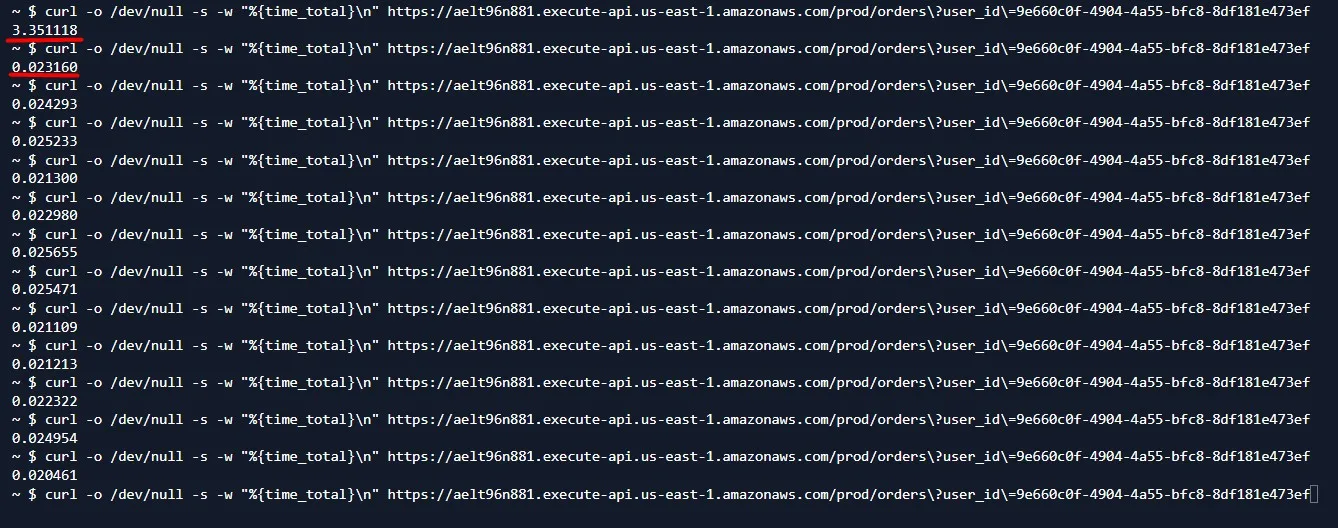
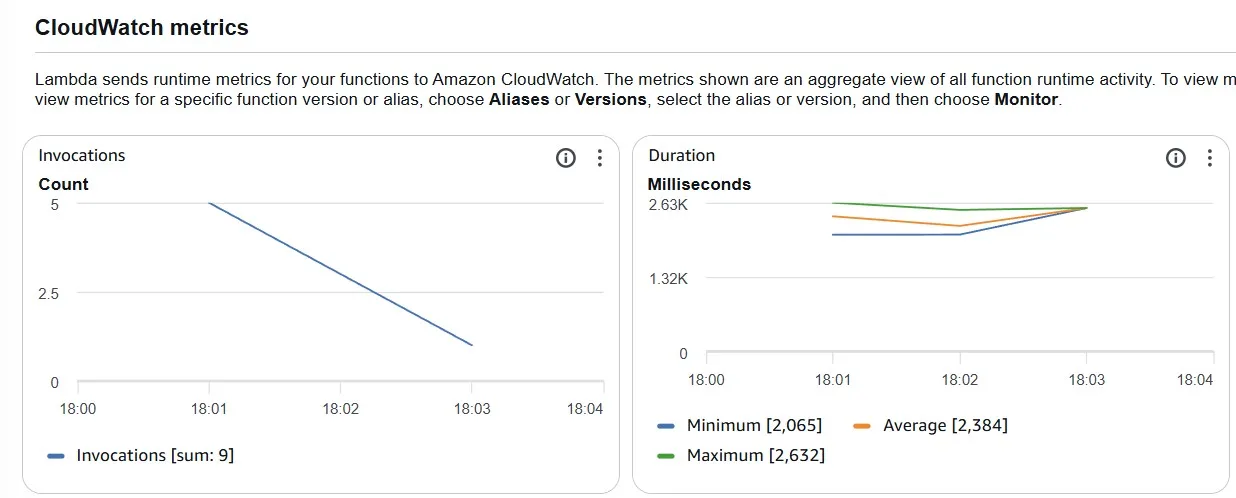
And only one AWS Lambda execution is observed in the Amazon CloudWatch metric.
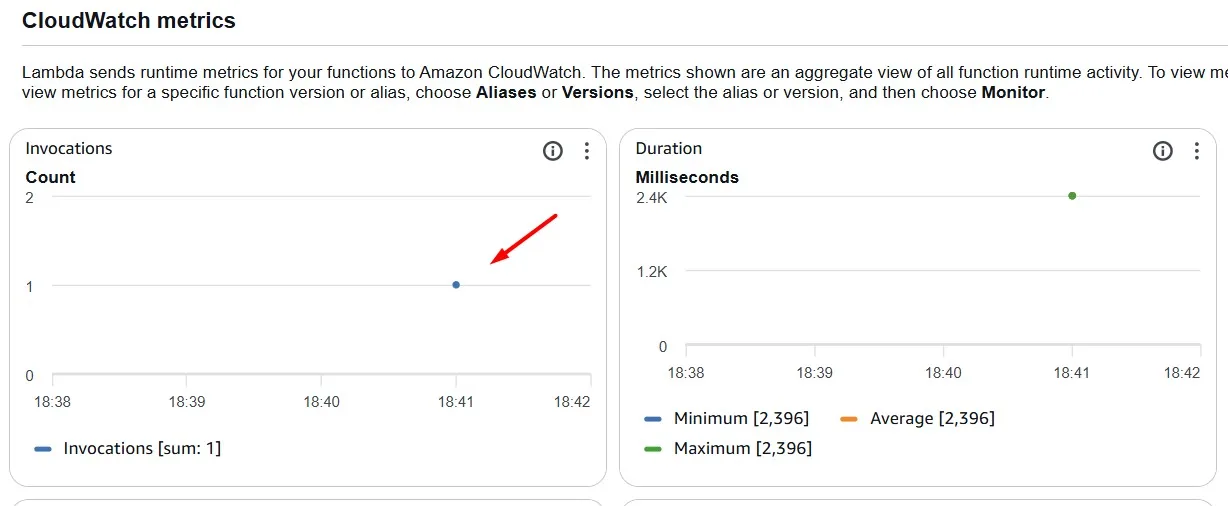
Such a configuration saves you money.
Amazon DynamoDB Infrequent Access
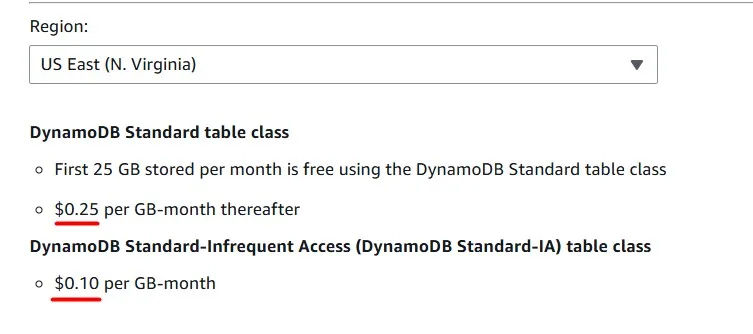
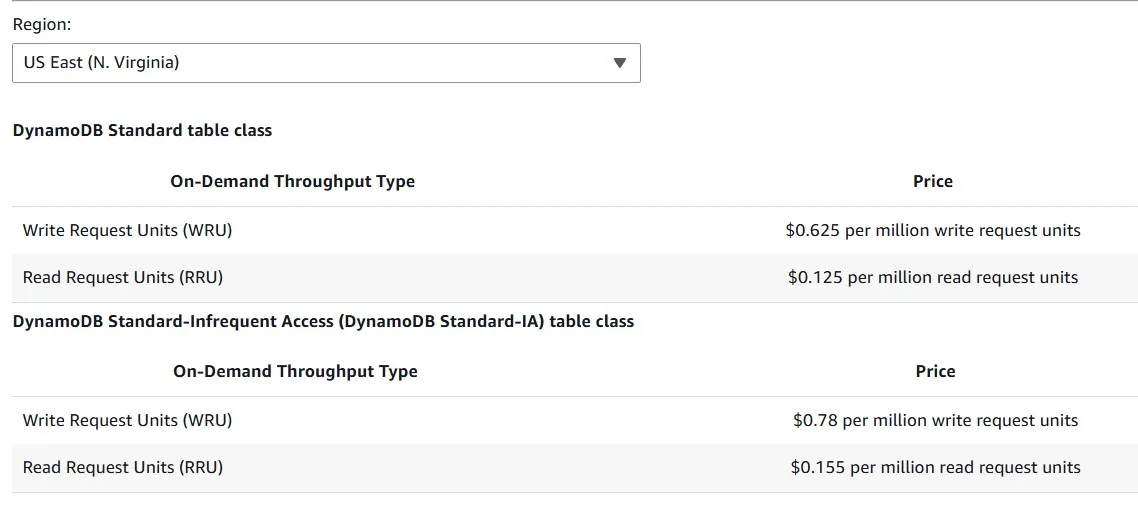
Amazon DynamoDB offers two table classes designed to help you optimize for cost. The DynamoDB Standard table class is the default, and is recommended for the vast majority of workloads. The DynamoDB Standard-Infrequent Access (DynamoDB Standard-IA) table class is optimized for tables where storage is the dominant cost. For example, tables that store infrequently accessed data.
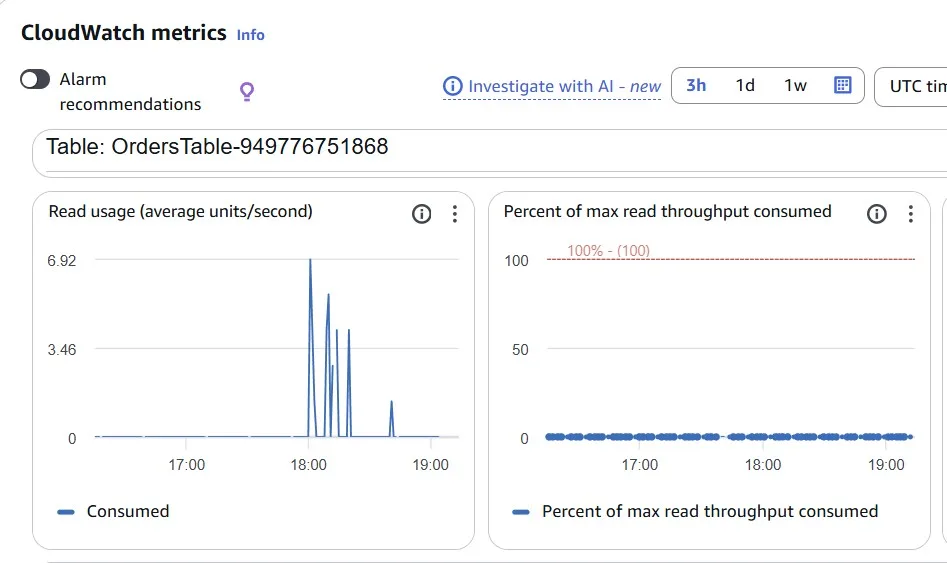
In our case, we can see low usage metrics for the Amazon DynamoDB table:
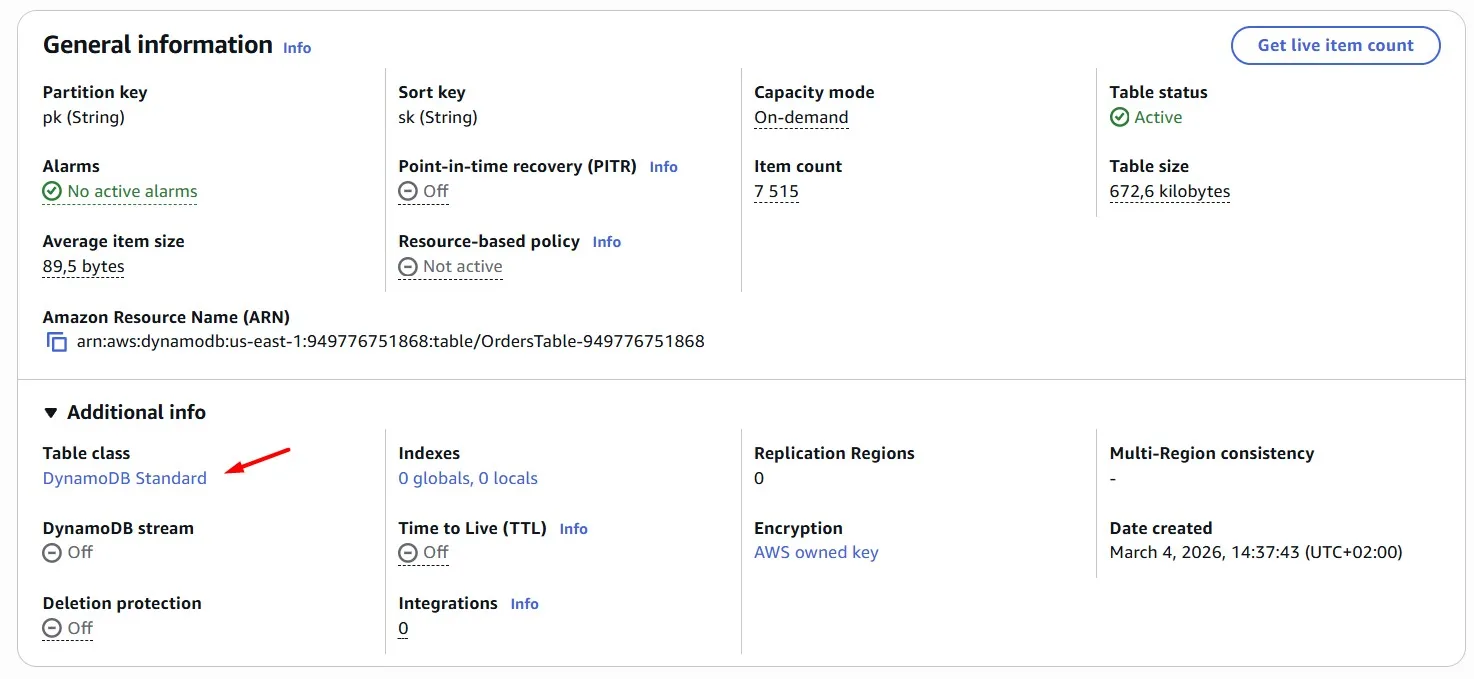
But it’s still the “Standard” table class:
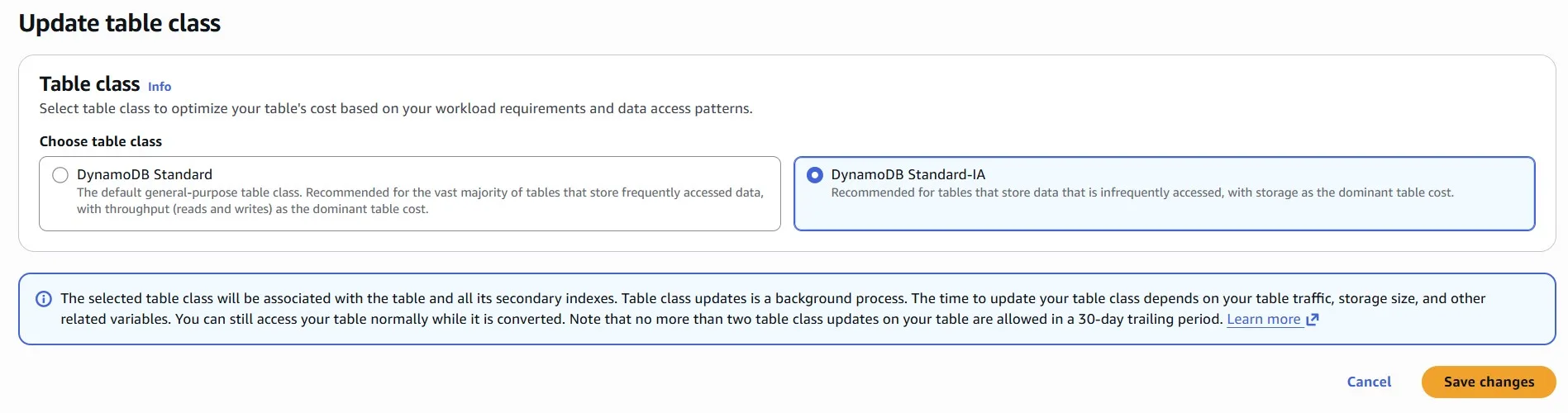
We can change it to the “Standard-IA”:
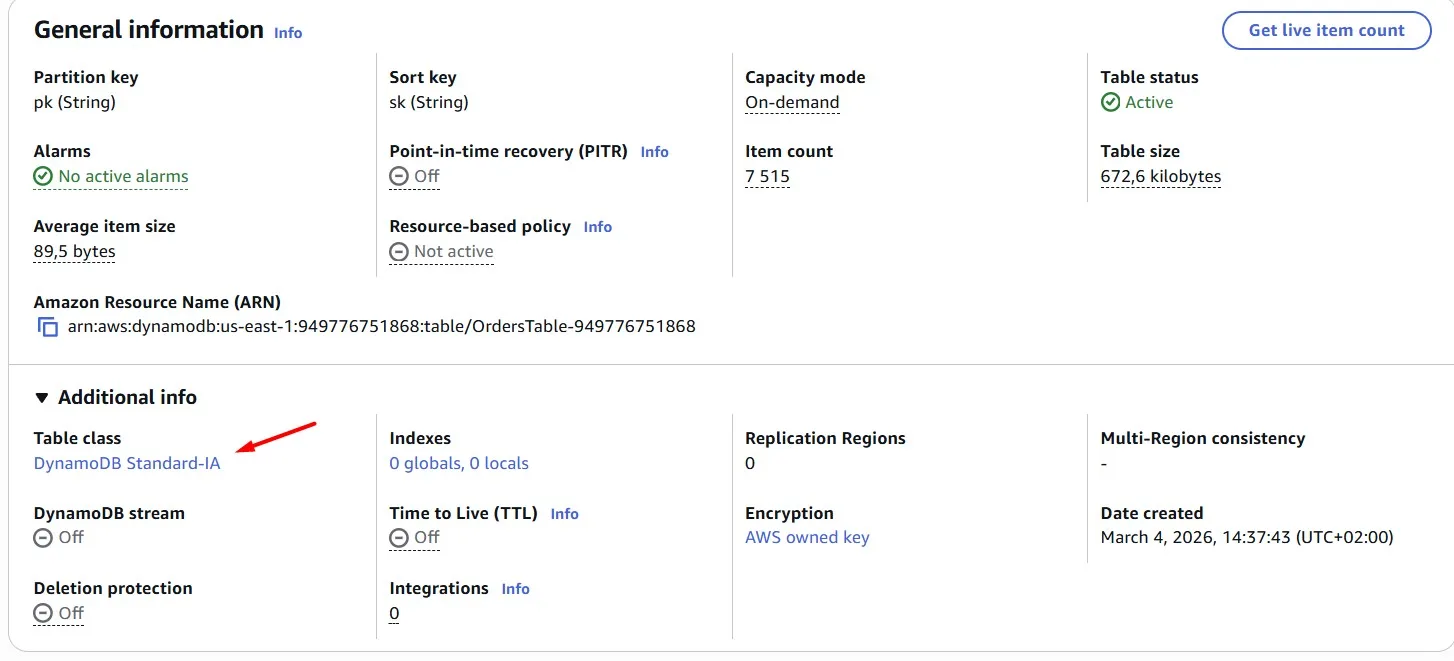
The DynamoDB Standard Infrequent Access table class can reduce costs by up to 60% for tables with infrequently accessed data:
Storage for Infrequent access costs much less, but requests cost more. Choose the storage class according to your data access patterns:
Amazon DynamoDB Adaptive Costs
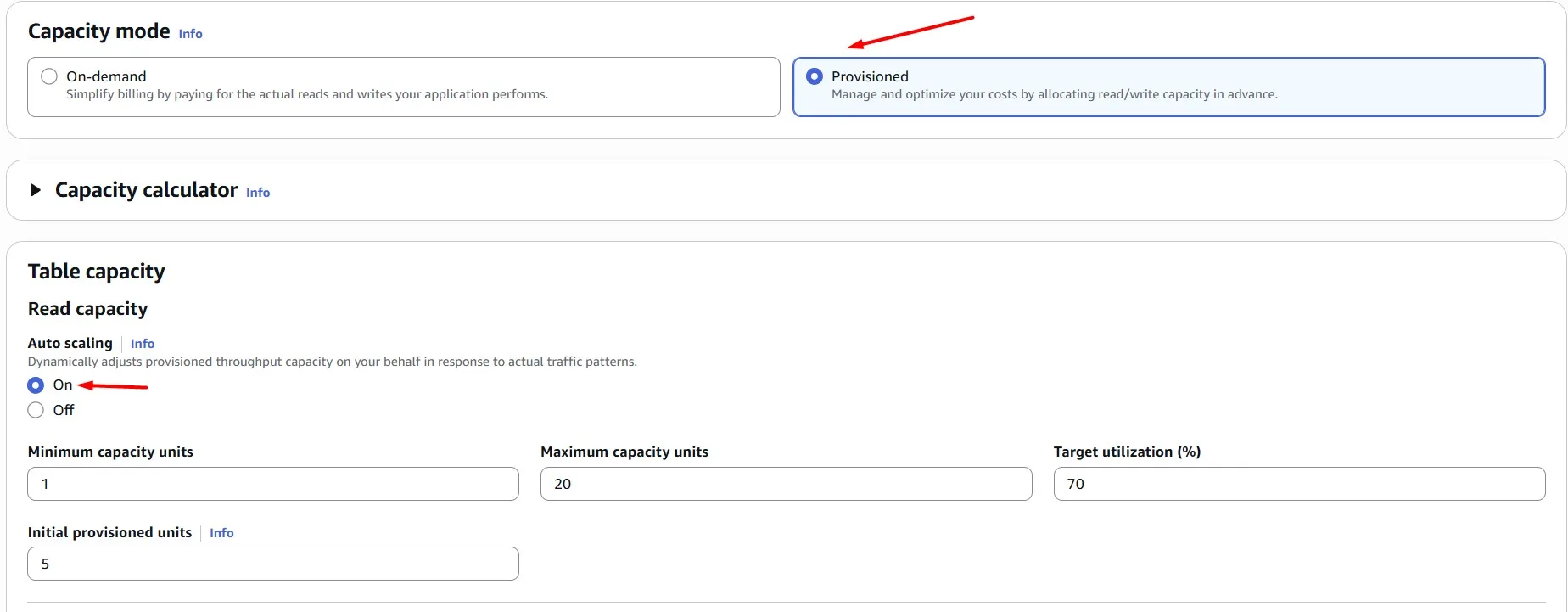
One more Amazon DynamoDB capability that can help you save money is auto scaling — dynamically adjusting capacity based on demand fluctuations.
By harnessing auto scaling, we ensure our Amazon DynamoDB tables are always provisioned optimally, balancing performance and cost-efficiency effortlessly.
We’re not expecting large spikes, so you can cap the maximum capacity at 20 and the minimum at 1 for both read and write:
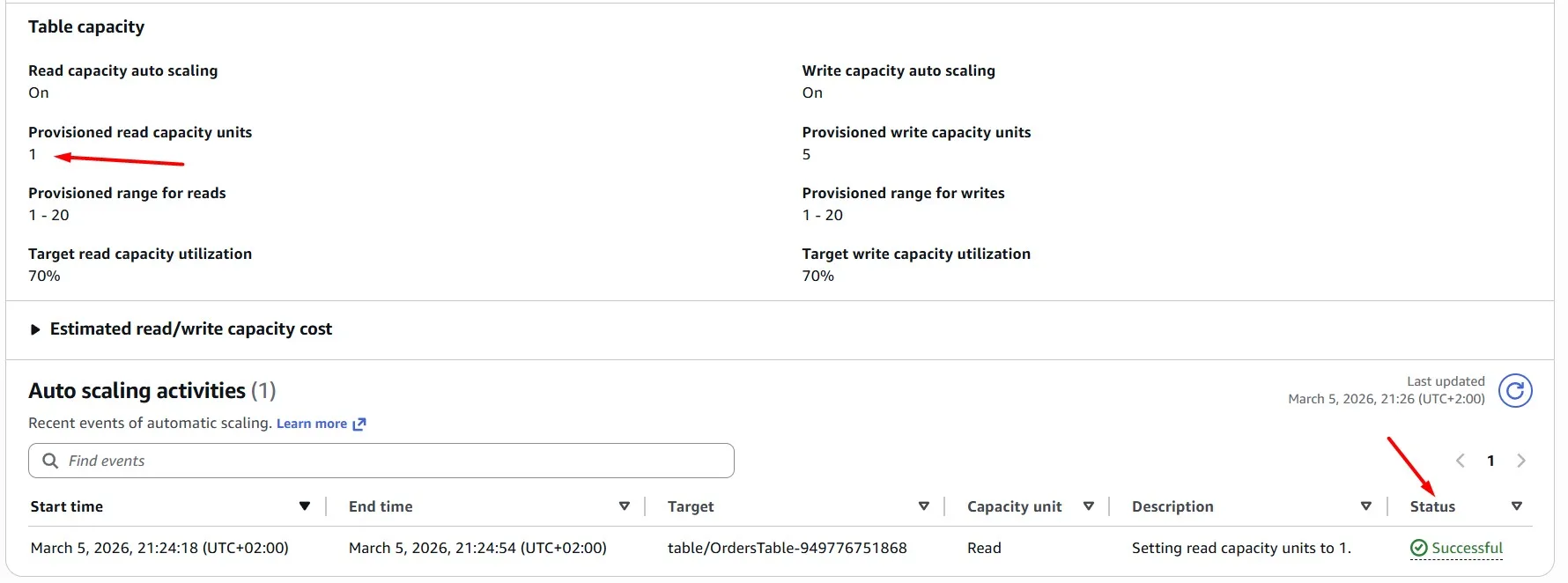
After a minute, we can see a new auto scaling activity, which scales the DynamoDB read capacity units to “1”, because the table is not used at the moment:
DynamoDB Scan vs Query
Instead of relying on the Scan operation, which can be resource-intensive and slow, we’re transitioning to the more efficient Query operation. By doing so, we’ll target specific data without the need to scan the entire table, resulting in faster and more cost-effective queries.
The Python code currently utilizes boto3 and the DynamoDB table resource. i.e. table = dynamodb.Table(table_name)
It then uses the Table method scan to perform the scan. i.e. table.scan()
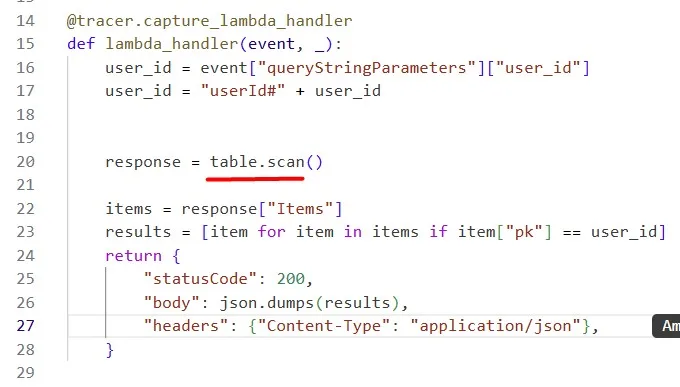
We use the AWS Lambda Function URL for the test. Query the specific user_id to get all his orders:
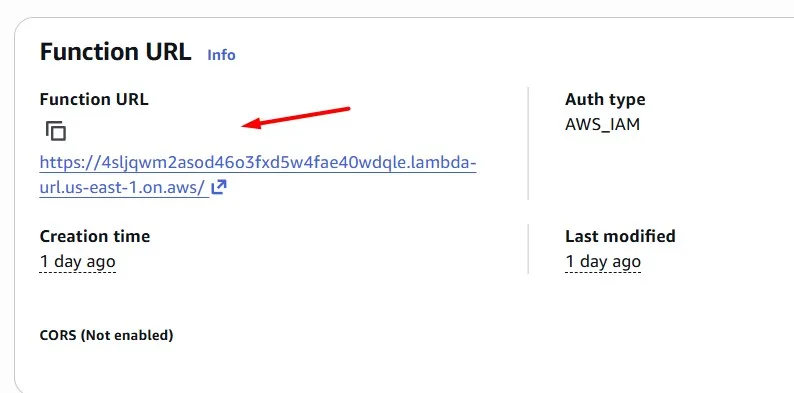
$ awscurl --service lambda --region us-east-1   "https://4sljqwm2asod46o3fxd5w4fae40wdqle.lambda-url.us-east-1.on.aws/?user_id=5d676c2f-61e6-4eee-8d89-2d2834918fcf"
[{"pk": "userId#5d676c2f-61e6-4eee-8d89-2d2834918fcf", "sk": "order#012583d4-25fb-4440-8720-23e54f27052c"}, {"pk": "userId#5d676c2f-61e6-4eee-8d89-2d2834918fcf", "sk": "order#25751b7d-1a59-4e30-9ac6-e4ce87c8b63b"}, {"pk": "userId#5d676c2f-61e6-4eee-8d89-2d2834918fcf", "sk": "order#3132fc9b-57b4-4c71-b167-a155fd29d23c"}, {"pk": "userId#5d676c2f-61e6-4eee-8d89-2d2834918fcf", "sk": "order#358a6f6f-2ade-4415-b9d0-67b83458326a"}, {"pk": "userId#5d676c2f-61e6-4eee-8d89-2d2834918fcf", "sk": "order#379c8145-5b03-454e-bd8a-15079864352a"}, {"pk": "userId#5d676c2f-61e6-4eee-8d89-2d2834918fcf", "sk": "order#64a292bf-6615-466e-91b0-2a83ecffa926"}, {"pk": "userId#5d676c2f-61e6-4eee-8d89-2d2834918fcf", "sk": "order#b9adadf4-d329-4443-aab3-ff4a40e2ed5f"}]

Instead, use the Table method query to perform a query. To perform a Query, you will also need to define a KeyConditionExpression. Have a look through the Python 3 DynamoDB code examples to learn how to construct a KeyConditionExpression for a Query.
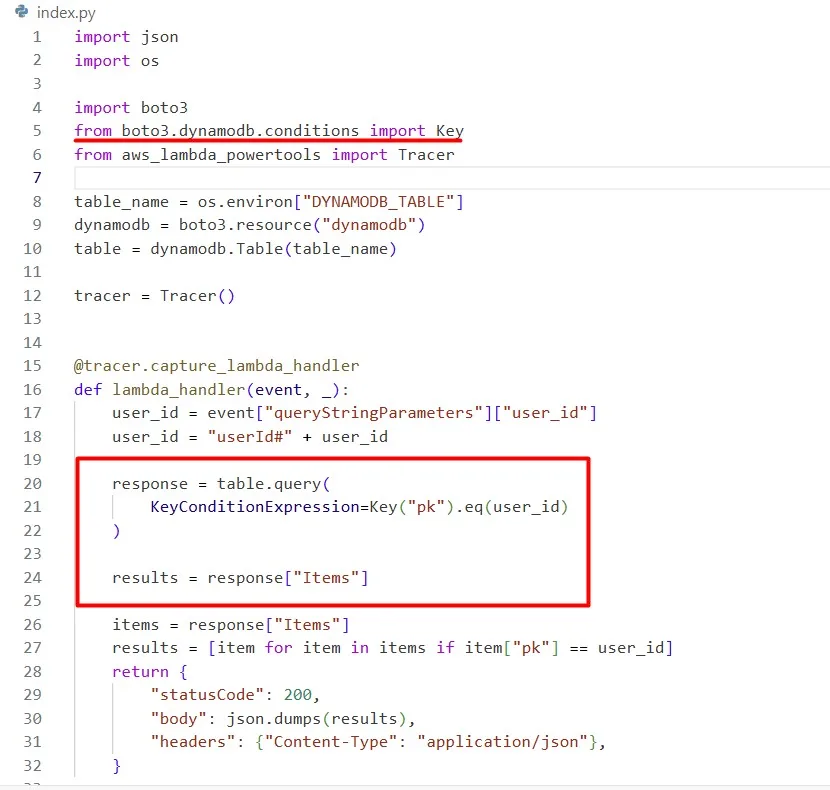
The output is the same, but the processing is more cost-effective:

Amazon DynamoDB Sparse Data (using Index)
For example, in addition to “userId” and “order”, we sometimes have another attribute “status”. However, there’s a problem: we don’t have the partition key, making the Query operation ineffective.
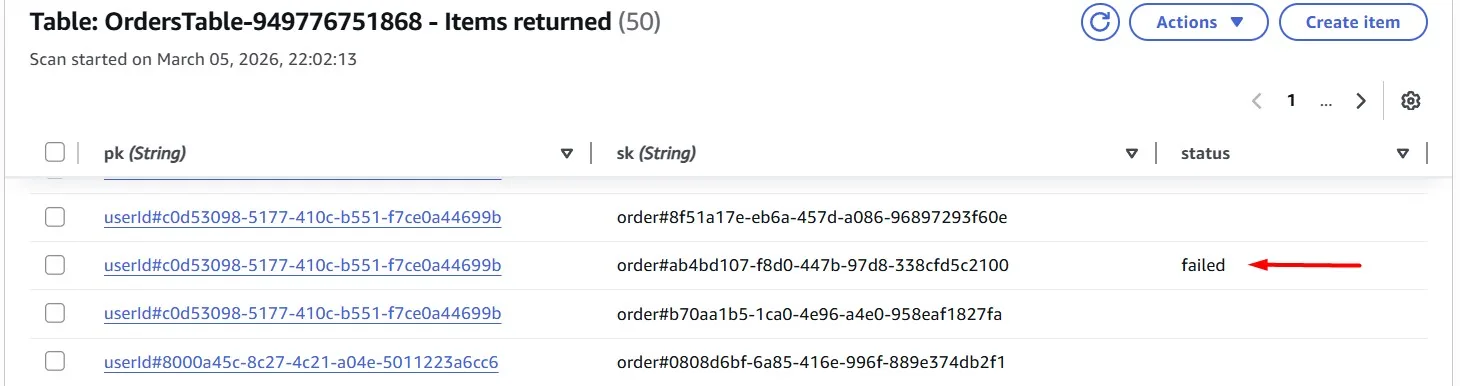
Our solution lies in crafting a sparse Global Secondary Index (GSI), a smart way to organize data. We can build an index that captures only what’s needed, ensuring efficient data retrieval with a Scan operation.
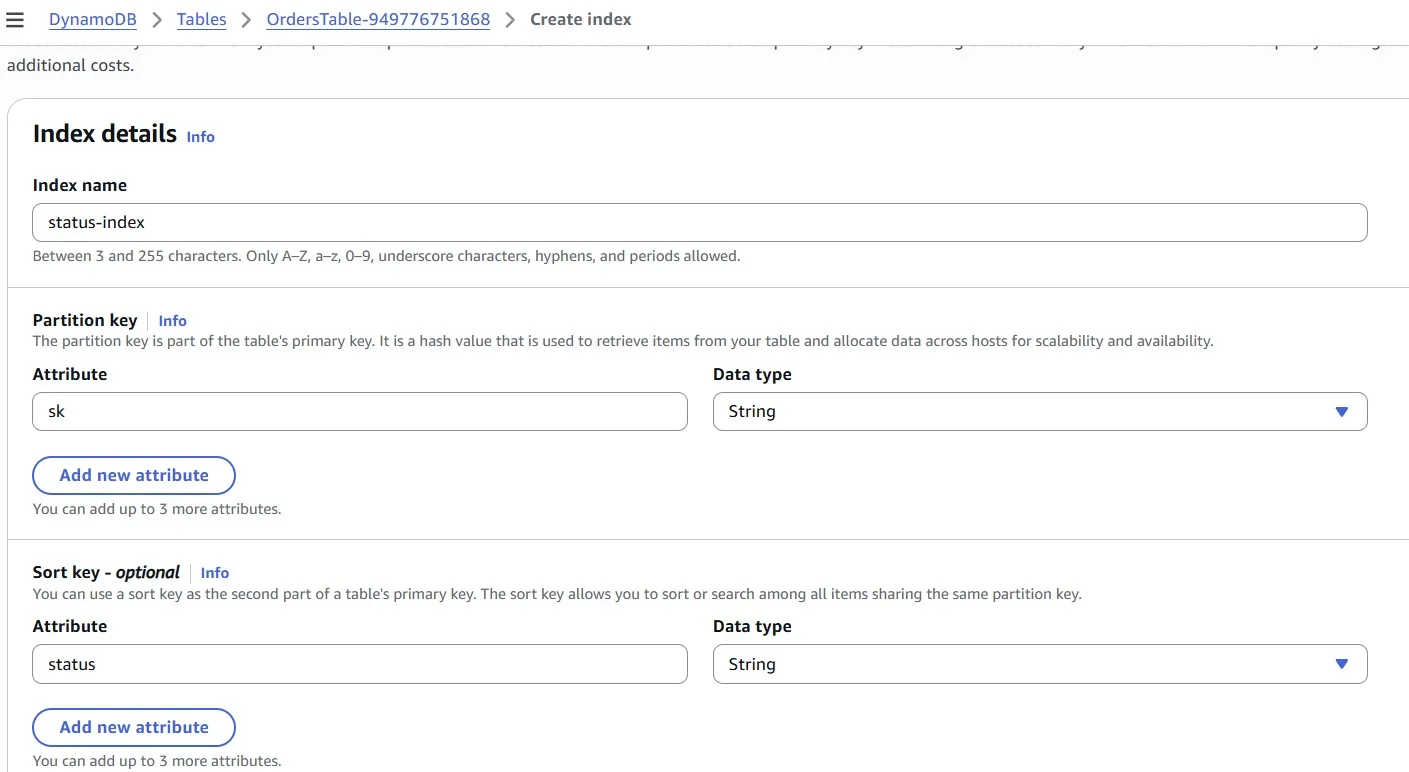
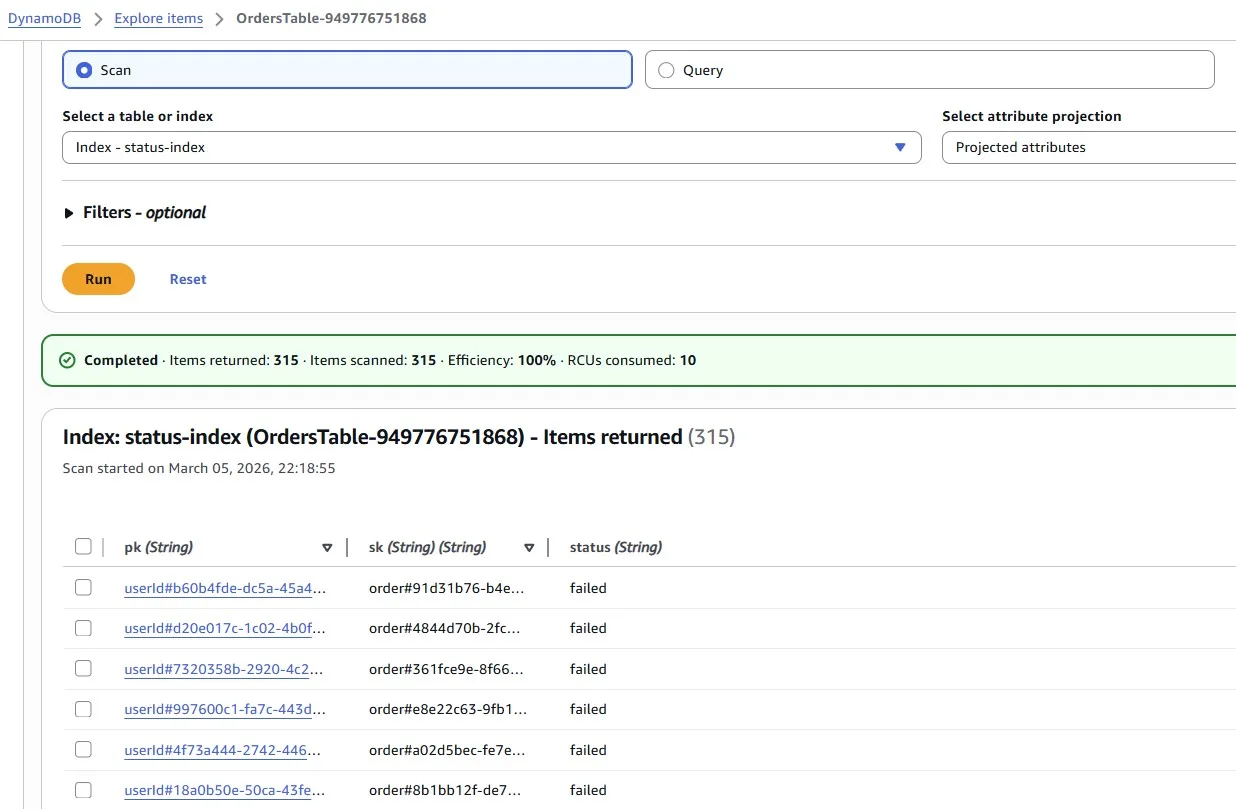
Add a GSI to the table which exclusively captures items with a “status” attribute value of “failed”. The “status” value will be empty if the order is successful.
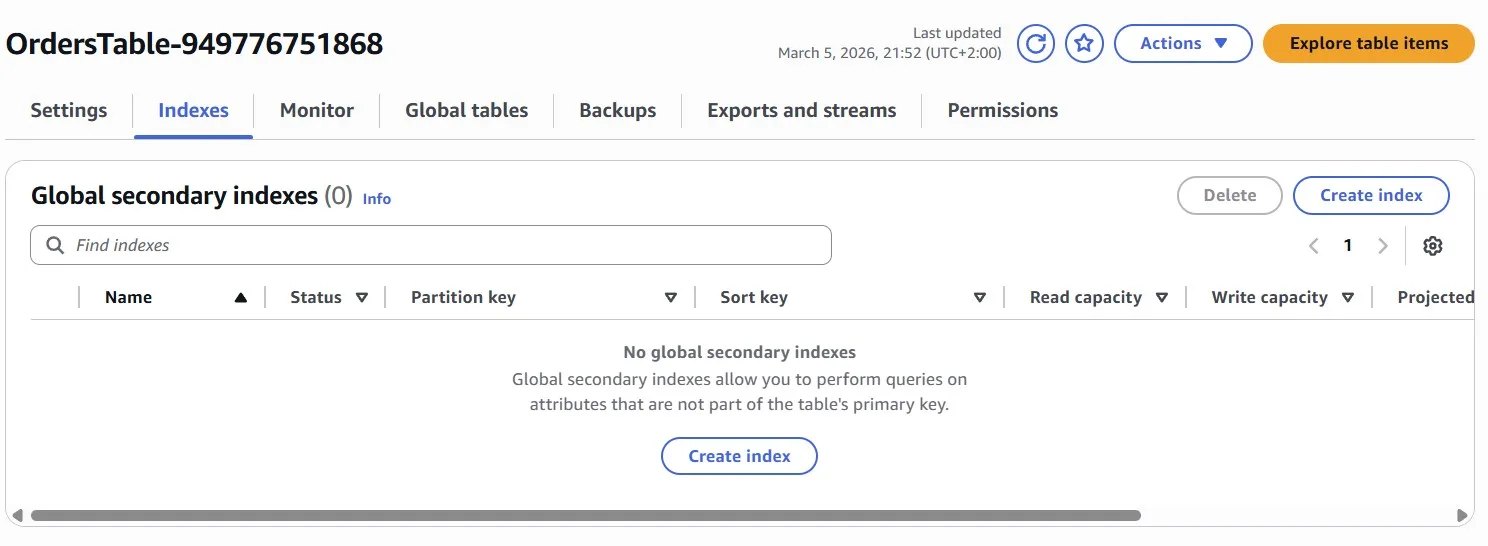
To ensure high cardinality of the primary key, consider using the “sk” attribute (which holds the order ID) of the base table as the partition key of the GSI.
A GSI will only copy data from the base table if both the partition key and sort key (for the GSI) are populated. We can use this to your advantage by including the “status” field as your sort key:
Now we can scan the Index and get the required data with the failed status:
Networking
Let’s add some caching
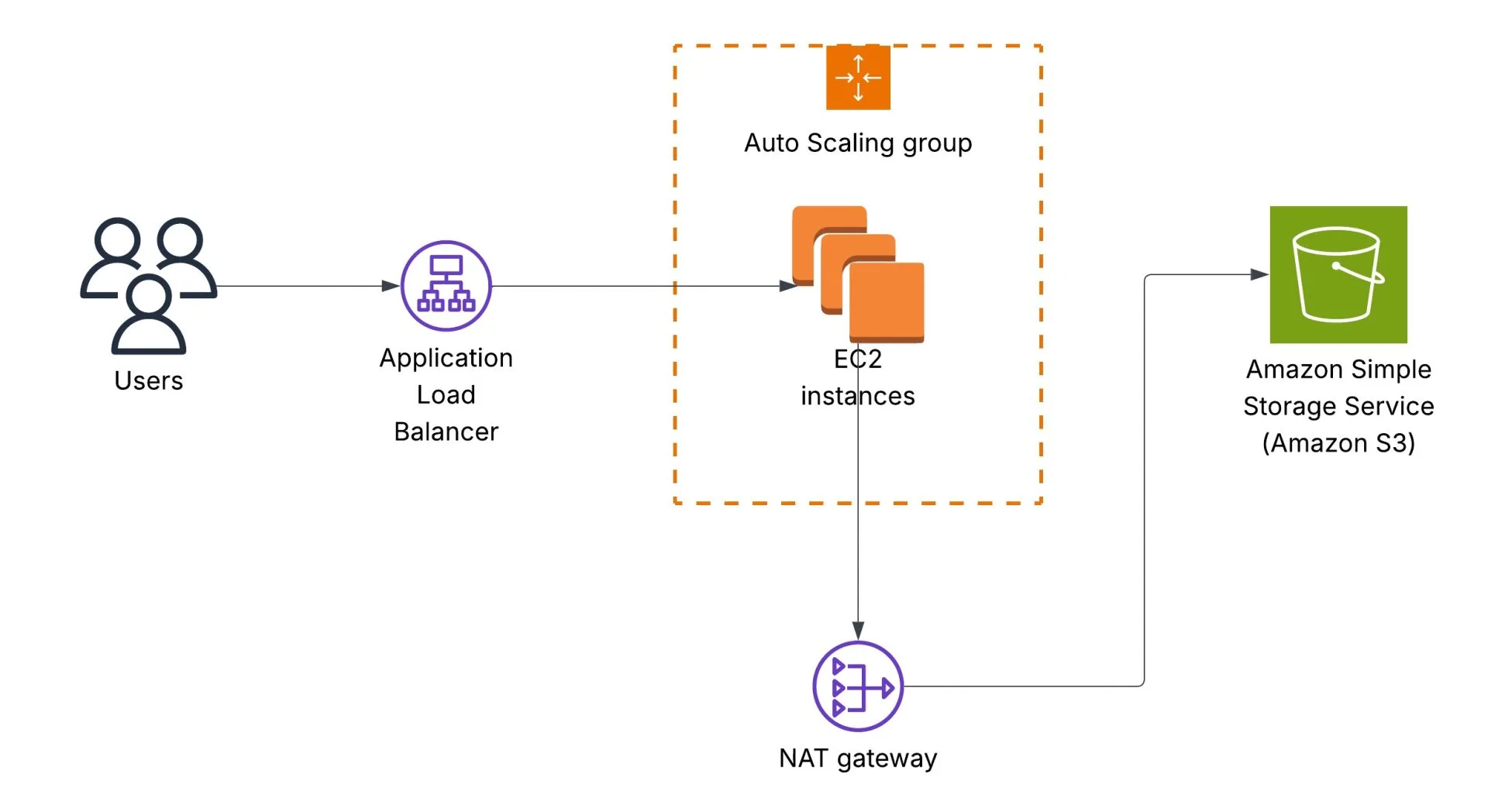
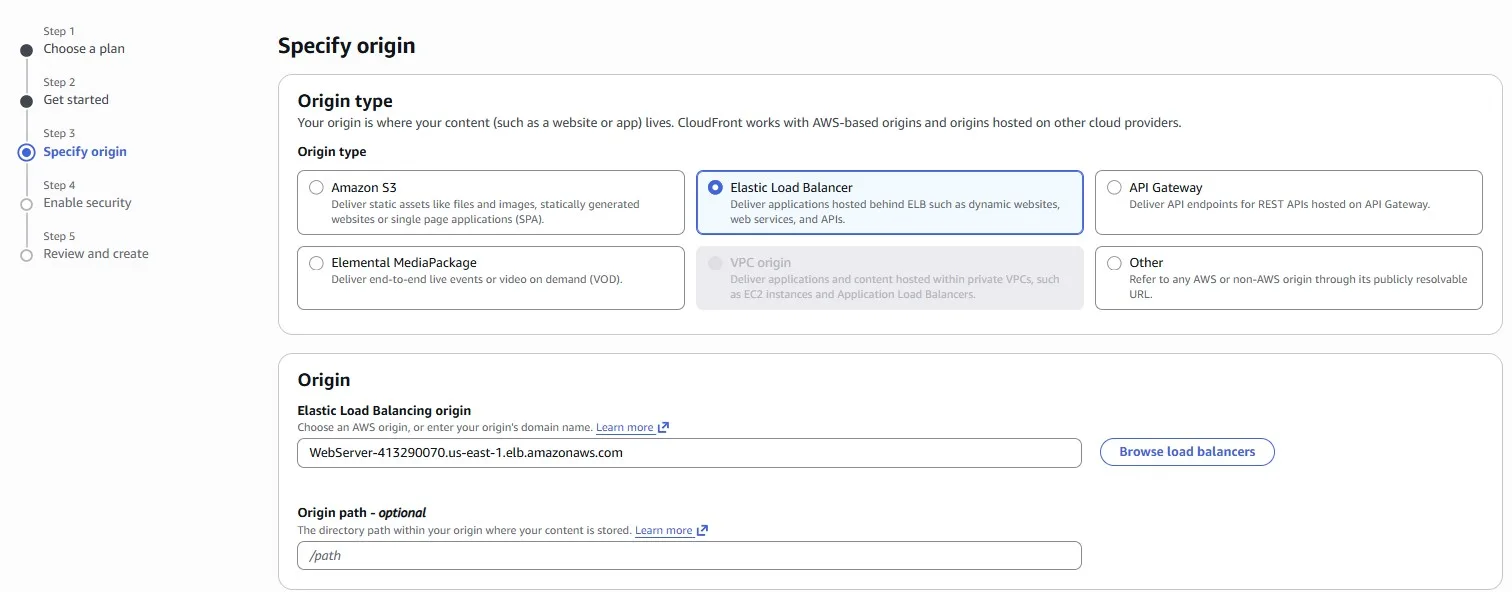
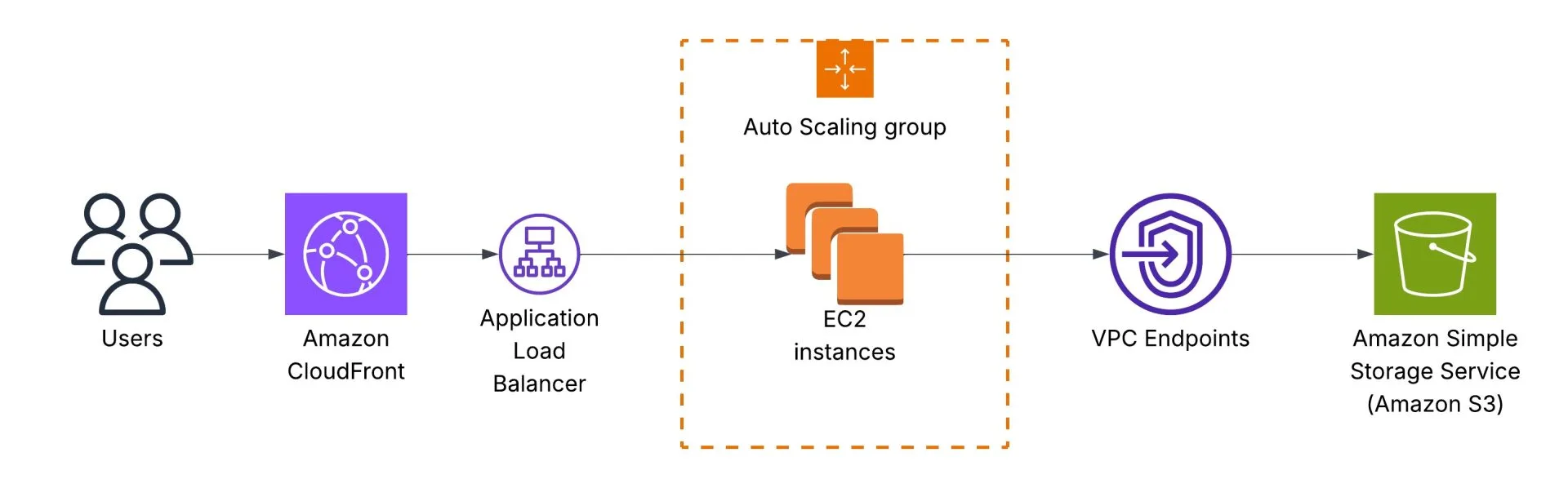
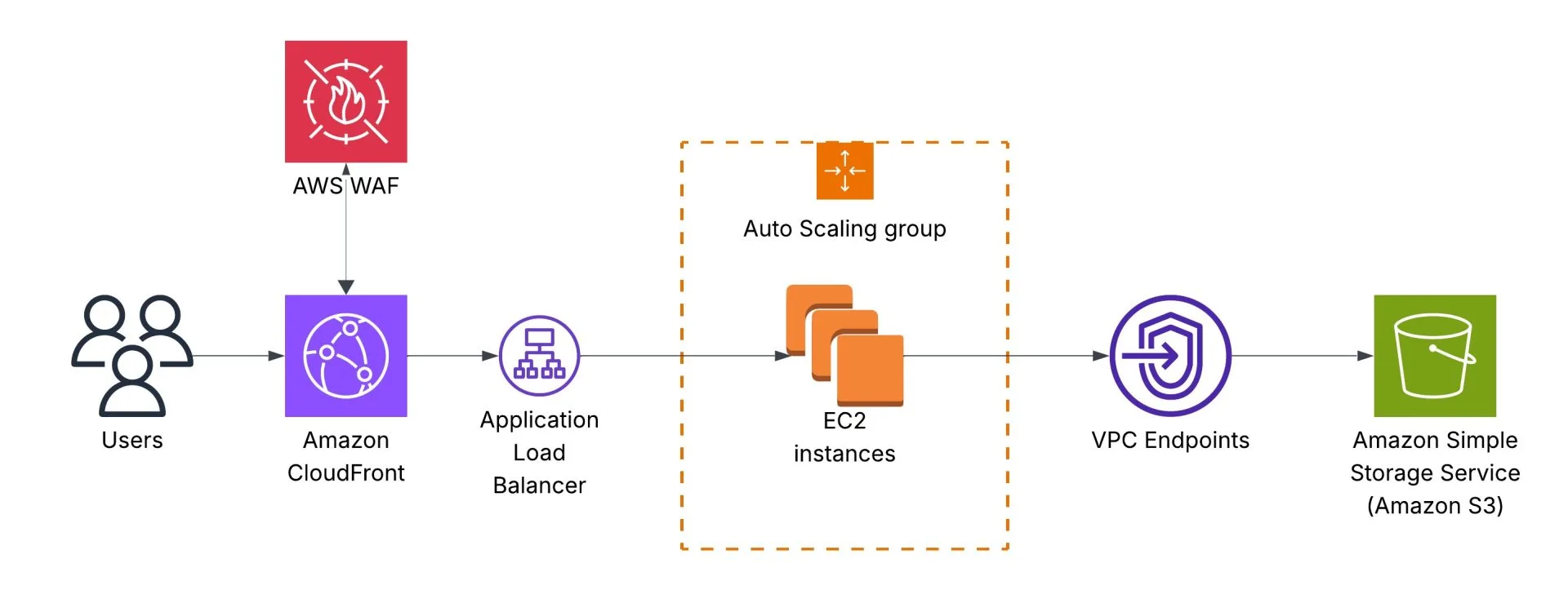
The initial architecture is the following. Users call an Application Load Balancer endpoint, which redirects requests to an AWS Auto Scaling Group that runs Amazon EC2 instances. EC2 instances read data from an Amazon S3 bucket, and traffic goes via a NAT Gateway:
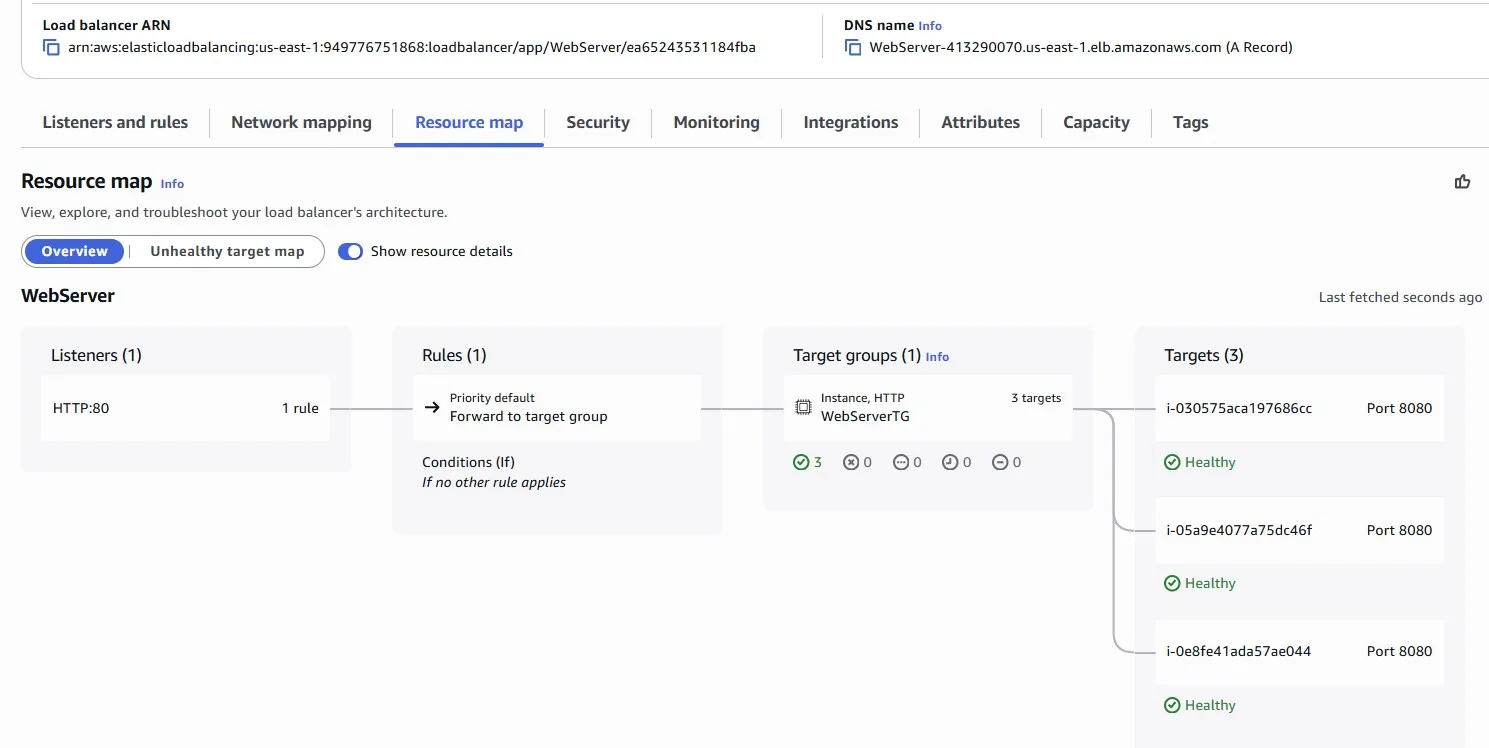
We’re looking for your help to implement a cost-saving solution using Amazon CloudFront. CloudFront, a trusted content delivery network (CDN), can help us optimise our content delivery while reducing unnecessary expenses. Our goal is to maximize cost savings while ensuring an optimal user experience. By implementing a cost-saving CloudFront distribution, we can minimize unnecessary expenses while delivering our enchanting content to users efficiently.
Why CloudFront?
- Global Reach, Local Presence: Amazon CloudFront has numerous edge locations worldwide. This means our enchanting content will be stored across multiple locations, ensuring faster delivery to our users wherever they are.
- Automatic Optimization: Through its seamless integration with other Amazon Web Services (AWS) products, CloudFront can automatically optimize content, ensuring that it’s delivered in the most efficient format possible.
- Enhanced Security: Not only does CloudFront speed up content delivery, but it also allows us to protect our information with AWS Shield, AWS Web Application Firewall integration, and SSL/TLS encryption. Ensuring our data remains safeguarded.
- Cost Efficiency: With CloudFront’s pay-as-you-go model, we’re only charged for what we use. Additionally, it can help us reduce our data transfer costs by serving data directly from its edge locations.
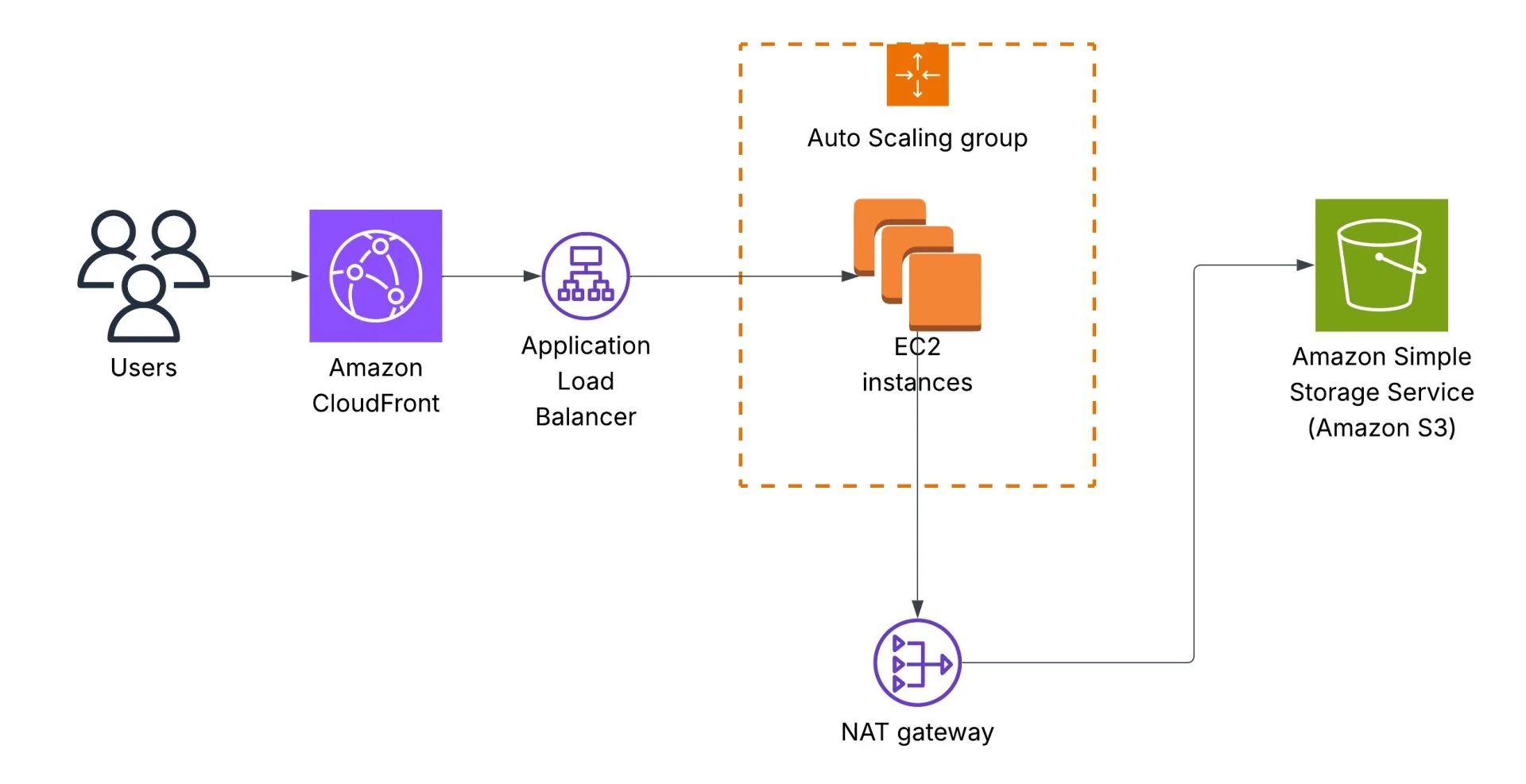
We can start with the “Free” plan:
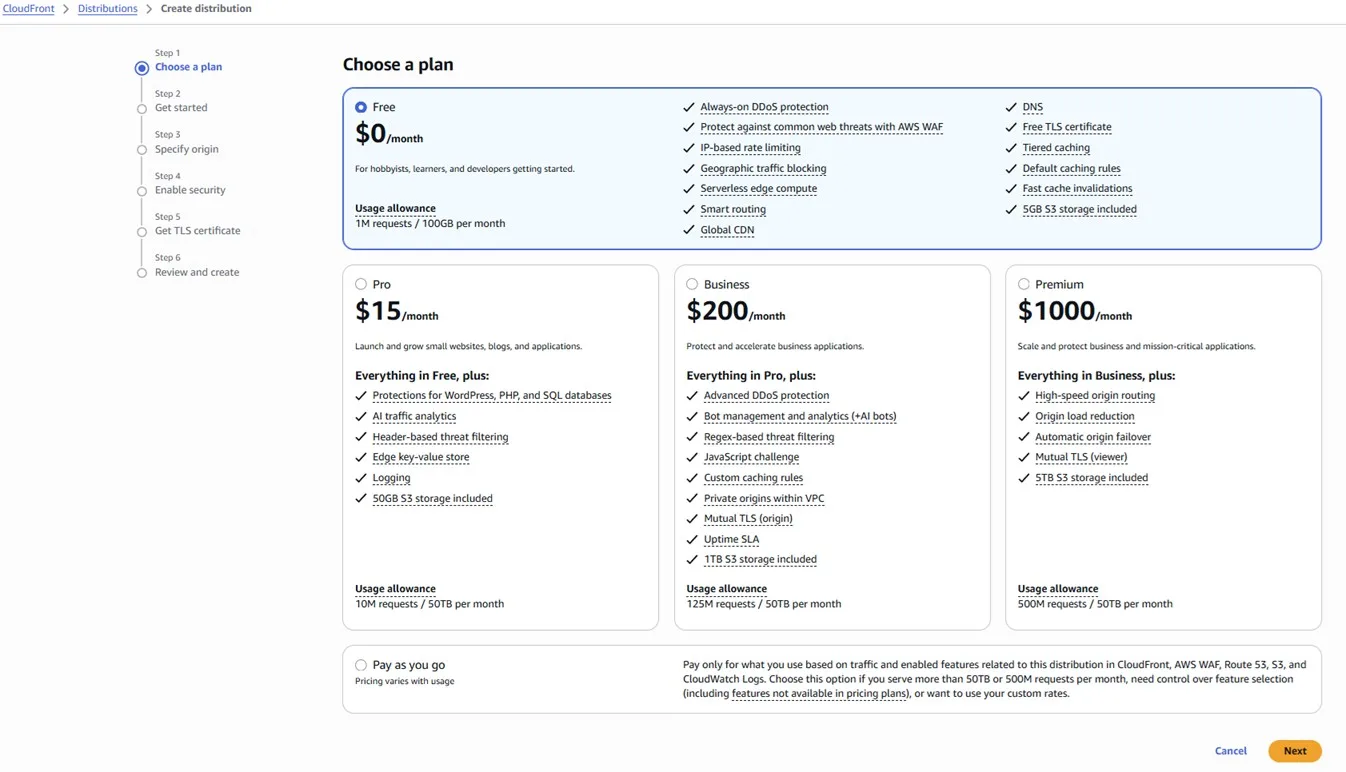
Elastic Load Balancer is natively supported as an origin for Amazon CloudFront:
A lot of S3 traffic
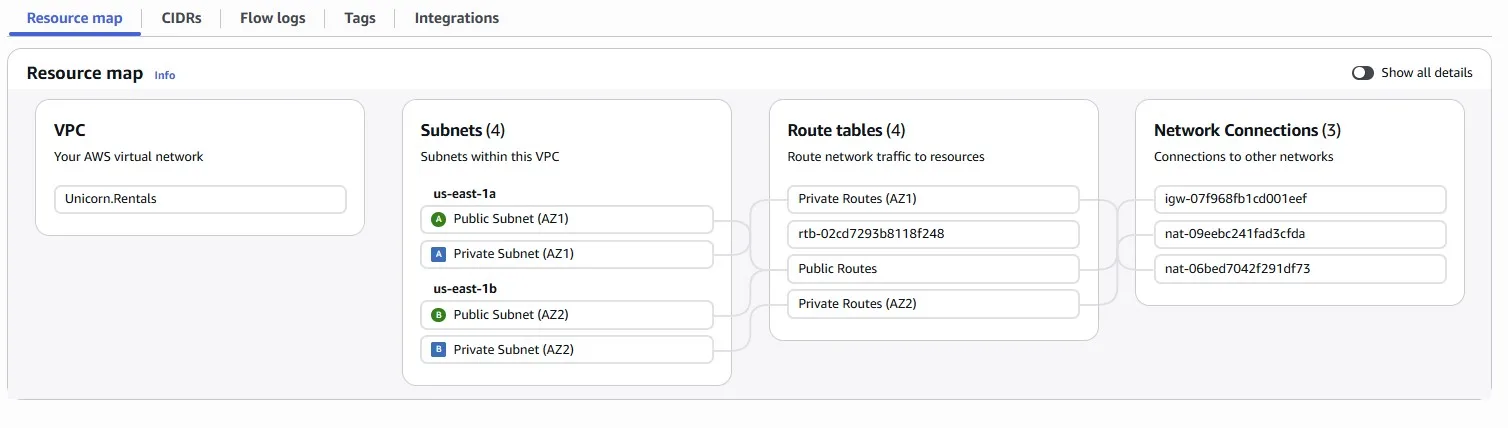
Imagine we noticed that our network costs for accessing Amazon S3 buckets are high. We need to implement cost-saving measures and optimize our network usage while ensuring reliable access to our S3 resources. In the previous design, Amazon EC2 instances accessing the S3 bucket via the NAT Gateway:
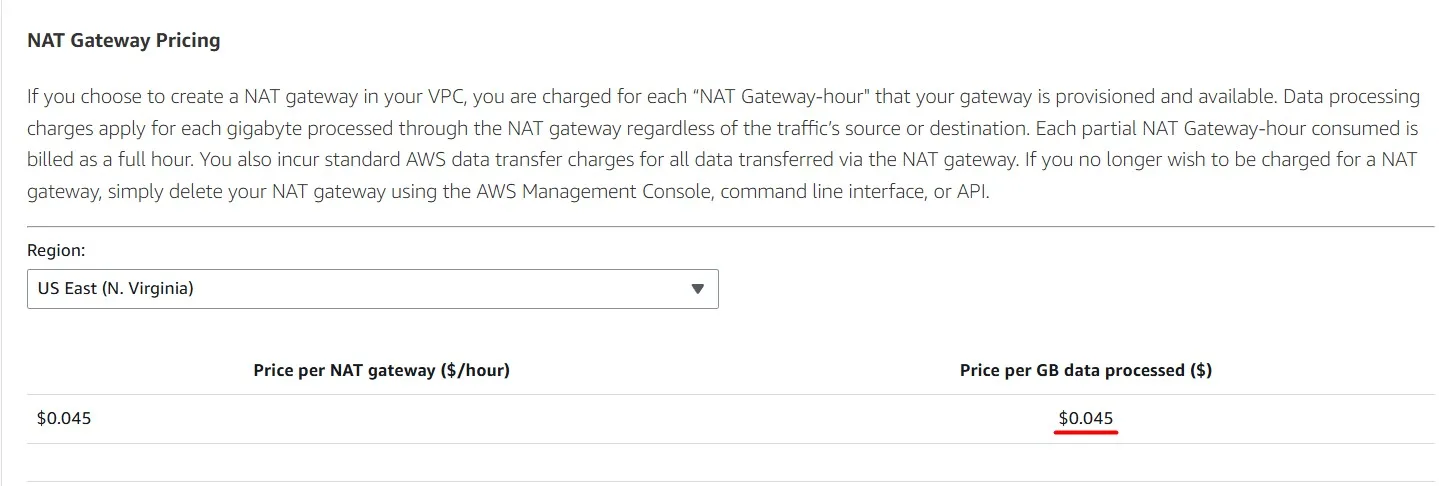
Each GB of data processed by the NAT Gateway costs $0.045
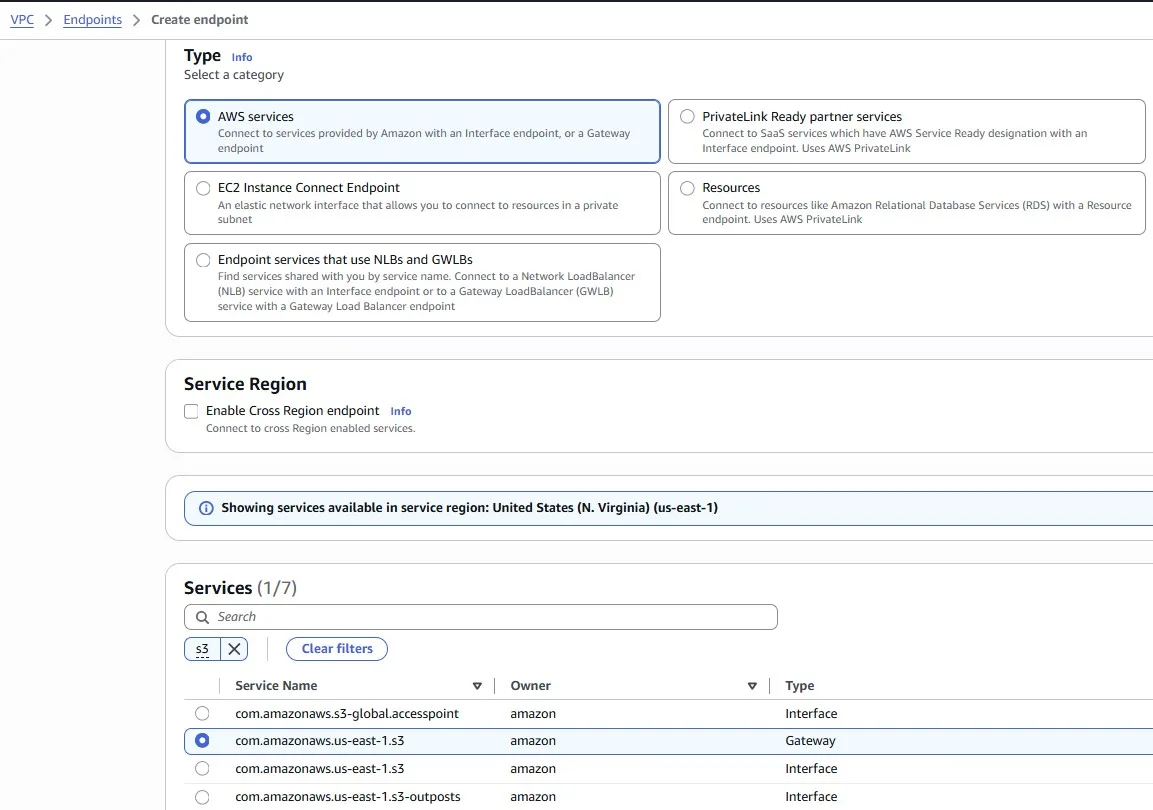
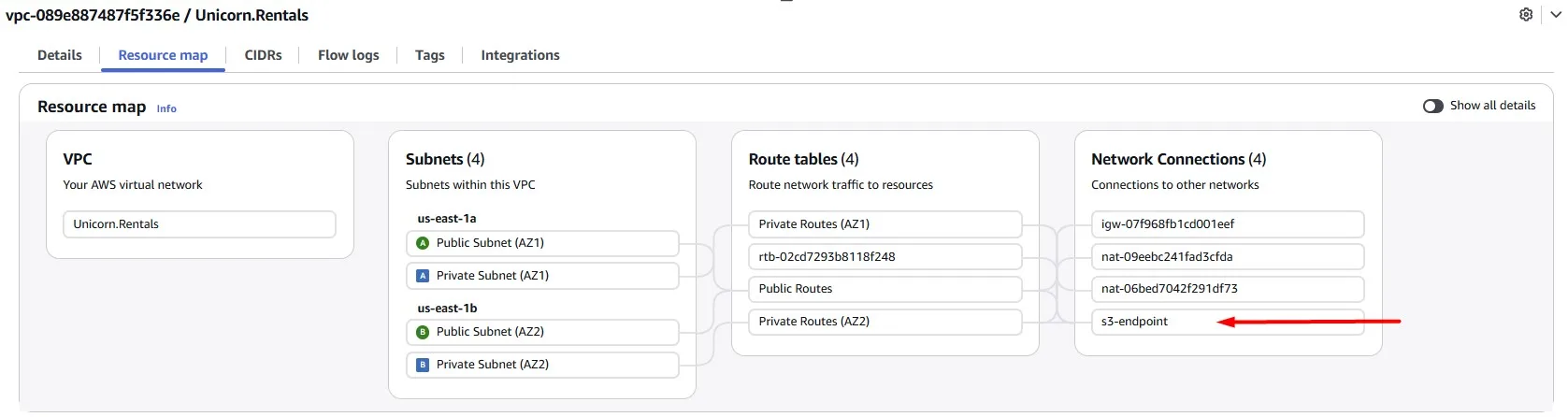
We can change this, use Gateway endpoints for Amazon S3 and save some money by starting to use it:
After you create the gateway endpoint, you can add it as a target in your route table for traffic destined from your Amazon VPC to Amazon S3.
There is no additional charge for using gateway endpoints.
When you associate a route table, we automatically add a route that points traffic destined for the service to the endpoint network interface.
Rogue Traffic Detected
Sometimes you can be a target of cyberattacks. Imagine someone is sending a surge of fake traffic to our website in order to overload our service.
View the Amazon CloudFront popular objects report to see the 50 most popular objects for a distribution during a specified date range in the previous 60 days. You can also view statistics about those objects, including the following:
- Number of requests for the object
- Number of hits and misses
- Hit ratio
- Number of bytes served for misses
- Total bytes served
- Number of incomplete downloads
- Number of requests by HTTP status code (2xx, 3xx, 4xx, and 5xx)
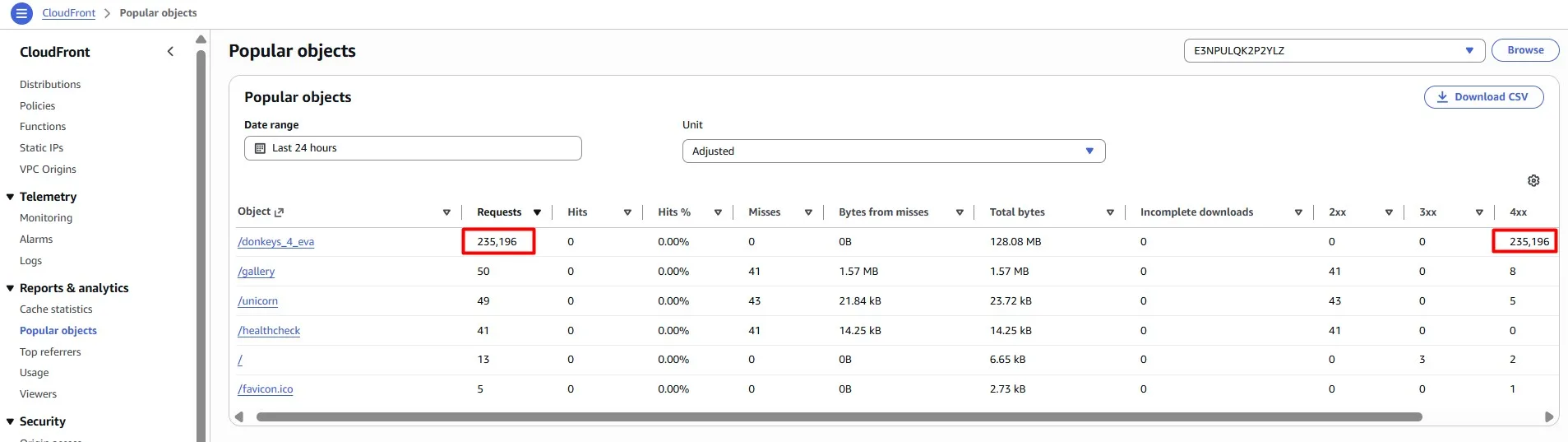
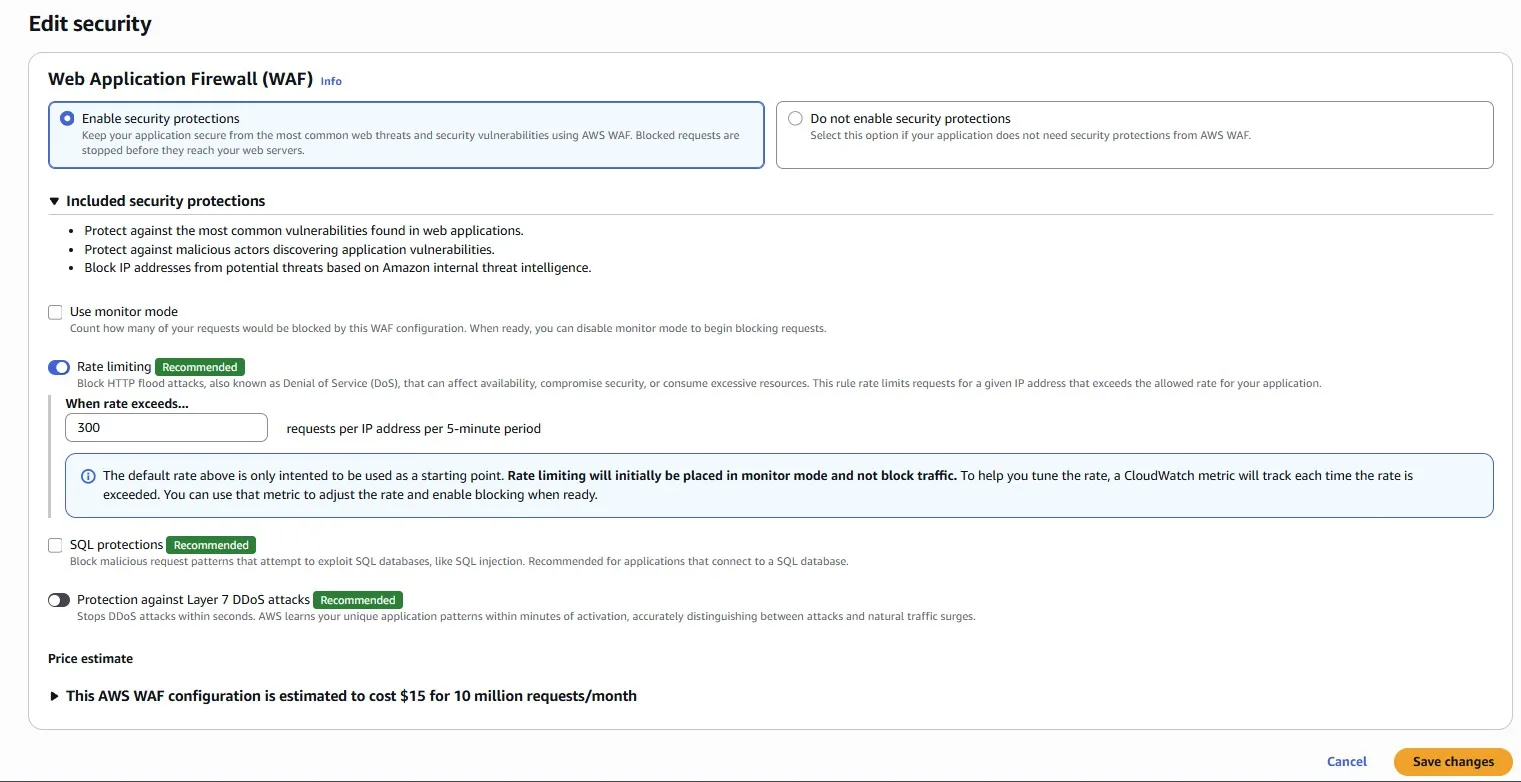
Now that we know where these requests are coming from, let’s put an AWS WAF rule in place to prevent them from wasting infrastructure.
We can add a Rate Limiting rule directly in the Amazon CloudFront console:
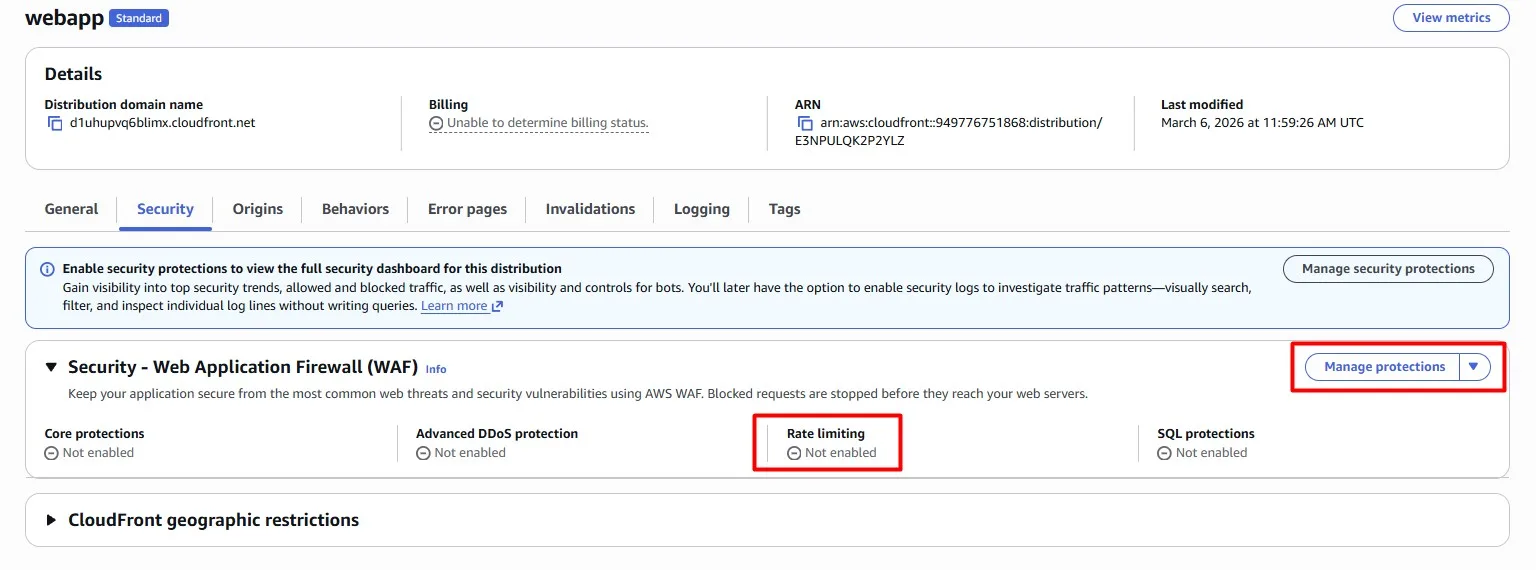
For example, we set 300 requests per IP address per 5-minute period:
Conclusion
This is the first part of AWS Cost Optimization practices that work, where we looked at serverless stack (AWS Lambda, Amazon API Gateway and Amazon DynamoDB) and classic web application built on Amazon EC2, Application Load Balancer and Amazon S3, fronted by Amazon CloudFront and AWS WAF. In the next part, we will look at observability and compute cost optimization.