
In the previous post, we looked at cost optimization for a serverless stack (AWS Lambda, Amazon API Gateway and Amazon DynamoDB) and classic web application built on Amazon EC2, Application Load Balancer and Amazon S3, fronted by Amazon CloudFront and AWS WAF.
This is the second part of our journey into AWS Cost Optimization, specifically for Observability, Compute and Storage.
Observability
Observability pertains to how a system’s internal state can be understood by examining its external outputs, especially its data.
In the context of modern application development, observability refers to the collection and analysis of data — logs, metrics and traces — from a wide variety of sources, to provide detailed insight into the behaviour of applications running in your environments. It can be applied to any system you build that you want to monitor.
Let’s start with AWS CloudTrail, which is often used by companies. AWS CloudTrail is an AWS service that helps you enable operational and risk auditing, governance, and compliance of your AWS account. Actions taken by a user, role, or AWS service are recorded as events in CloudTrail. Events include actions taken in the AWS Management Console, AWS Command Line Interface, and AWS SDKs and APIs.
AWS CloudTrail Expenses
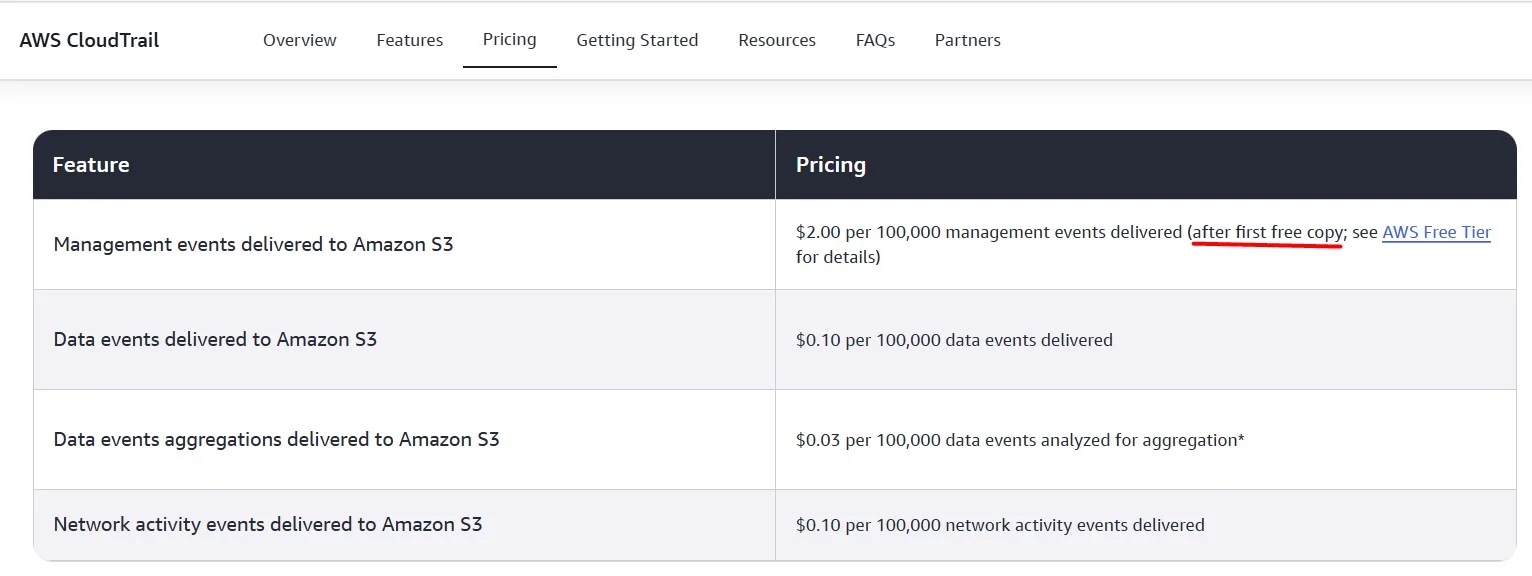
The first Trail in each account is free, but when you create multiple trails, you enable the delivery of multiple management events, which increases your cost:
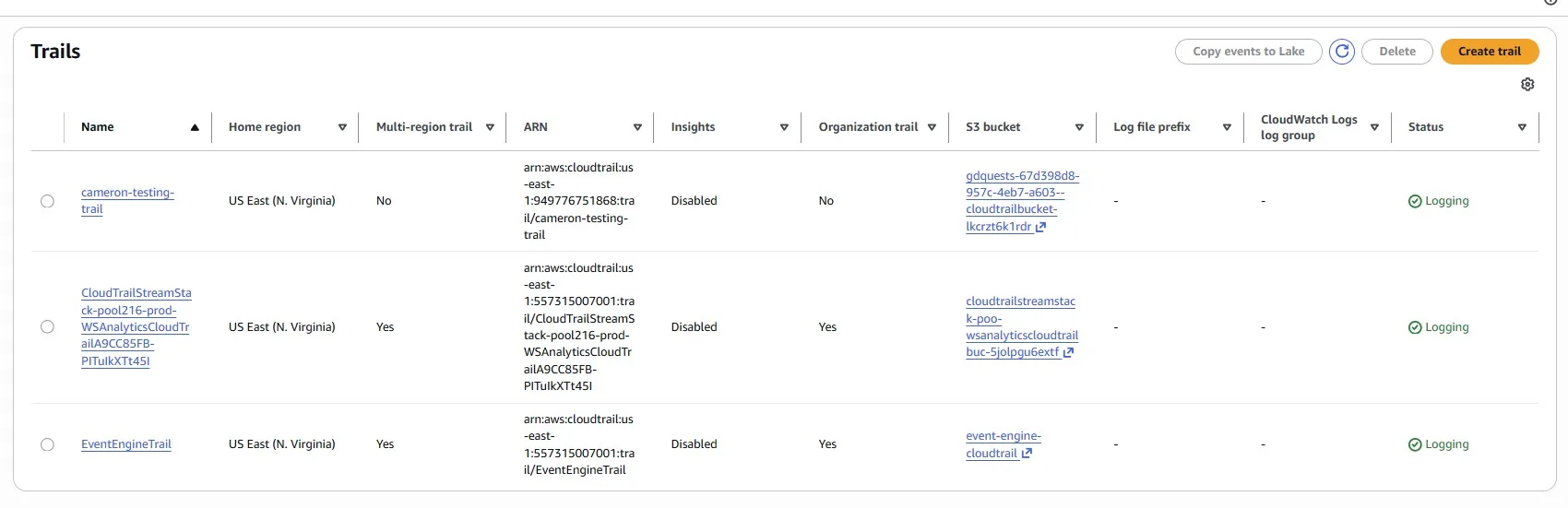
If we don’t have a specific need for more than one trail, remove the extra trails to save some money:
Trimming Unnecessary Historical Data in an Amazon CloudWatch Log
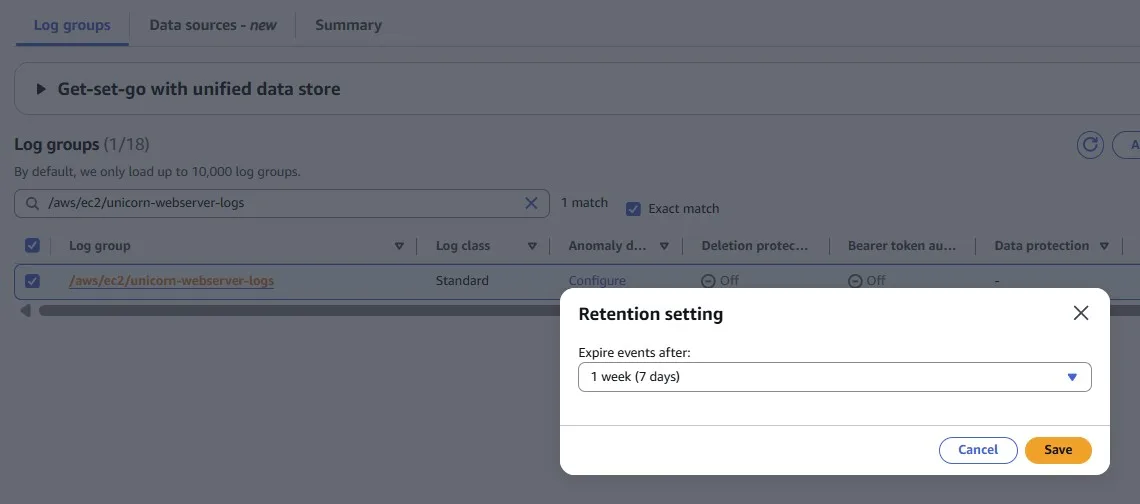
Services and applications may write logs into Amazon CloudWatch Logs. But sometimes you may forget to configure the rotation period. By default, logs are kept indefinitely and never expire.
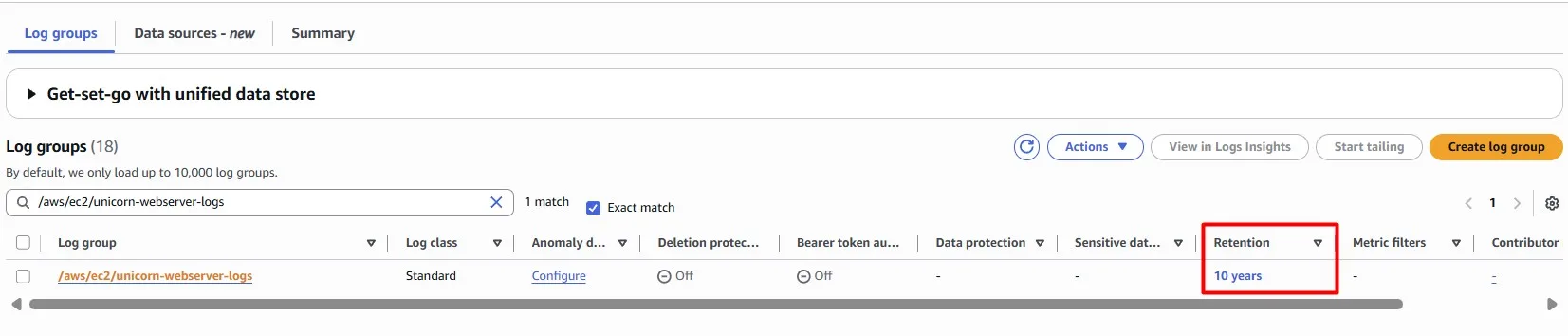
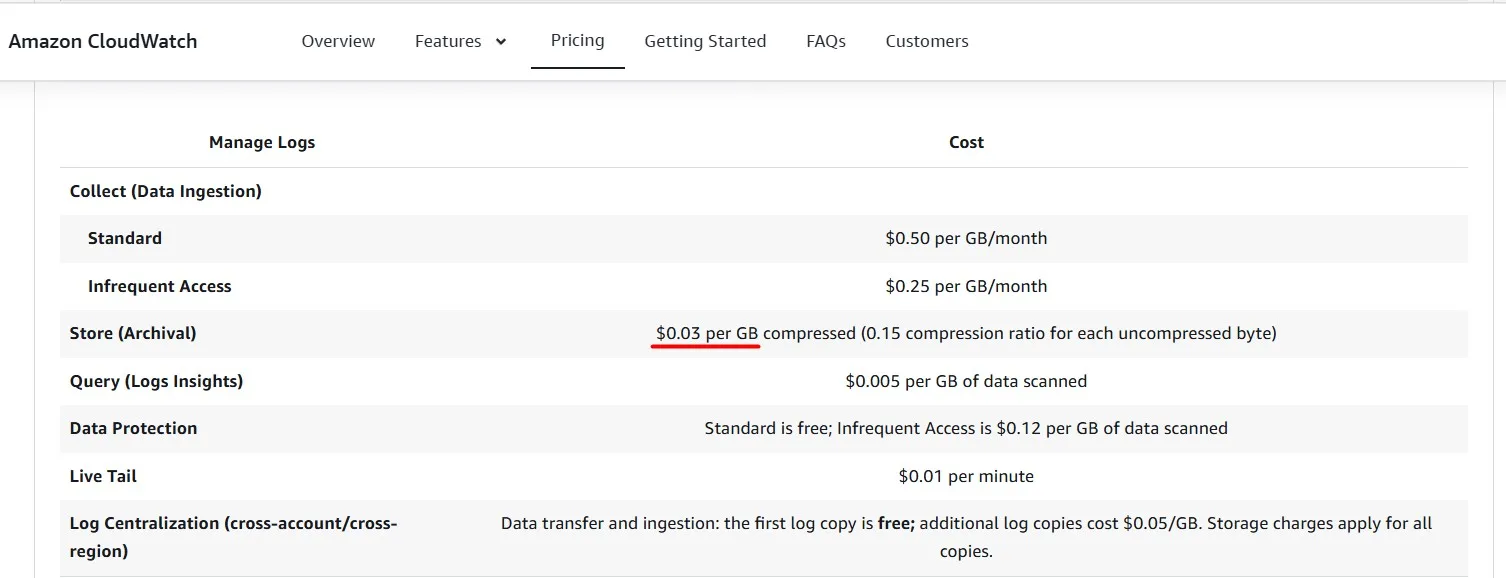
You can adjust the retention policy for each log group to keep indefinite retention or set a retention period between 1 day and 10 years.
Optimize Amazon VPC Flow Logs and Trim CloudWatch Costs
We may observe an increase in Amazon CloudWatch costs, specifically due to rising traffic on our VPC network, resulting in a high volume of VPC flow logs.
Should you choose to accept it, you will need to change the VPC Flow logs destination from Amazon CloudWatch to a wallet-friendly alternative.
Consider exploring the cost benefits of using Amazon S3 to store VPC flow logs, as it may be a more cost-effective option than CloudWatch.

If you don’t have a specific reason to store VPC Flow Logs in CloudWatch, you can change it:

and store logs in an S3 bucket:

Compute
Optimize the web servers
We have an Auto Scaling Group with three t3.large EC2 instances:
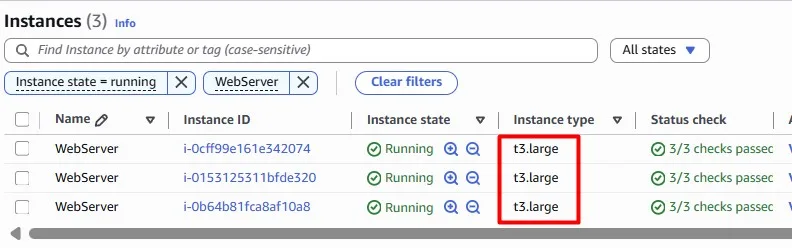
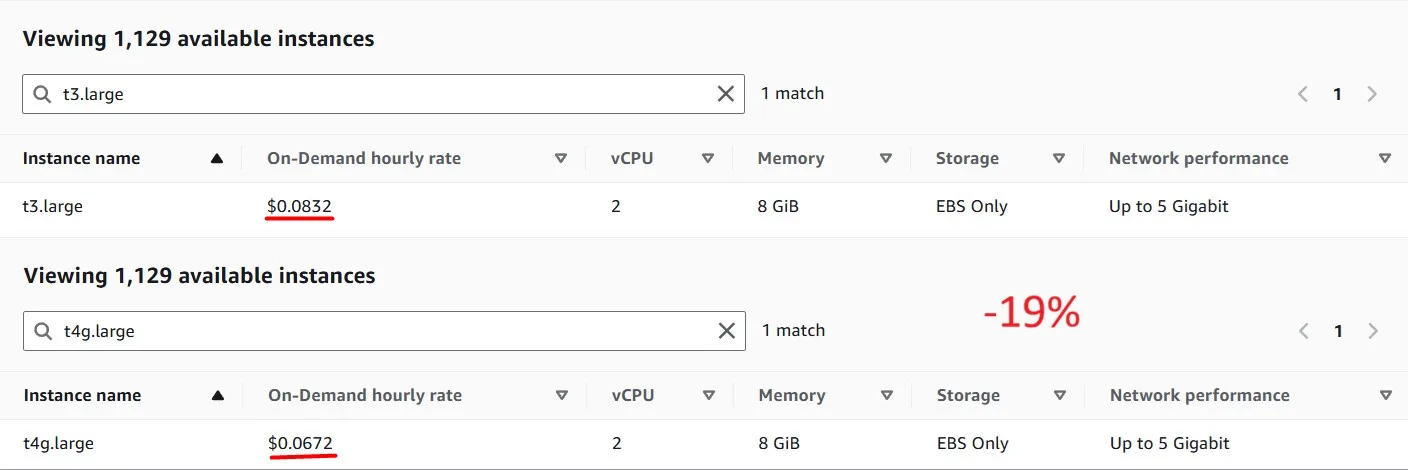
Using newer generation Graviton-based EC2 instances is more cost-effective. Graviton instances can be identified by a lowercase ‘g’ after the instance family type, eg, M6g. If you’re not sure which instance family or size to select, T4g.large (the same size as the existing instances) would be a safe choice:
We can not just replace instances all at once, because we need to avoid user traffic disruption.
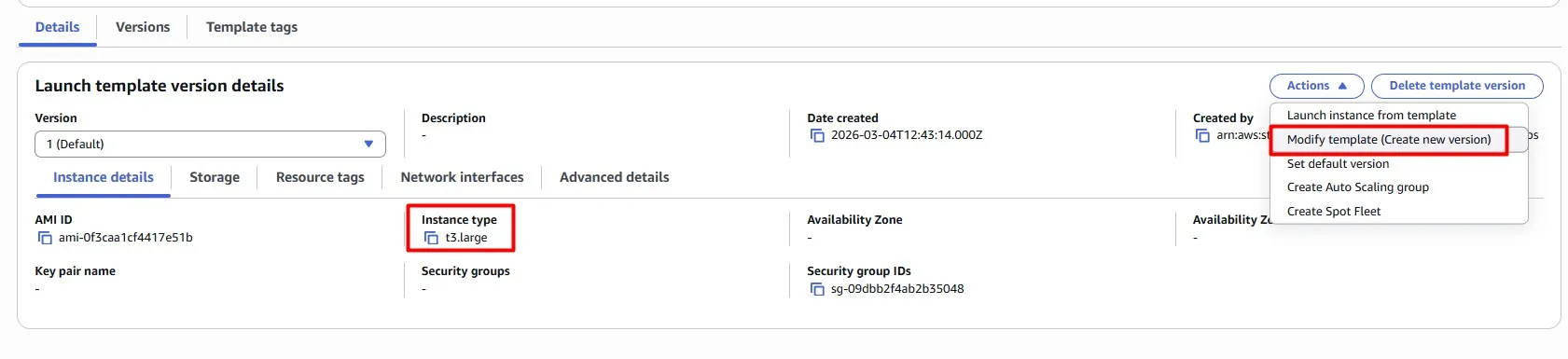
The instance type is configured on the Launch Template. Create a new version of the Launch Template and attach it to the Auto Scaling Group.
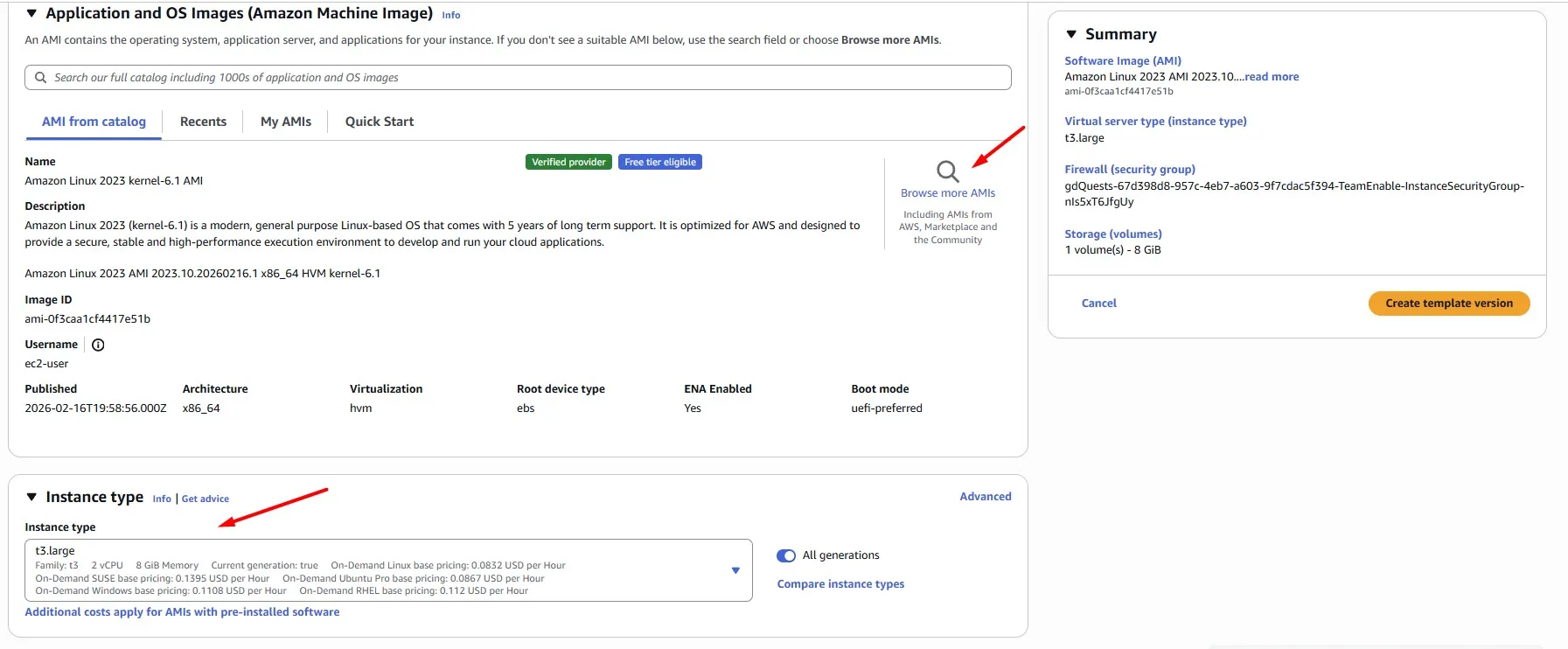
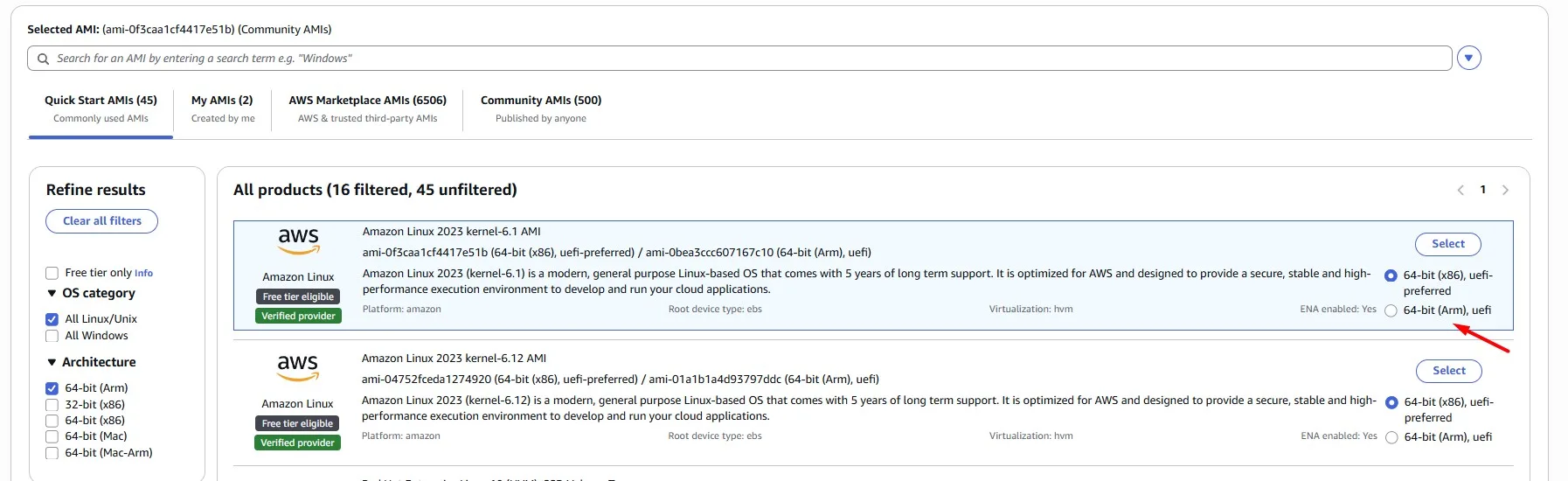
For the AMI, Amazon Linux 2023 (ARM64) AMI is a solid choice
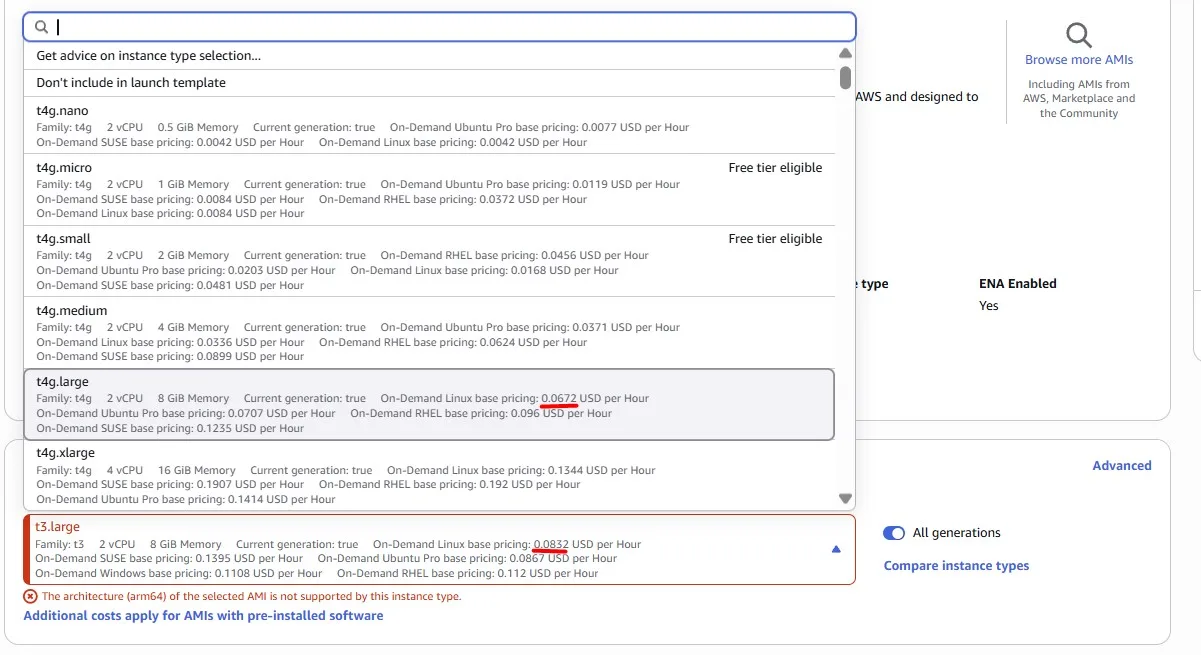
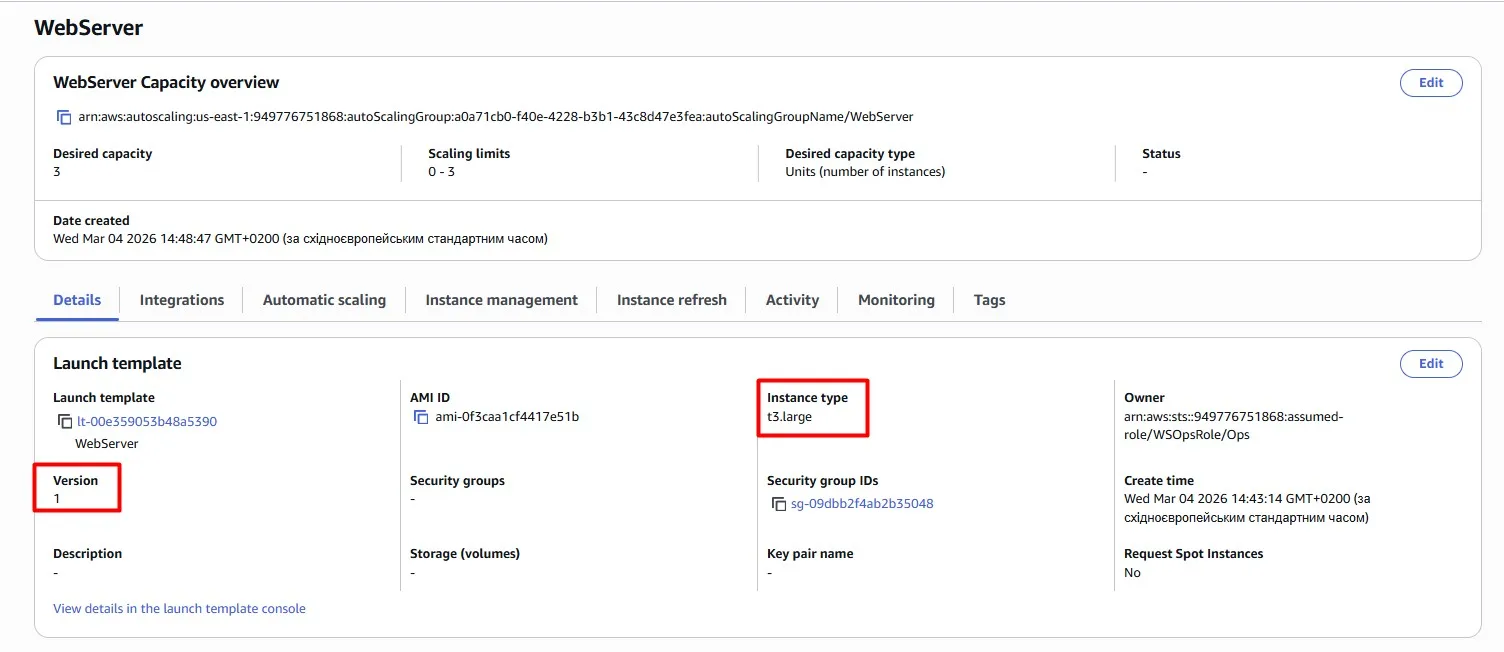
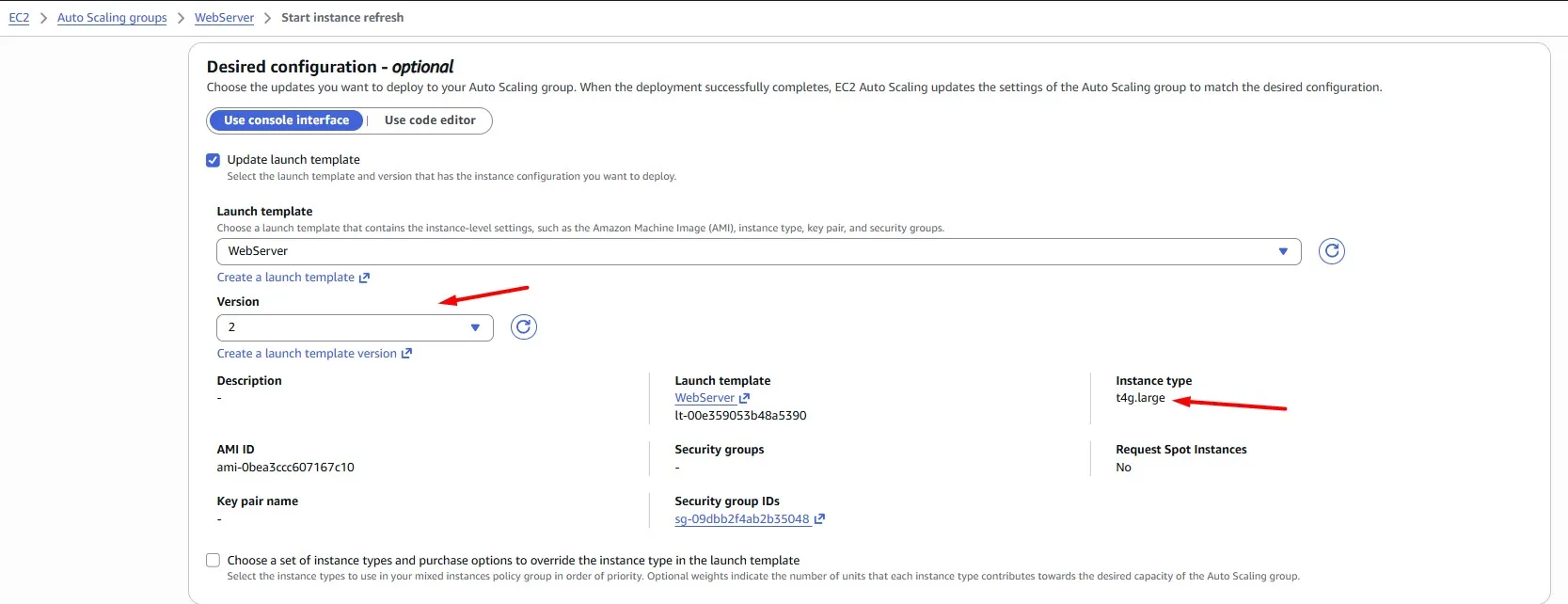
Now the Launch template has two versions. Version 1 with the previous t3.large instance type. Version 2 with the new t4g.large instance type:
Once you have updated the Launch Template and Auto Scaling Group, don’t forget to redeploy your EC2 instances. Auto Scaling Groups come with a convenient instance refresh feature to handle this.
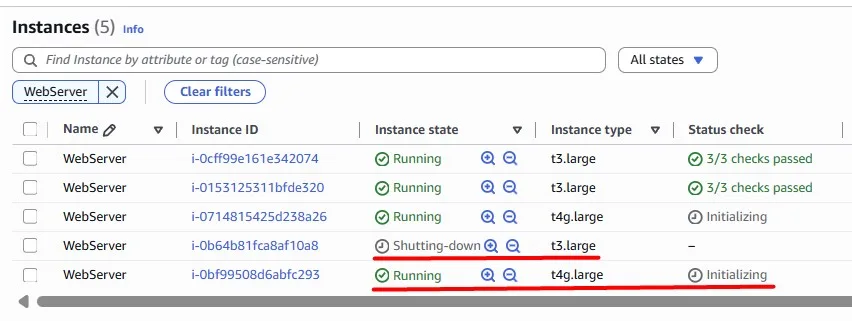
According to our refresh configuration, we terminate and launch instances one by one, avoiding user traffic disruption:
Right-size the EC2 instances
AWS provides a wide variety of EC2 instances, including super-powerful hardware. Obviously, we pay more for more powerful instances, but do we always need that level of power? The logic of the cost optimisations in this case is to choose the hardware that meets our performance needs, while our workload utilises the majority of the provided resources.
According to right-sizing best practices, if your CPU utilisation is less than 40% over a 4-week period, you can safely cut the machine in half.
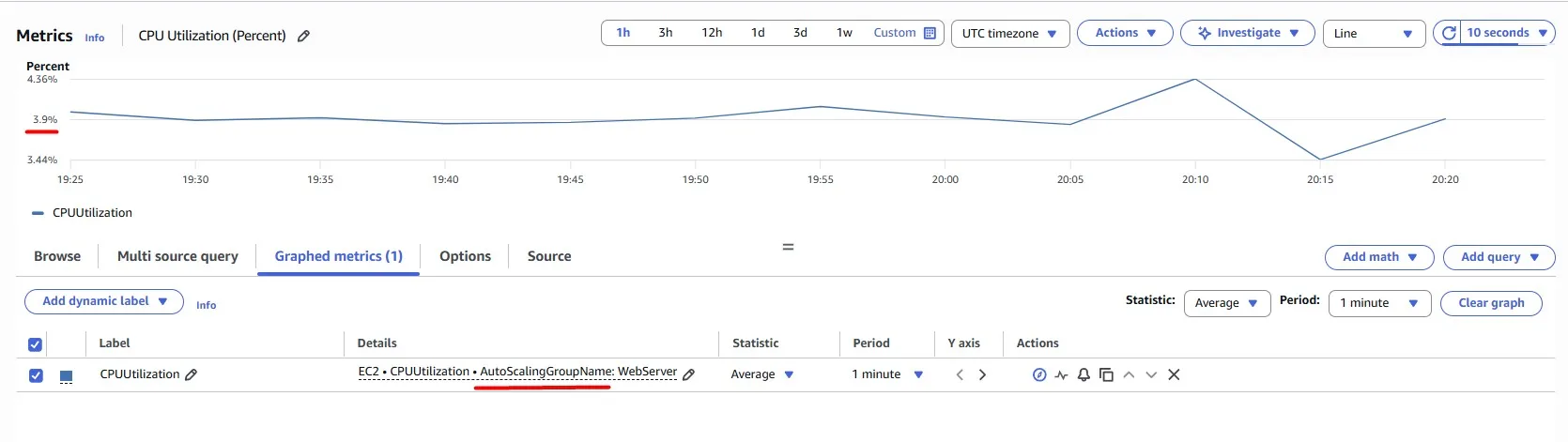
We have an Auto Scaling Group, and there is a convenient way to check the CPU Utilization for the entire Auto Scaling Group rather than checking each EC2 instance. In this case, we can see only ~4%, which means we have overprovisioned the resources, and we just waste money, while the instance does not do the work it could do:
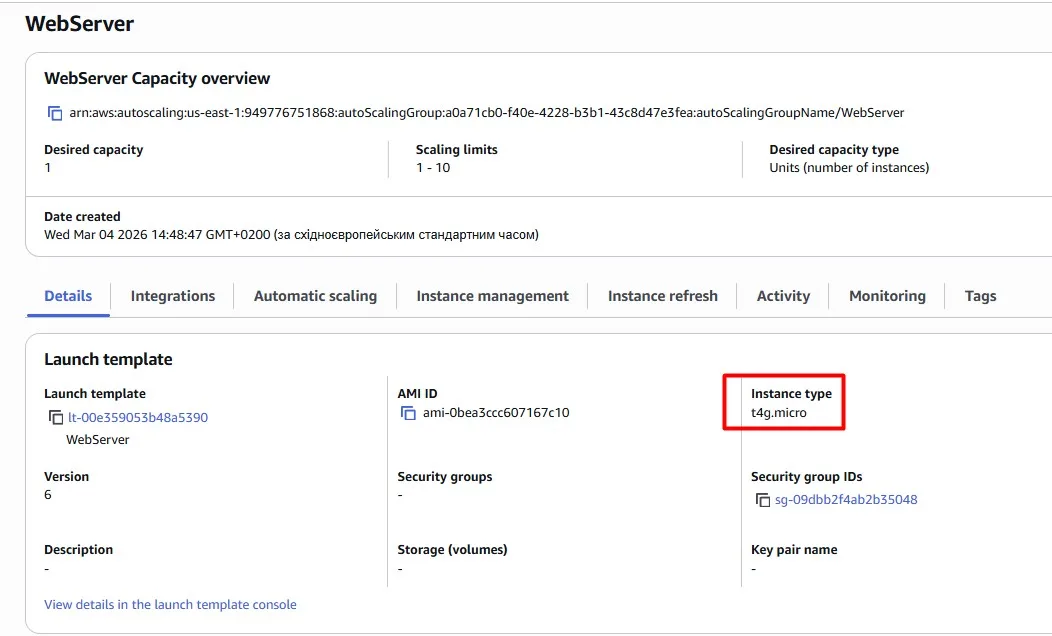
The objective is to get the most out of our EC2 instances without compromising the user experience. Let’s try a smaller instance type and change it in the Launch Template, like in the previous use case:
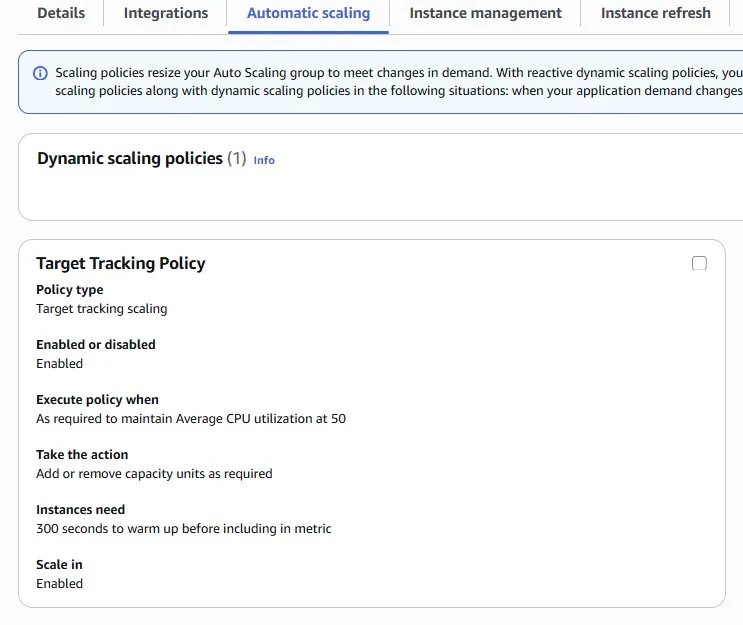
We can also configure automatic scaling with a target tracking policy. For example, we are aiming to average CPU Utilization = 50%:
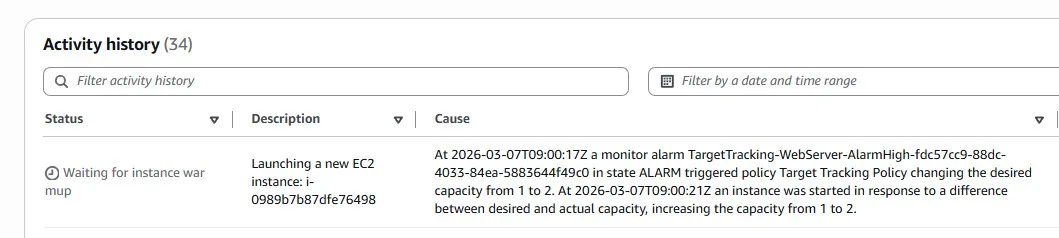
After several minutes of using the smaller t4g.micro instance, the load increased, and autoscaling added the second EC2 instance into the group. Remember that previously we had three bigger EC2 instances:
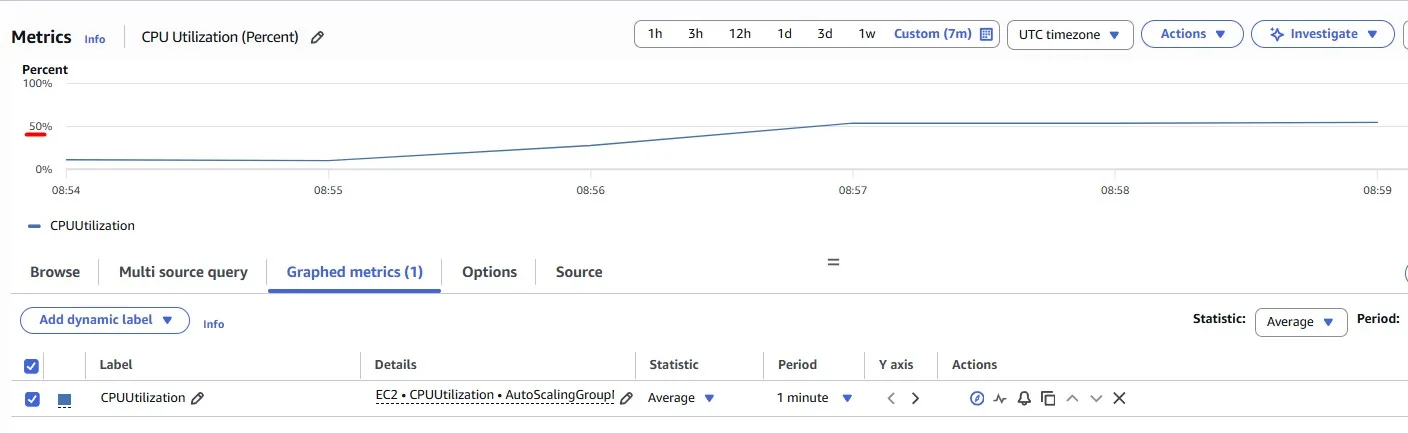
Now we can see ~50% of CPU Utilization for the Auto Scaling Group. This means more cost-effective usage with the same stable usage experience:
Keep in mind that in the real Production environments, you may need other instance types (not the burstable one “T”). This is just an example.
Turn it off when it’s not in use
Imagine you have some workloads which should run only when you are at work. This can include non-production environments or Bastion hosts, as in this example.
Assume our team uses Bastion hosts to get network connectivity to private subnets. There is an Auto Scaling Group with three EC2 instances:
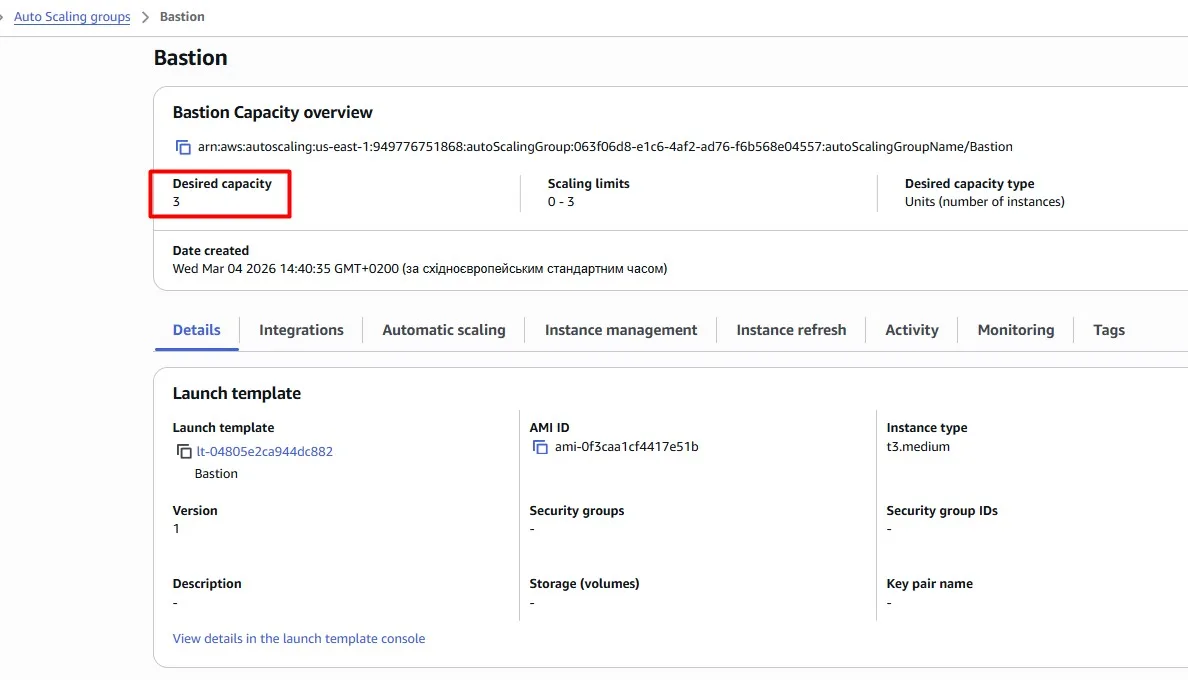
We need these instances during the working day, but we can safely shut them down at night. Modify the Auto Scaling Group so that its instances are automatically terminated every day at 5 pm (UTC). We’ll also want 3 instances to be available again at 8 am (UTC).
Scheduled scaling for EC2 Auto Scaling is a convenient way to implement predictable instance scaling.
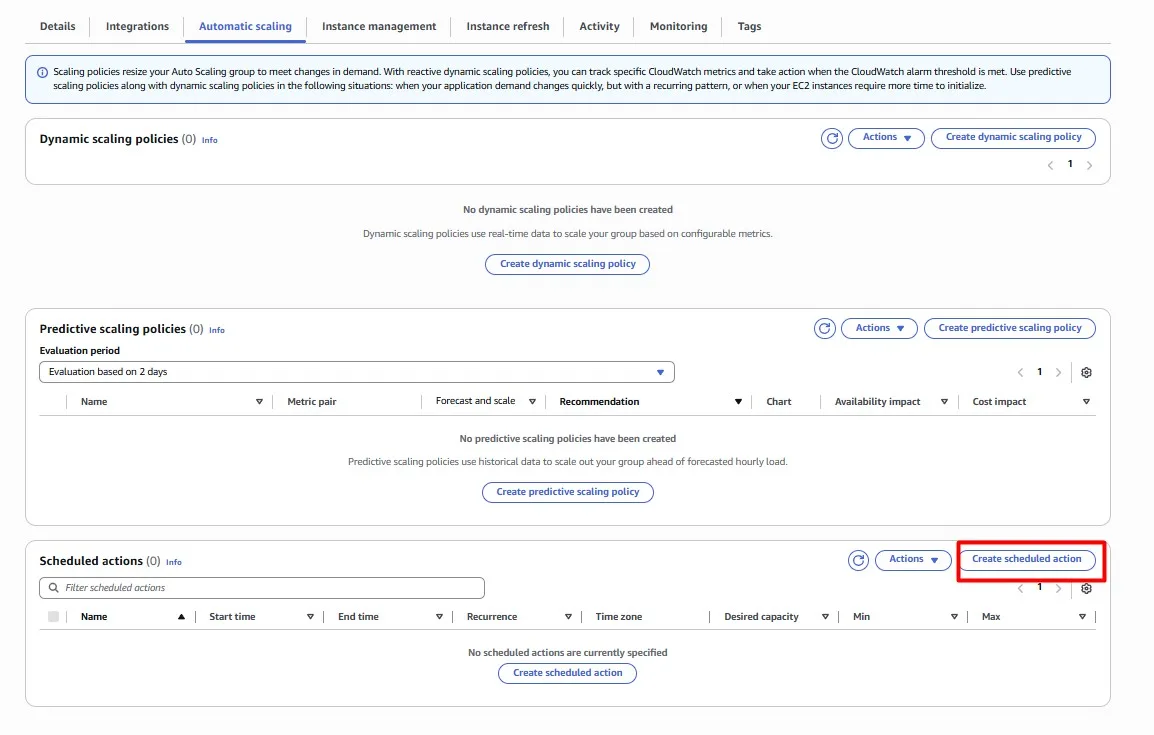
Wonderful, our Bastion hosts will now be switched off outside of business hours!

Save with Serverless
Let’s look at our demo web application once again. The web application is hosted on Amazon EC2 instances in the Auto Scaling Group behind the Application Load Balancer:
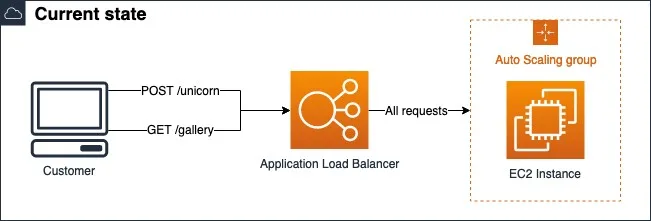
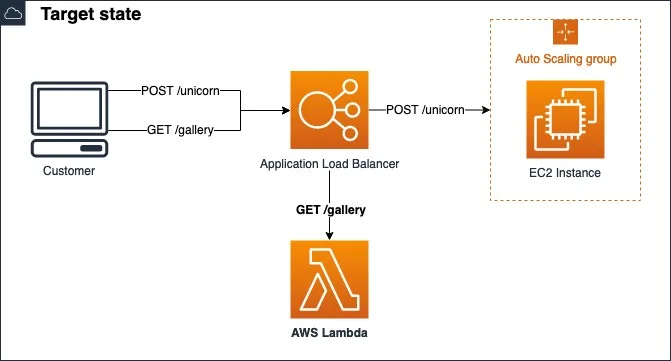
GET /gallery requests returns images from the Amazon S3 bucket. This endpoint is used only sporadically, is completely stateless, and has minimal dependencies; it’s perfect for getting us started with serverless. We can convert the GET /gallery code to a Lambda function. The function only needs to serve images of unicorns successfully from an S3 bucket:
The code itself is omitted because our purpose here is to show the logic of using AWS Lambda with Application Load Balancer:
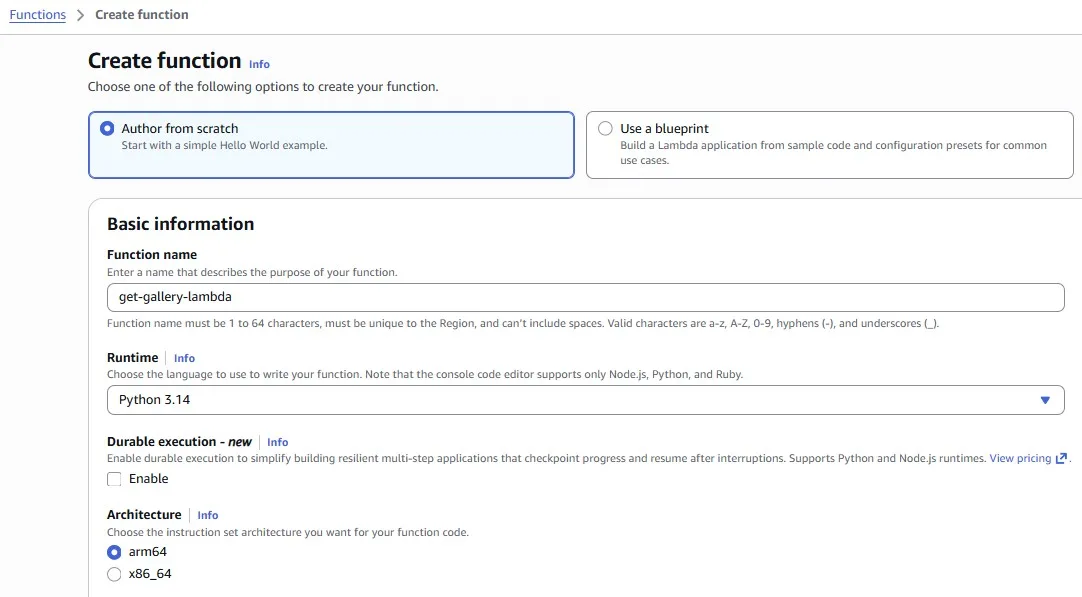
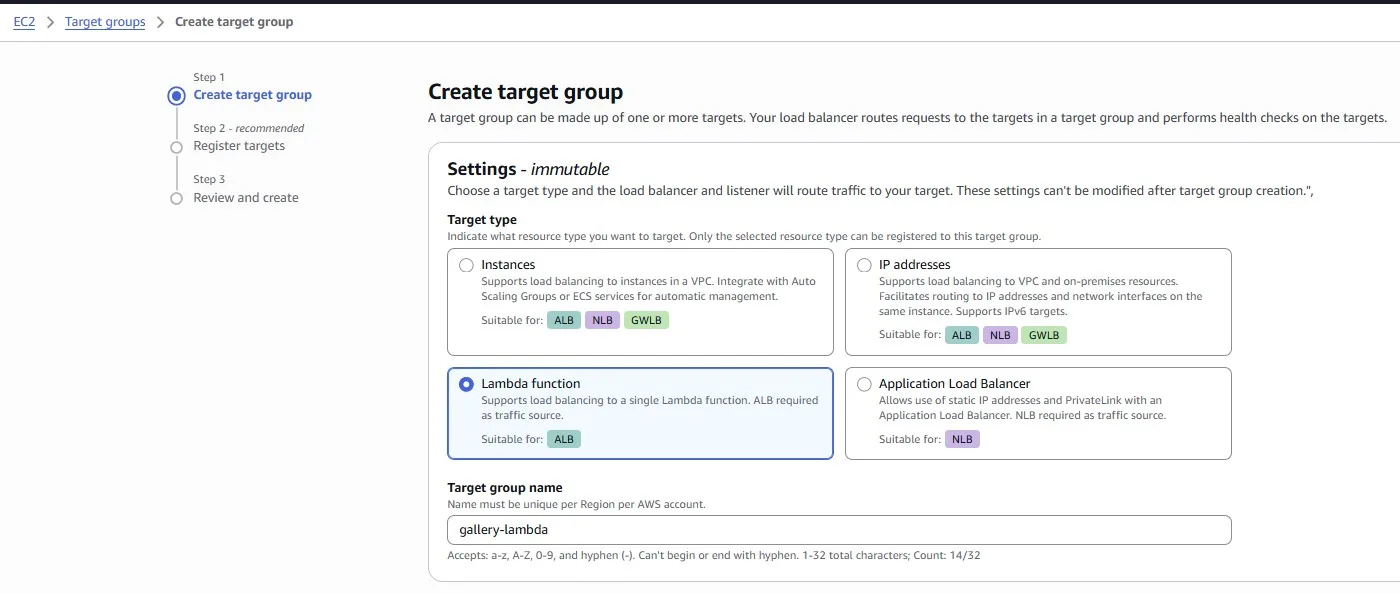
Once the Lambda function is created, we can create a new Target Group for the Application Load Balancer:
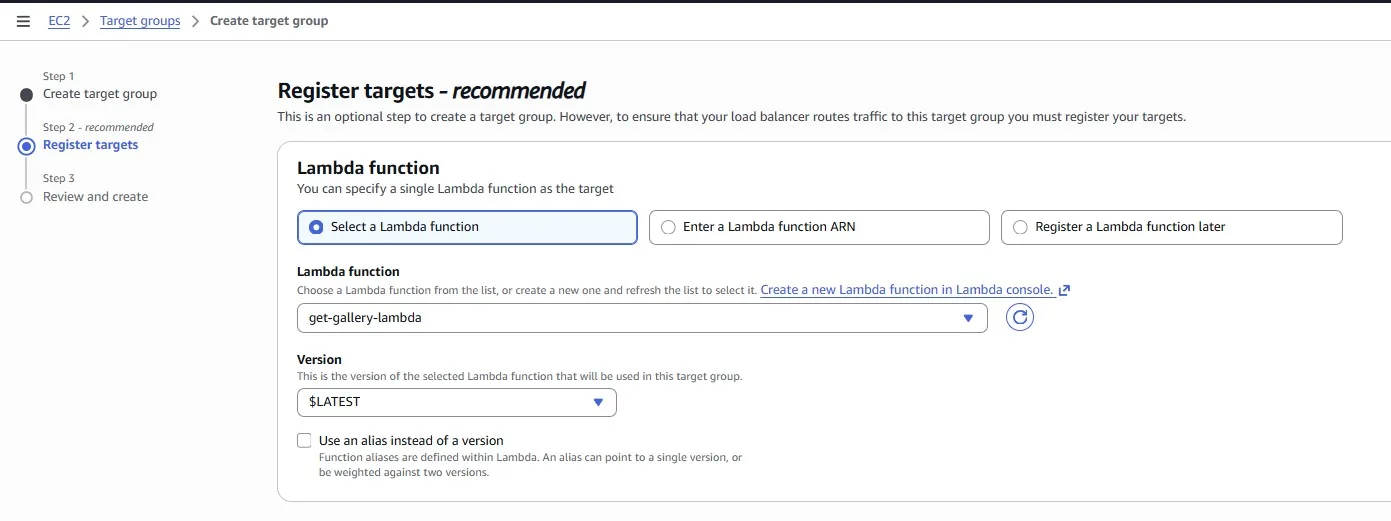
Select the Lambda function:
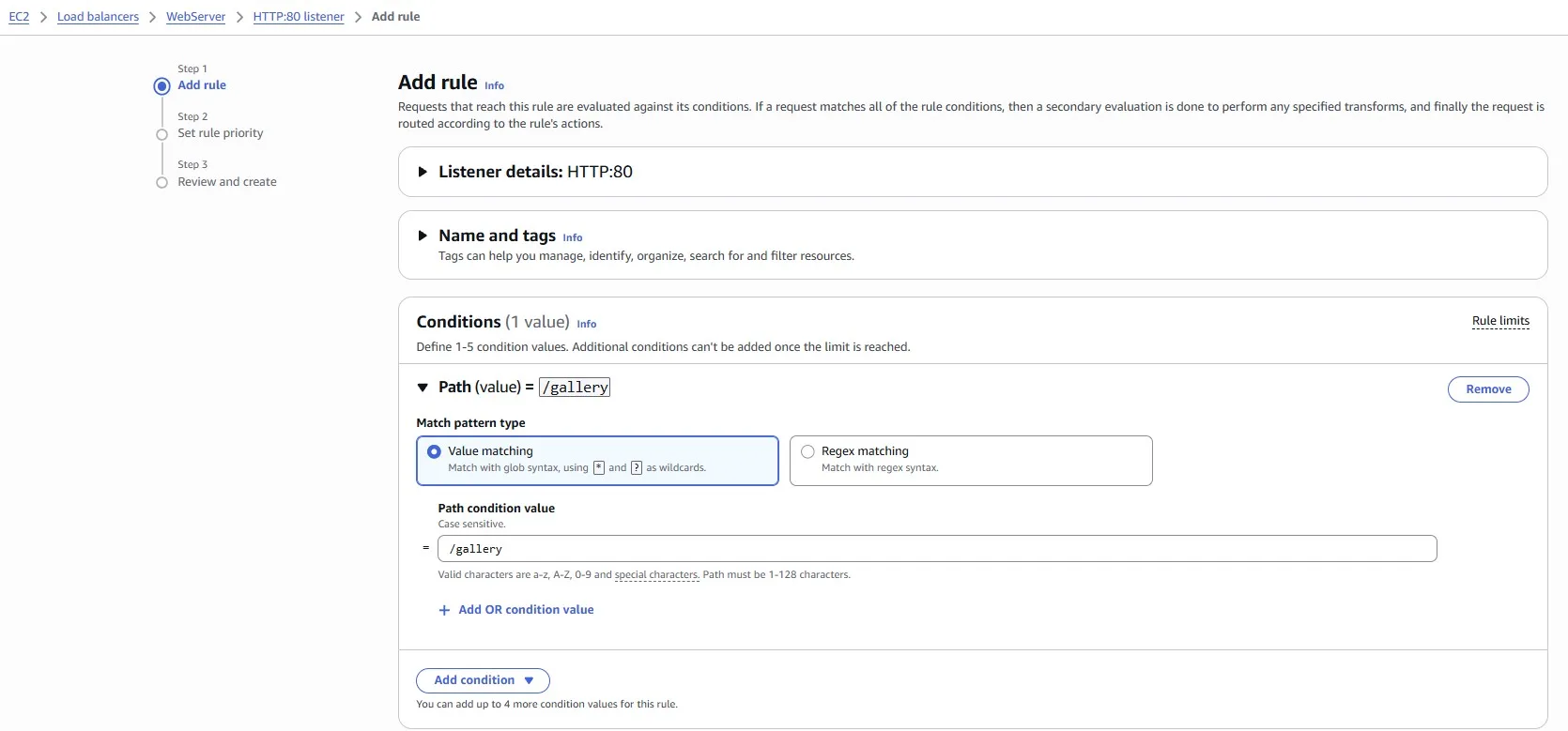
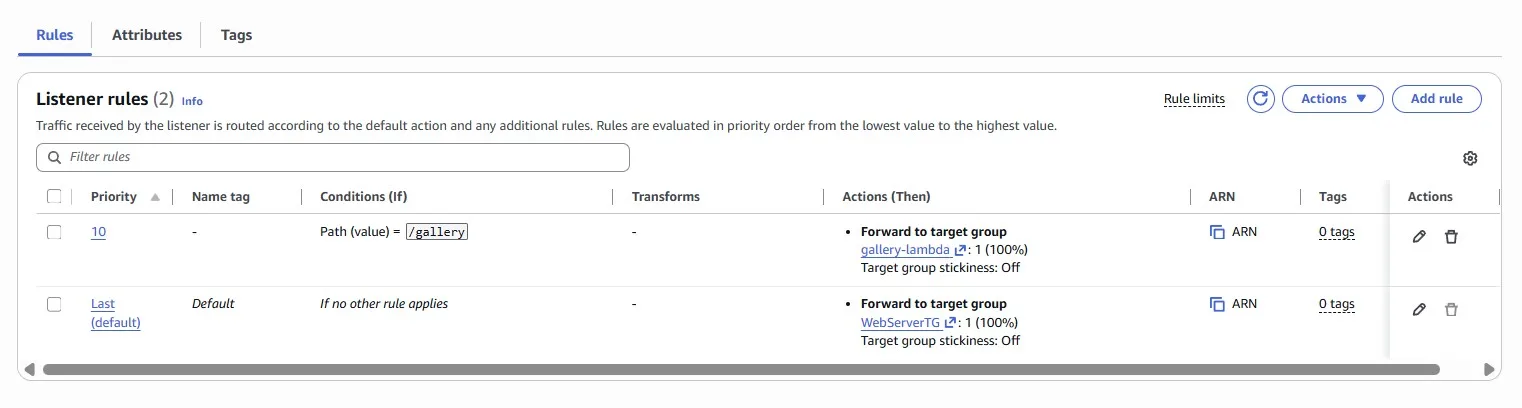
Add the rule for Path /gallery:
Action — forward to the Lambda function:
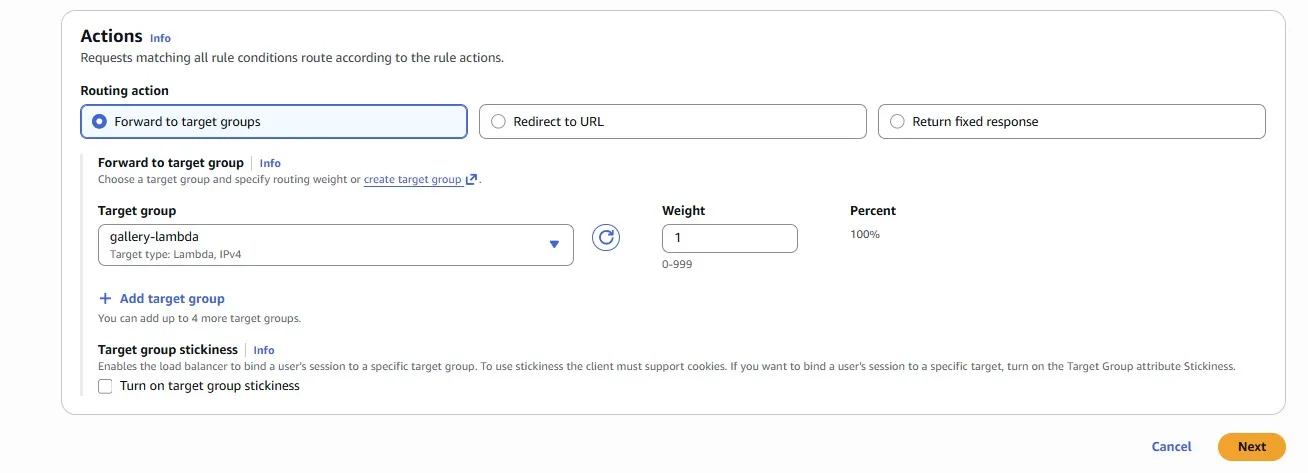
Now that your new Lambda function is correctly deployed, all that’s left to do is to start serving live traffic! Serve the newly created Lambda function behind the existing WebServer Application Load Balancer for the GET /gallery endpoint only. All other endpoints should continue to be served from the existing EC2 instances:
Save with Spot
Imagine we have just released a new report-generation feature that runs on a new fleet of EC2 instances in the “Worker” Auto Scaling Group. The problem is that the cost of the instances far outweighs the revenue generated by the feature, and we are losing money.
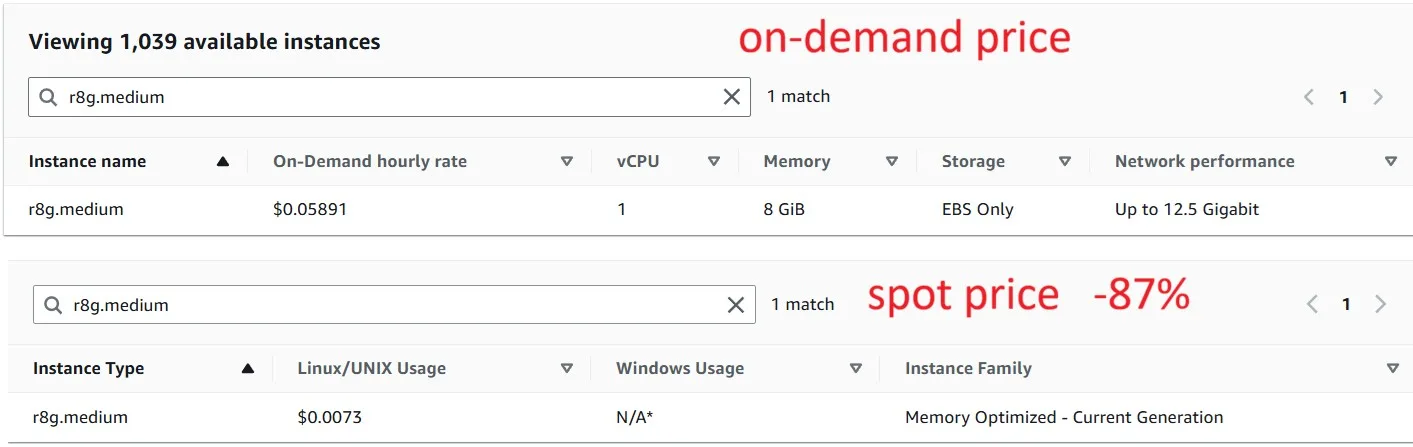
Fortunately, these instances run asynchronous, background tasks and are fault-tolerant. Meaning they are a perfect use case for Spot instances, which can save up to 90% on cost compared to on-demand instances.
Keep in mind, however, that Spot instances can be interrupted and potentially bring the report generations to a halt, which we cannot afford. Make sure that you strike a balance between price and capacity.
- We strongly suggest that you read and implement Spot best practices to guide your configuration.
- “Worker” instances will only run on Graviton instance types.
- Reconfigure the “Worker” Auto Scaling Group to use Spot instances; we shouldn’t have to use Spot Requests or Spot Fleets for this.
The first recommendation about using the Spot instance:
Be flexible about instance types and Availability Zones
A Spot capacity pool is a set of unused EC2 instances with the same instance type (for example,
m5.large) and Availability Zone (for example, us-east-1a). You should be flexible about which instance types you request and in which Availability Zones you can deploy your workload. This gives Spot a better chance to find and allocate your required amount of compute capacity. For example, don’t just ask forc5.largeif you’d be willing to use larges from the c4, m5, and m4 families.
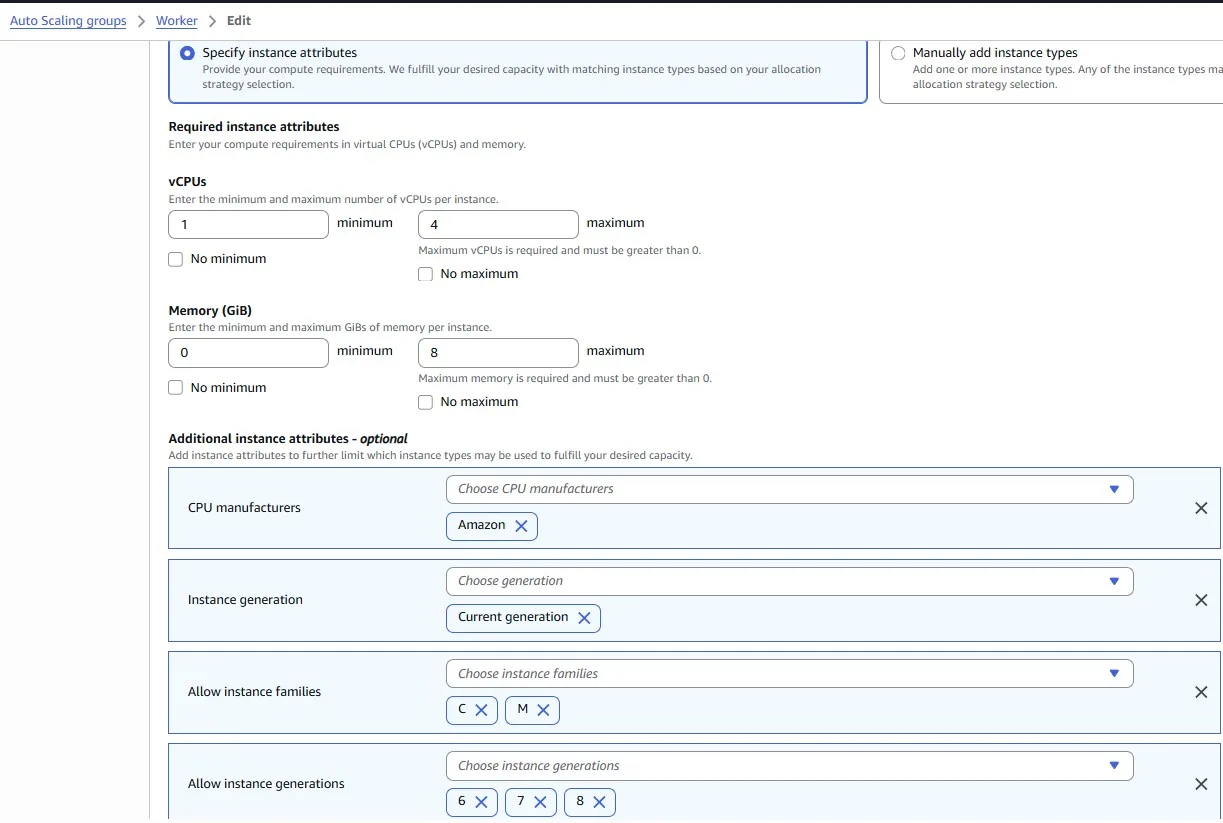
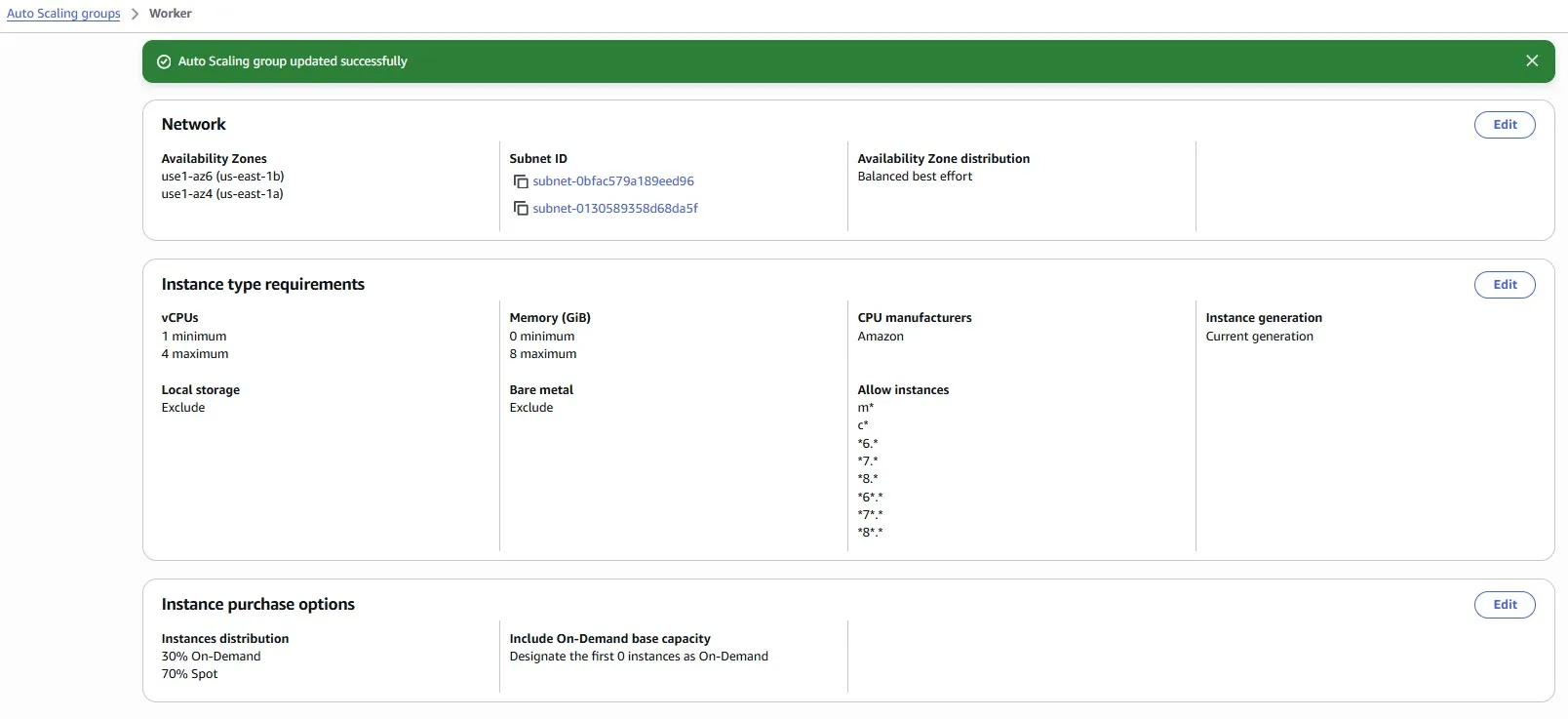
We chose many different instance types with 1–4 vCPUs and 0–8 GiB of Memory:
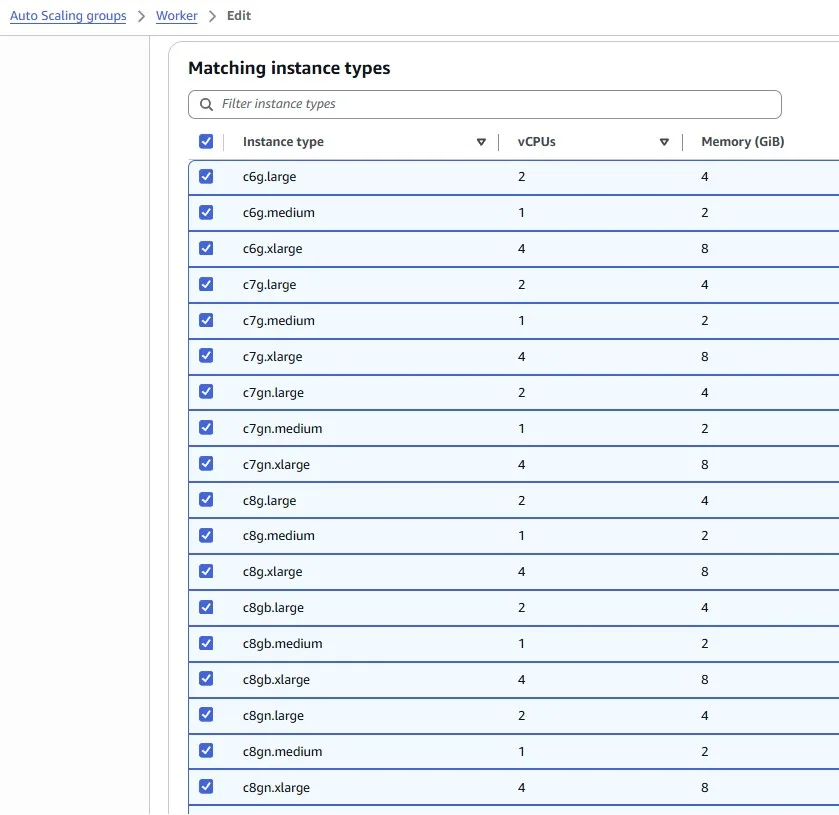
We want to be safe, so we set 30% of on-demand instances to avoid the situation when all our Spot instances are interrupted:

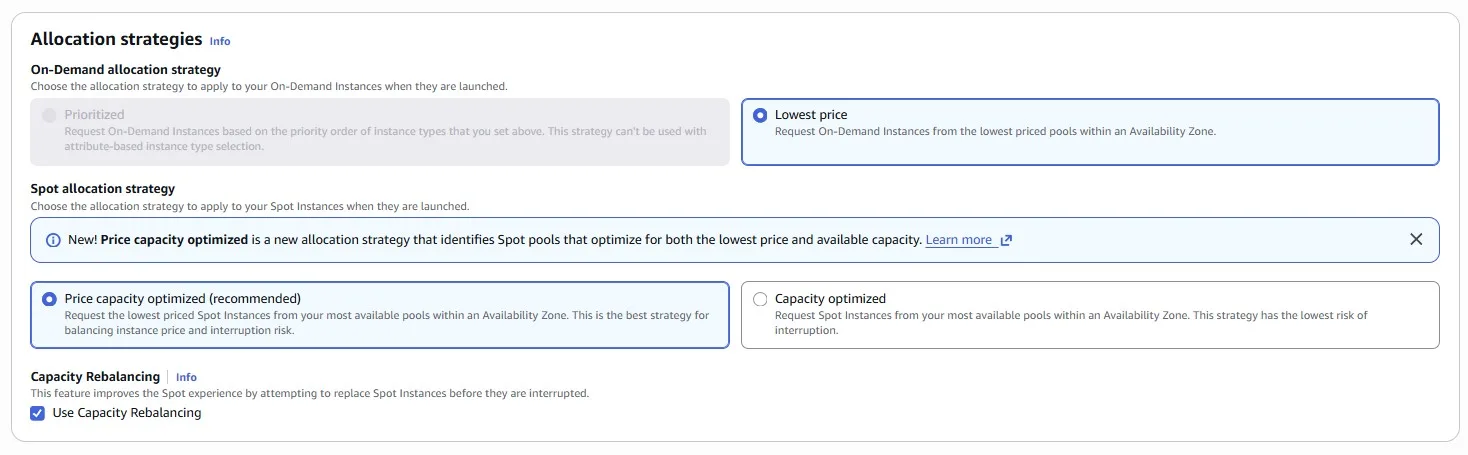
Use the price and capacity optimized allocation strategy
Allocation strategies in Auto Scaling groups help you to provision your target capacity without the need to manually look for the Spot capacity pools with spare capacity. We recommend using the
price-capacity-optimizedstrategy because this strategy automatically provisions instances from the most-available Spot capacity pools that also have the lowest possible price. You can also take advantage of theprice-capacity-optimizedallocation strategy in EC2 Fleet. Because your Spot Instance capacity is sourced from pools with optimal capacity, this decreases the possibility that your Spot Instances are reclaimed.
Choose several Availability Zones. The logic is the same as choosing many instance types. We have a higher probability of getting the Spot instance:
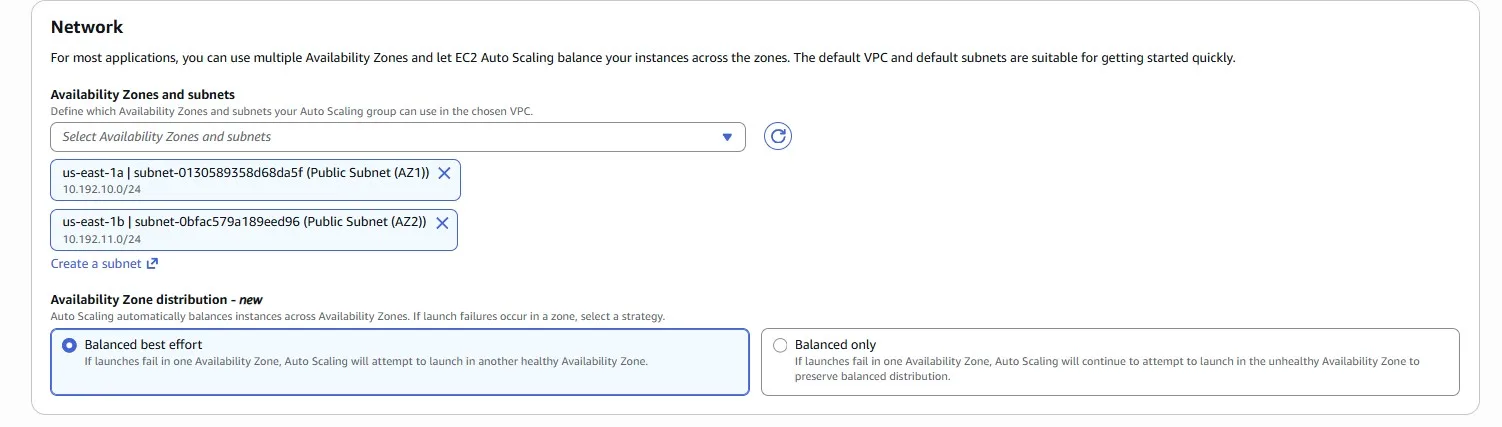
Auto Scaling Group has been successfully updated:
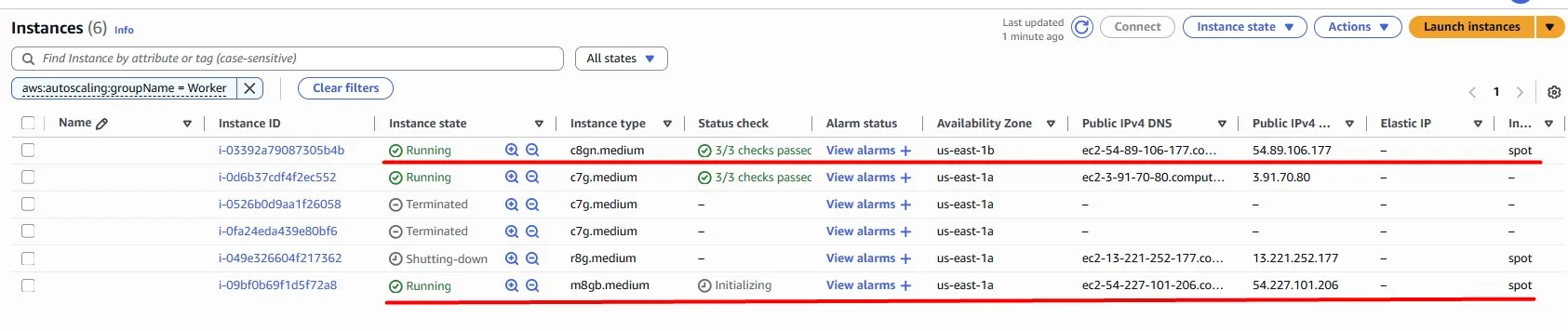
Fortunately, we got our new Spot instances, and they are successfully provisioned:
Spot price changes over time, but here is a comparison of On-demand vs. Spot for one of the instance types (March 25, 2026):
Storage
Amazon S3 lifecycle policy
Imagine we store a lot of data in Amazon S3. The data grows, and the cost associated with it increases as well. We identified an S3 bucket where we store a lot of data, while accessing it infrequently. When we do access the data, we need to be able to retrieve it quickly. Let’s optimize by making sure that newly created data moves to the Glacier Instant Retrieval (GIR) storage class automatically, 5 days after creation.
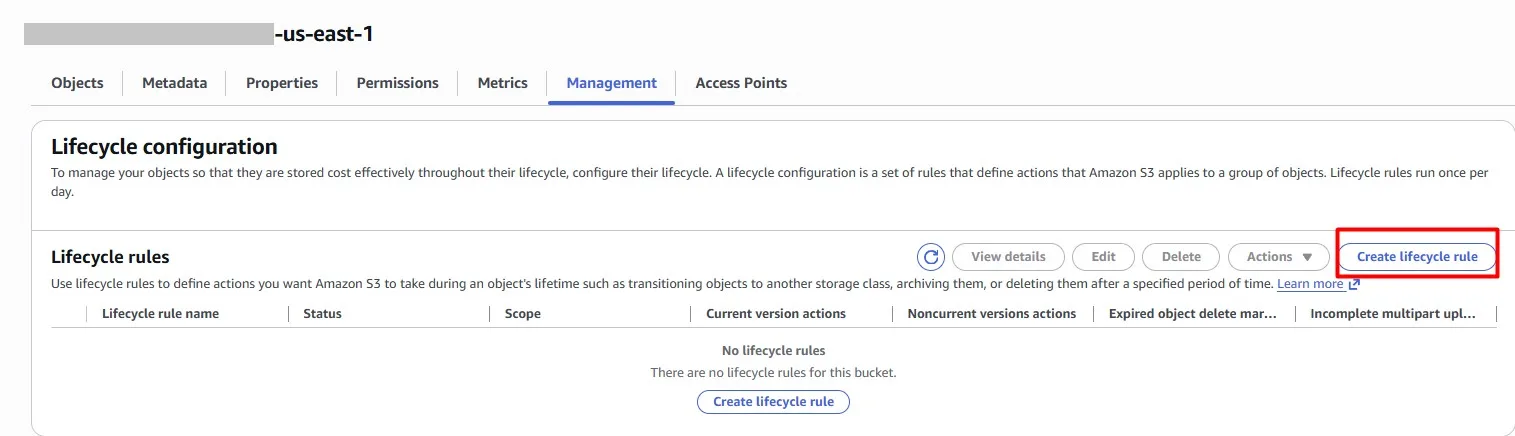
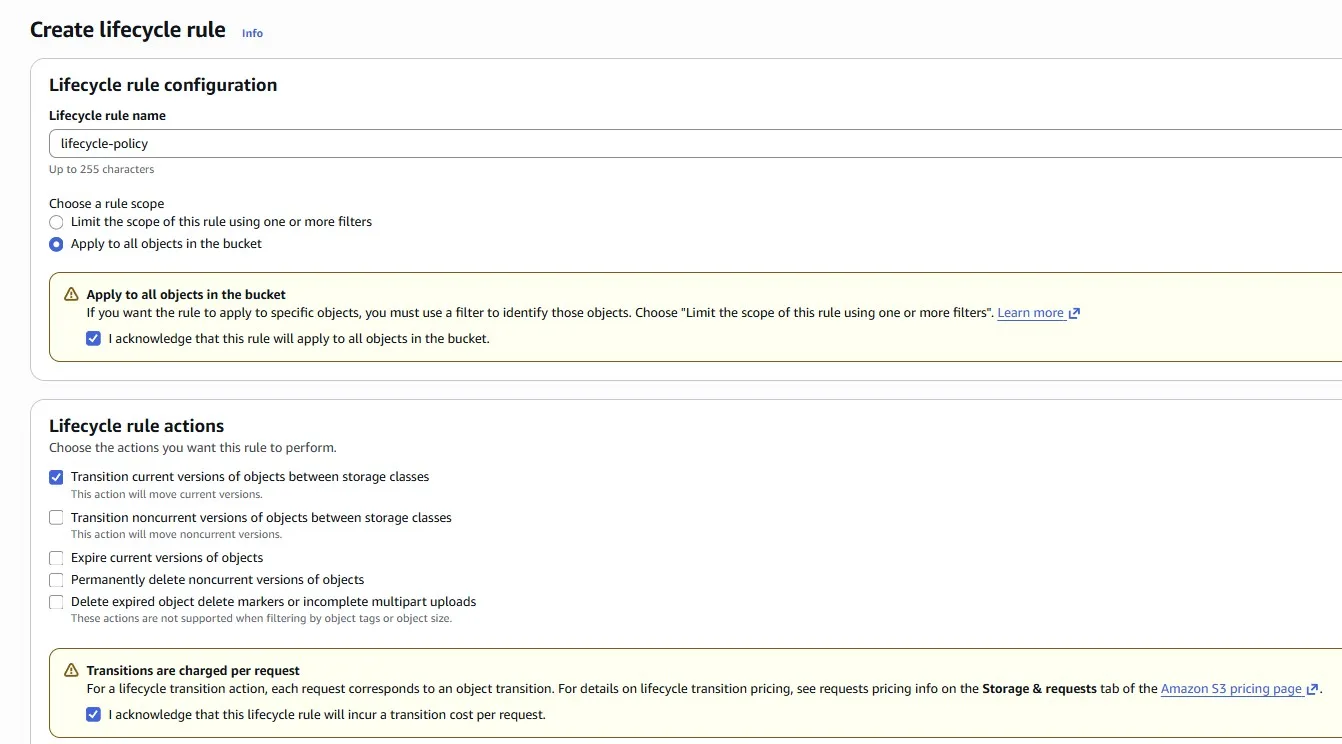
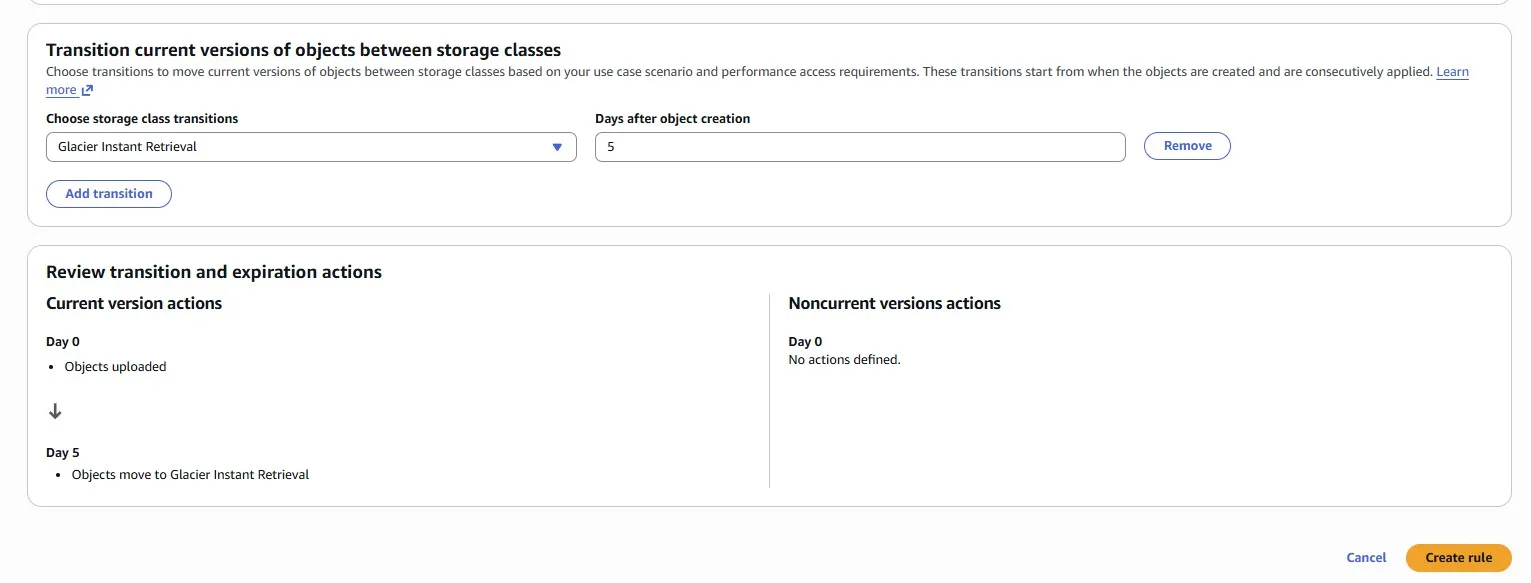
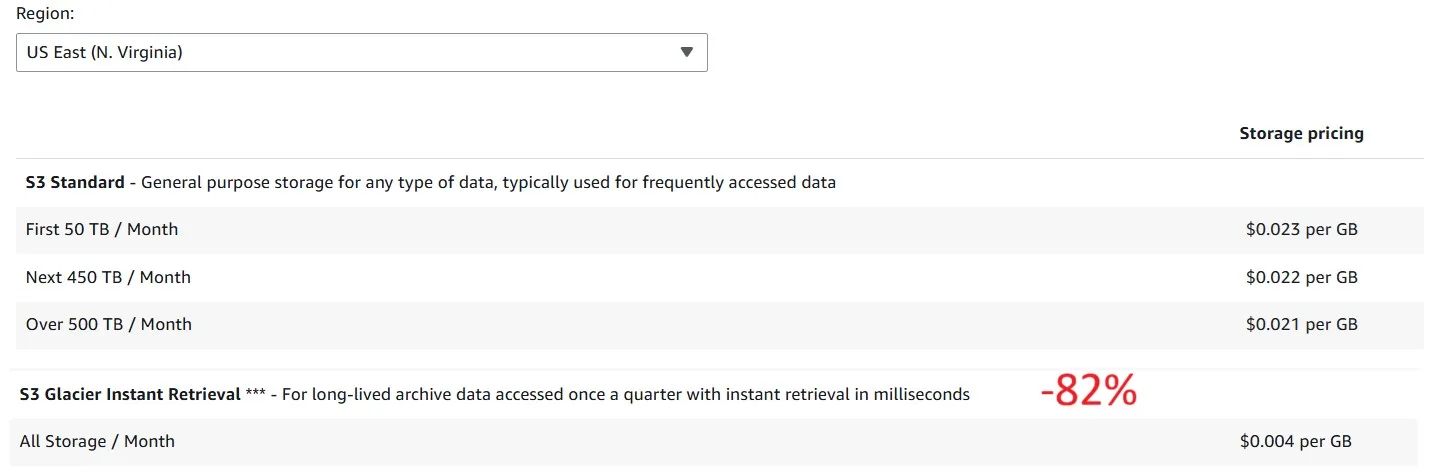
And here is a comparison in pricing for storage between S3 Standard and S3 Glacier Instant Retrieval:
Snapshot Overload
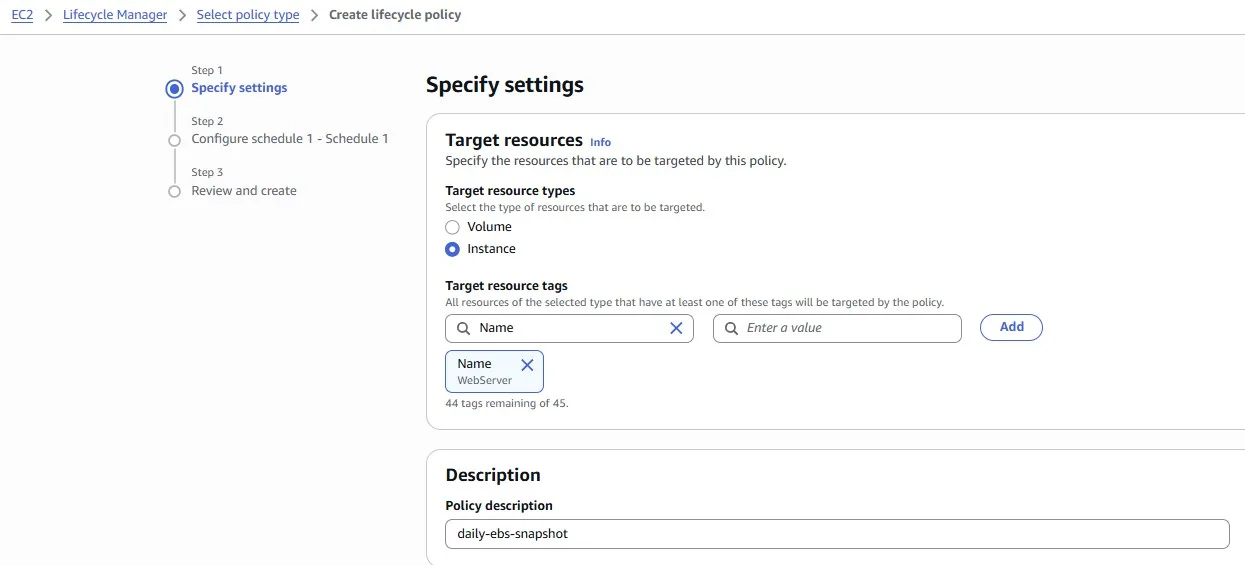
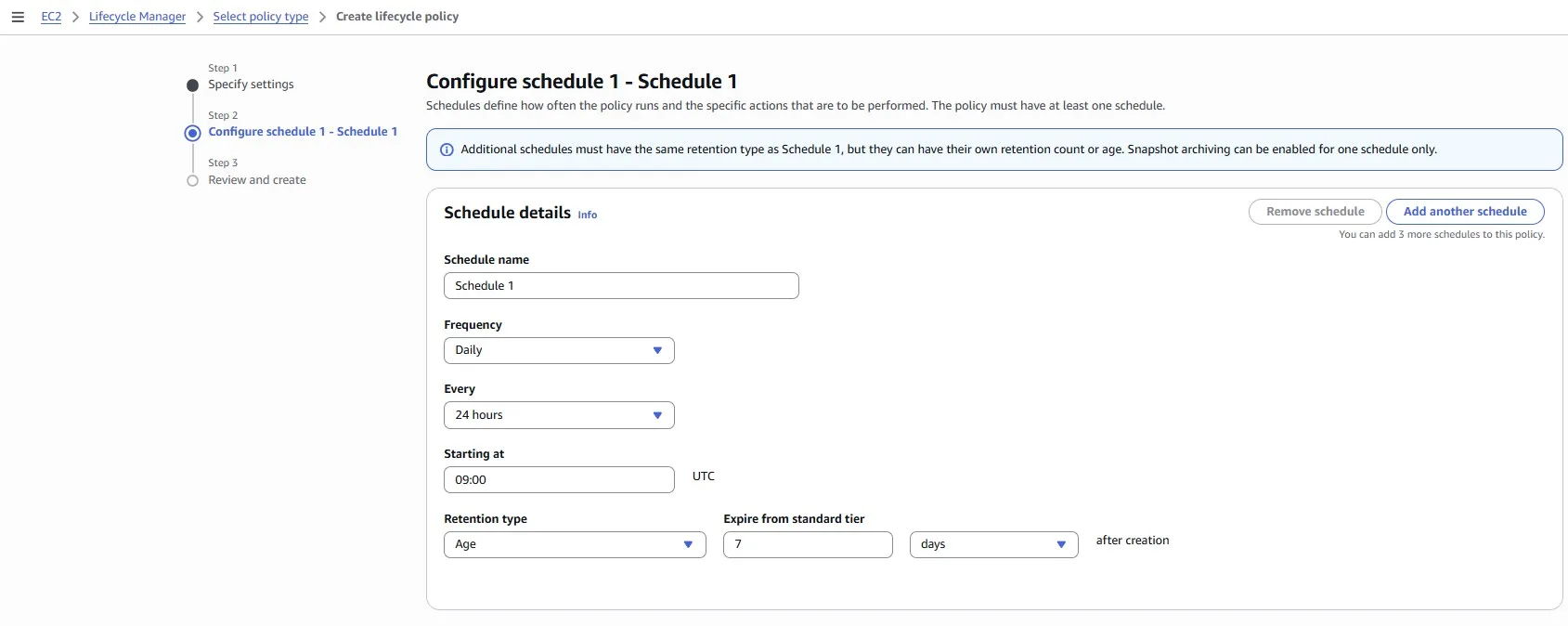
Imagine the previous team has been making heaps of snapshots, great for backups, but now we have bucketloads. Let’s clean up unused EBS snapshots.
Let’s elevate our AWS snapshot management by implementing a Snapshot Lifecycle Rule to ensure consistent data backups. Our task is to create a rule that automatically takes an EBS snapshot once a day for the next seven days. This proactive approach enhances data resilience and facilitates easy recovery, ensuring that we have a snapshot available for each day of the week.
To accomplish this, navigate to the AWS Management Console, access the EC2 Dashboard, and explore the Snapshot Lifecycle Manager.
Conclusion
AWS provides hundreds of cloud services with different pricing models and recommendations for using them cost-effectively. In this article, we looked at the most popular services, architectures, and ways to pay less for the cloud, including web applications, serverless applications, observability, and storage.